EasyManua.ls Logo

Panasonic NV-HD100EA - Bar Code Operation

Panasonic NV-HD100EA
35 pages
Print Icon
To Next Page IconTo Next Page
To Previous Page IconTo Previous Page
Loading...
Bar
Code
Operation
Scanner
Preparation
Operating
the
Remote
Controller
This
remote
controller
aiso
operates
as
a
digital-scanning
bar
code
reader.
Press
SCANNER
ON/OFF
to
turn
it
on.
If
the
remote
controller
is
not
operated
within
60
seconds
(within
4
minutes
when
setting
the
clock
time),
the
lamp
and
Display
turns
off.
When
the
lamp
is
not
lit,
press
SCANNER
ON/OFF
to
turn
it
on
again.
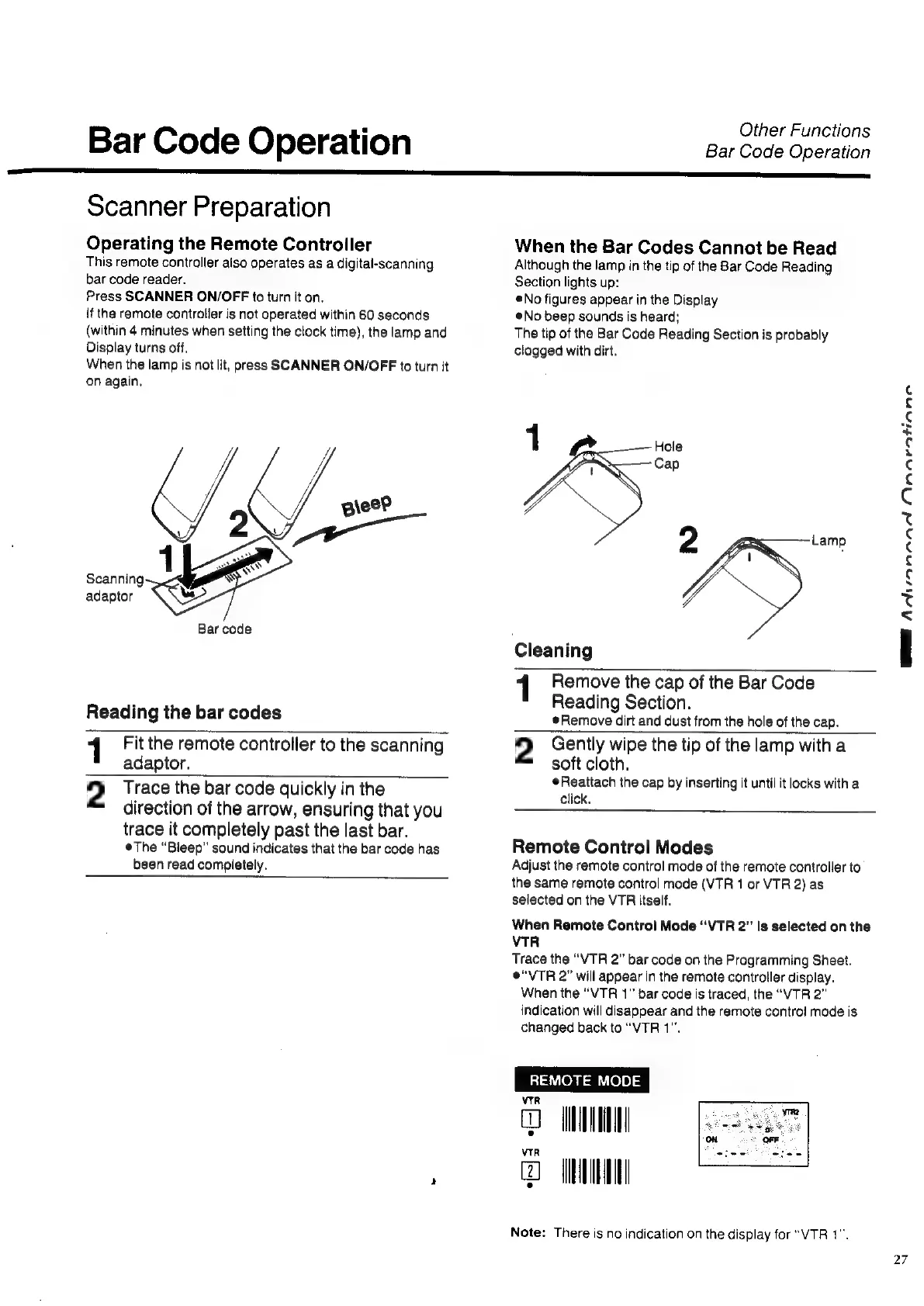
Scanning
adaptor
Bar
code
Reading
the
bar
codes
Other
Functions
Bar
Code
Operation
When
the
Bar
Codes
Cannot
be
Read
Although
the
lamp
in
the
tip
of
the
Bar
Code
Reading
Section
lights
up:
©No
figures
appear
in
the
Display
No
beep
sounds
is
heard;
The
tip
of
the
Bar
Code
Reading
Section
is
probably
clogged
with
dirt.
1
L
Hole
Cap
2
Lamp
Cleaning
1
Remove
the
cap
of
the
Bar
Code
Reading
Section.
Remove
dirt
and
dust
from
the
hole
of
the
cap.
1
Fit
the
remote
controller
to
the
scanning
adaptor.
2
Trace
the
bar
code
quickly
in
the
direction
of
the
arrow,
ensuring
that
you
trace
it
completely
past
the
last
bar.
eThe
“Bleep”
sound
indicates
that
the bar
code
has
been
read
completely.
2
Gently
wipe
the
tip
of
the
lamp
with
a
soft
cloth.
¢Reattach
the
cap
by
inserting
it
until
it
locks
with
a
click.
Remote
Control
Modes
Adjust
the
remote
control
mode
of
the
remote
controller
to
the
same
remote
control
mode
(VTR
1
or
VTR
2)
as
selected
on
the
VTR
itself.
When
Remote
Control
Mode
“VTR
2”
is
selected
on
the
VTR
Trace
the
“VTR
2”
bar
code
on
the
Programming
Sheet.
e“VTR
2”
will
appear
in
the
remote
controller
display.
When
the
“VTR
1”
bar
code
is
traced,
the
“VTR
2”
indication
will
disappear
and
the
remote
control
mode
is
changed
back
to
“VTR
1”.
REMOTE
MODE
vrr
WMI
wn
Note:
There
is
no
indication
on
the
display
for
“VTR
1".
WE
AN
ANANDA
Dnaeatianne
27

Related product manuals