EasyManua.ls Logo

Panasonic NV-HD100EA - Page 28

Panasonic NV-HD100EA
35 pages
Print Icon
To Next Page IconTo Next Page
To Previous Page IconTo Previous Page
Loading...
28
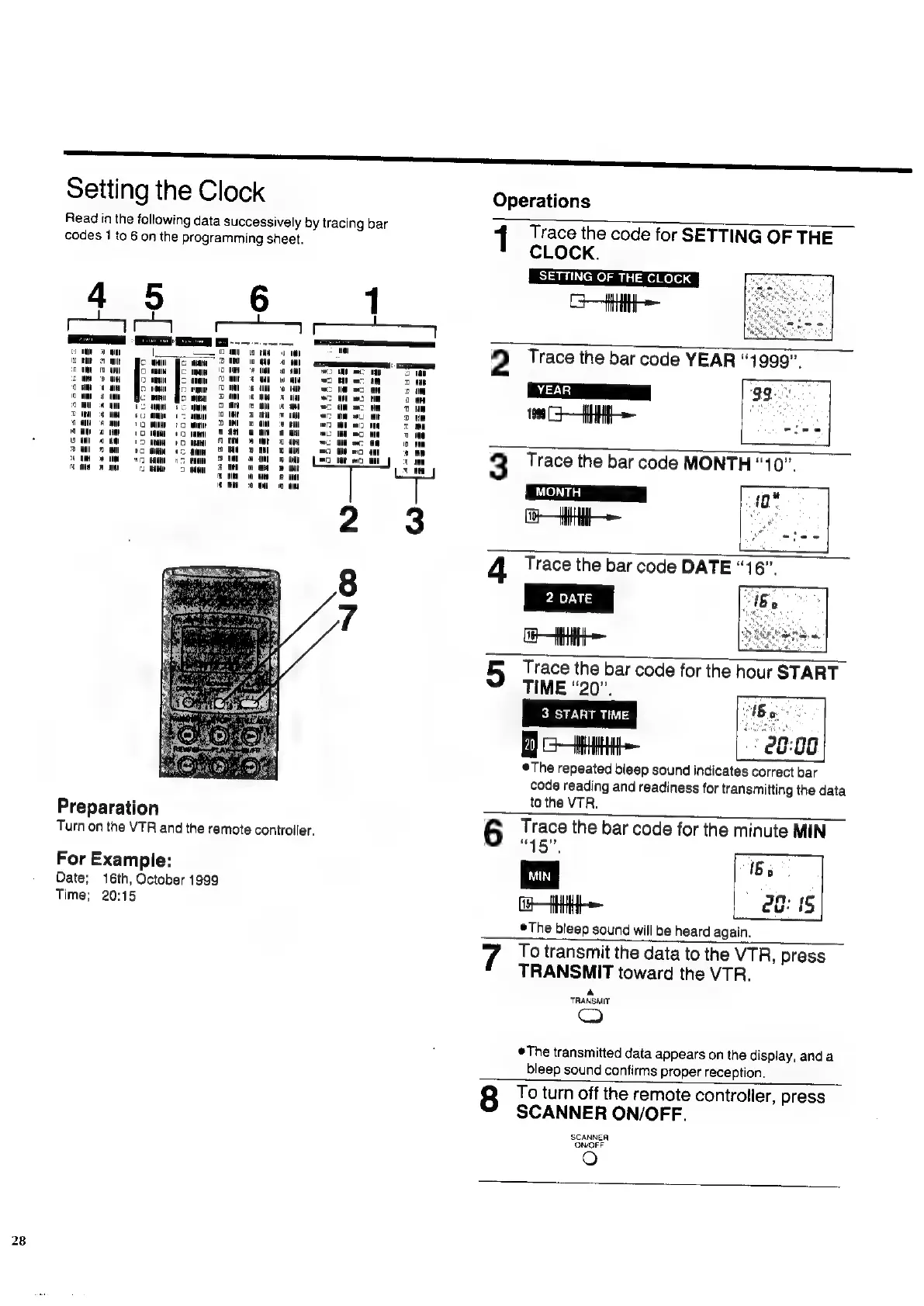
Setting
the
Clock
Read
in
the
following
data
successively
by
tracing
bar
codes
1
to
6
on
the
programming
sheet.
mr
ow
on
fs
ae
CS
Ce
°
te
UM
wo
ac
oe
cum
ae
nec
iM
2
MB
a4
at
nt
ac
a
Par
om
tM
om
a
on
ee
sa
3
a
ac
HN
EM
iB
x
an
a
fad
8
mu
=
am
net
«
=
cer
ol
m
me
2
wll
ooo
RN
=
as
nom
Ce
ee
ee
iF}
wt
4
Cen
ee
TT
on
©
uN
8
mn
Ce
ee
ee
Turn
on
the
VTR
and
the
remote
controller,
For
Example:
Date;
16th,
October
1999
Time;
20:15
Operations
1
Trace
the
code
for
SETTING
OF
THE
CLOCK.
L
SETTING
OF
THE
CLOCK
|
GH
sae
ae
a
2
Trace
the
bar
code
YEAR
“1999”.
199
-—HH
regis
3
Trace
the
bar
code
MONTH
‘10’.
Ca
10"
4
Trace
the
bar
code
DATE
2
DATE
a
5
Trace
the
bar
code
for
the
hour
START
TIME
“20”,
ei
3
START
TIME
Ba
lee
28:08
@The
repeated
bleep
sound
indicates
correct
bar
code
reading
and
readiness
for
transmitting
the
data
to
the
VTR.
6
Trace
the
bar
code
for
the
minute
MIN
“45”,
1
mo
28:
{5
©The
bleep
sound
will
be
heard
again.
7
To
transmit
the
data
to
the
VTR,
press
TRANSMIT
toward
the
VTR.
TRANSMIT
i)
The
transmitted
data
appears
on
the
display,
anda
bleep
sound
confirms
proper
reception.
8
To
turn
off
the
remote
controller,
press
SCANNER
ON/OFF.
SCANNER
ON/OFF
e)

Related product manuals