EasyManua.ls Logo

Panasonic NV-HD100EA - Page 31

Panasonic NV-HD100EA
35 pages
Print Icon
To Next Page IconTo Next Page
To Previous Page IconTo Previous Page
Loading...
Bar
Code
Operation
Before
Requesting
Service
B
efore
Requesting
Service
ee
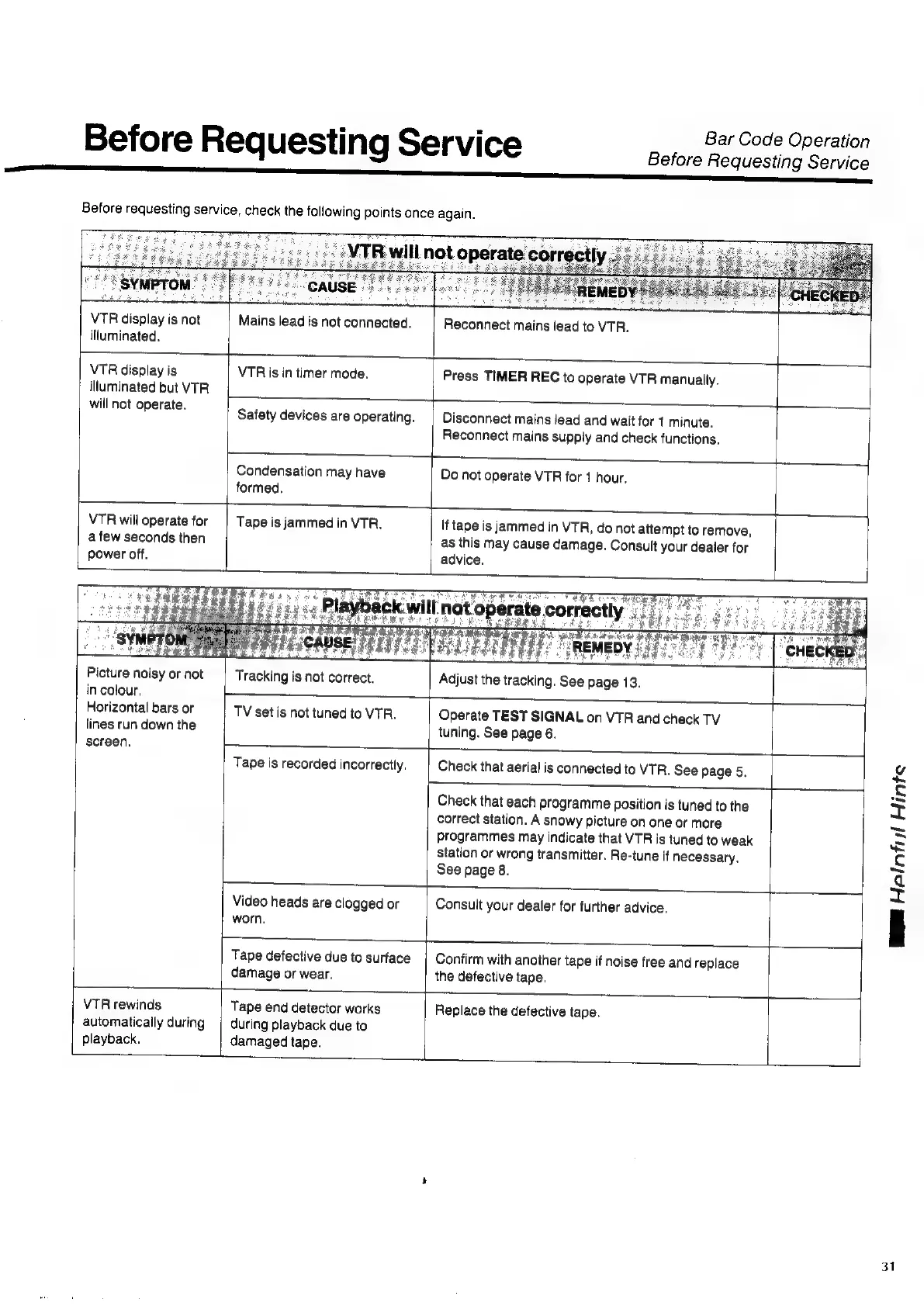
Before
requesting
service,
check
the
following
points
once
again.
VTR
display
is
not
illuminated.
Mains
lead
is
not
connected.
Reconnect
mains
lead
to
VTR.
VTR
display
is
illuminated
but
VTR
will
not
operate.
VTR
is
in
timer
mode.
Press
TIMER
REC
to
operate
VTR
manually.
Safety
devices
are
operating.
Disconnect
mains
lead
and
wait
for
1
minute.
Reconnect
mains
supply
and
check
functions.
Condensation
may
have
formed.
Do
not
operate
VTR
for
1
hour.
VTR
will
operate
for
a
few
seconds
then
power
off.
Picture
noisy
or
not
in
colour.
Horizontal
bars
or
lines
run
down
the
screen.
Tape
is
jammed
in
VTR.
Tracking
is
not
correct.
TV
set
is
not
tuned
to
VTR.
If
tape
is
jammed
in
VTR,
do
not
attempt
to
remove,
as
this
may
cause
damage.
Consult
your
dealer
for
advice.
Adjust
the
tracking.
See
page
13.
Operate
TEST
SIGNAL
on
VTR
and
check
TV
tuning.
See
page
6.
—|__
Tape
is
recorded
incorrectly.
Check
that
aerial
is
connected
to
VTR.
See
page
5.
Check
that
each
programme
position
is
tuned
to
the
correct
station.
A
snowy
picture
on
one
or
more
station
or
wrong
transmitter.
Re-tune
if
necessary.
See
page
8.
programmes
may
indicate
that
VTR
is
tuned
to
weak
Video
heads
are
clogged
or
worn,
Consult
your
dealer
for
further
advice.
Tape
defective
due
to
surface
damage
or
wear.
Confirm
with
another
tape
if
noise
free
and
replace
the
defective
tape.
VTR
rewinds
automatically
during
playback.
Tape
end
detector
works
during
playback
due
to
damaged
tape.
Replace
the
defective
tape.
WE
Halnfisl
inte
31

Related product manuals