1
4
PHOTO
SHOT
TAPE
CARD
PICTURE
VOICE
MPEG4
CARD MODE
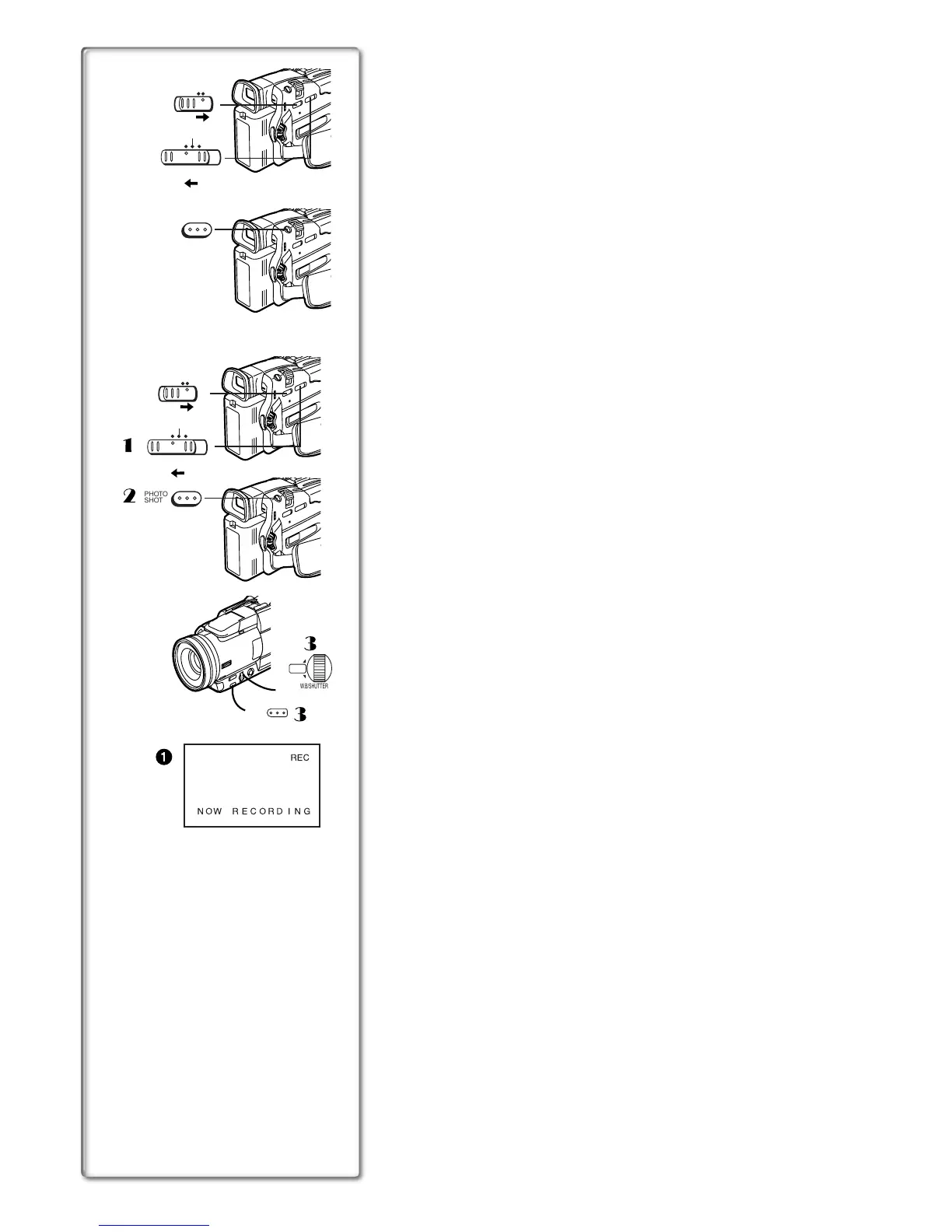
Recording Pictures on a Card to a Tape
Card Images can be recorded on the Tape one at a time or all automatically.
After setting to Card P.B MODE, set the [TAPE/CARD] Selector to [TAPE]
and carry out the following procedures.
To Copy 1 Picture
1
Slide the [PICTURE/MPEG4/VOICE] Selector to [PICTURE]
or [MPEG4].
2
Display a desired picture.
3
Playback the desired picture to be recorded.
4
Press the [PHOTO SHOT] Button.
≥It takes aapproximately 7 seconds to record a picture to the Tape.
≥During the copying, the Indication
1
appears.
≥When recording to tape, select the tape position before recording. The
picture will be recorded to the tape position when the [PHOTOSHOT] button
is pressed at step 3.
≥When picture with a size other than [640k480] are copied on the casette,
their picture quality will be slightly deteriorated.
≥ Picture size recorded on tape is [640k480]. (Cannot save as mega-pixel
still picture)
To Copy All the Pictures
1
11
1
Slide the [PICTURE/MPEG4/VOICE] Selector to [PICTURE] or
[MPEG4].
2
22
2
Display the first picture.
≥If a picture other than the first one is displayed, only the subsequent
pictures will be copied.
3
33
3
Set [CARD FUNCTIONS] >> [CARD EDITING] >>
[RECORD TO TAPE] >> [YES].
≥It takes 7-11 seconds for each picture to be copy on the Tape. To stop
the copying midway, press the [∫] Button.
≥During the copying, the Indication
1
appears.
≥Moving Picture (MPEG4) and Voice data cannnot be recorded from a card
to tape.
≥For other notes concerning this item, see page 50.
PUSH
MENU
1
NOW RECORDING
REC
1
2
3
3
PHOTO
SHOT
W.B/SHUTTER/IRIS/
VOL/JOG
TAPE
CARD
PICTURE
VOICE
MPEG4
CARD MODE






 To Next Page