EasyManua.ls Logo

Panasonic NV-RX1A - Recording Backlit Scenes; Fading in the Picture and Sound; Fading out the Picture and Sound

Panasonic NV-RX1A
60 pages
Print Icon
To Next Page IconTo Next Page
To Previous Page IconTo Previous Page
Loading...
40
Title
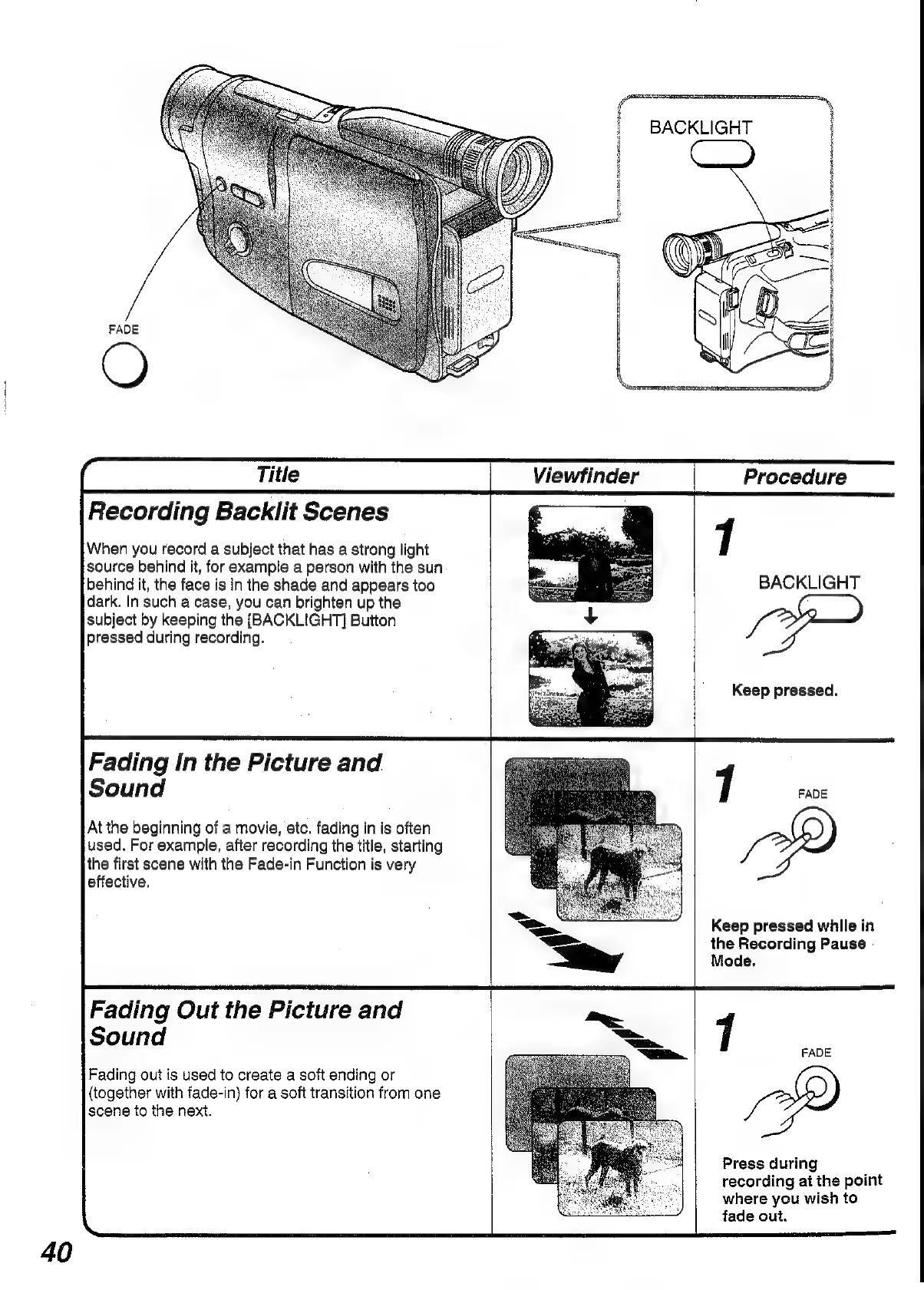
Recording
Backlit
Scenes
When
you
record
a
subject
that
has
a
strong
light
source
behind
it,
for
example
a
person
with
the
sun
behind
it,
the
face
is
in
the
shade
and
appears
too
dark.
In
such
a
case,
you
can
brighten
up
the
subject
by
keeping
the
[BACKLIGHT]
Button
pressed
during
recording.
Fading
In
the
Picture
and
Sound
At
the
beginning
of
a
movie,
etc.
fading
in
is
often
used.
For
example,
after
recording
the
title,
starting
the
first
scene
with
the
Fade-in
Function
is
very
effective.
Fading
Out
the
Picture
and
Sound
Fading
out
is
used
to
create
a
soft
ending
or
(together
with
fade-in)
for
a
soft
transition
from
one
scene
to
the
next.
SS
Viewfinder
BACKLIGHT
Procedure
1
BACKLIGHT
Keep
pressed.
7
FADE
Keep
pressed
while
in
the
Recording
Pause
-
Mode.
7
FADE
Press
during
recording
at
the
point
where
you
wish
to
fade
out.

Table of Contents

Related product manuals