Maintenance/replacement
ENGLISH -
59
Maintenance
Replacing the unit
Air lters
J
The air lter should be replaced when cleaning is ineffective.
A replacement air lter unit is available separately. (service component)
Contact your dealer for the optional air lters.
Also, please replace the air lters together when replacing the lamp unit.
Air lters (Part Number: Side H518PE28G001, Rear H518PE29G001) are included with the [ET-LAC300 /
ET-LAC200] replacement lamp unit.
Replacement of the air lters
J
Turn off the projector, and unplug the AC power cord from the AC outlet.1 )
Clean up the dust on the projector and around the air vents. 2 )
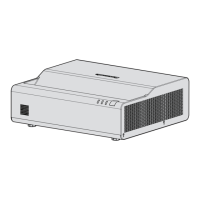
Slowly pull out the air lters from rear and side. 3 )
Install the new air lters (Replacement air lters). 4 )
To install the air lters, reverse the previous steps until you hear a "click" sound.
z
Reset the [Filter Reminder].5 )
Turn on the power and perform [Cleaning up Reminder] in the [Options] menu.
z
(
Æ
page 46)
Attention
Turn off the power before you replace the air lters.
z
When attaching the air lter unit, make sure that the projector is stable, and work in an environment that is safe, even in the
z
event of the air lter unit dropping.
Do not operate the projector with the air lter unit removed. Dust may accumulate on the optical elements degrading picture
z
quality.
Do not put anything into the air vents. Doing so may result in malfunction of the projector.
z
Air lter (side)
Air lter (rear)




 To Next Page