EasyManua.ls Logo

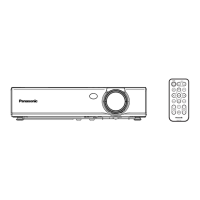
Panasonic PT-CW330EA - User Manual

Panasonic PT-CW330EA
76 pages
Print Icon
To Next Page IconTo Next Page
Loading...
Operating Instructions
Functional Manual
DLP
Projector
Commercial Use
Thank you for purchasing this Panasonic Product.
Before operating this product, please read the instructions carefully, and save this manual
J
for future use.
Before using your projector, be sure to read “Read this rst!” (See pages 2 to 9).
J
ENGLISH
TQBJ0512
Model No.
PT-CW330EA
PT-CW240EA
PT-CX300EA

Table of Contents

Questions and Answers

  • S
    Scott MoodySep 10, 2025
    Why are no 3D images showing on my Panasonic PT-CW330EA?
    • K
      Kimberly OrozcoSep 12, 2025
      To enable 3D images on your Panasonic Projector, ensure that the [3D] item in the 3D setting menu is set to [Auto] or [On], and that [3D Format] is set appropriately.
  • C
    Carrie BaxterAug 25, 2025
    How to adjust the image size on Panasonic PT-CW330EA?
    • L
      Lori DonovanAug 25, 2025
      To fix an image that is too small or too large on your Panasonic Projector, move the projector closer to or further from the screen. Also, check the [Aspect Ratio] in the [Position] menu.
  • M
    Mark JonesAug 25, 2025
    How to fix a reversed image on Panasonic PT-CW330EA Projector?
    • P
      Pamela HornAug 26, 2025
      To correct a reversed image on your Panasonic Projector, check the [Ceiling Mount] setting in the [Position] menu.
  • M
    Mary StephensSep 23, 2025
    What to do if vertical lines can be seen from the image of my Panasonic PT-CW330EA Projector?
    • J
      Jon ColemanSep 23, 2025
      Adjust [Clock] in the [Position] menu. Also, change the output of the computer that is compatible with this projector.
  • M
    Matthew Porter DDSSep 12, 2025
    Why is there no sound from Panasonic Projector internal speaker?
    • B
      browningkaylaSep 12, 2025
      If you're not getting any sound from the internal speaker of your Panasonic Projector, first ensure that the input terminals are correctly connected. Increase the volume and turn off the [AV mute] function. If something is plugged into the VARIABLE AUDIO OUT, unplug it, because the projector's built-in speaker is not available when the VARIABLE AUDIO OUT is in use. Also, ensure that the Mute function is off.
  • G
    greenkennethSep 15, 2025
    Why are there no 3D images on my Panasonic PT-CW330EA Projector?
    • V
      vcooperSep 15, 2025
      To resolve the issue of no 3D images on your Panasonic Projector: * Check if the [3D] item in the 3D setting menu is set to [Auto] or [On]. * Verify that the [3D Format] is set appropriately.
  • M
    Mr. Lance Freeman MDSep 4, 2025
    How to fix a fuzzy picture on a Panasonic Projector?
    • K
      Kevin EspinozaSep 4, 2025
      To correct a fuzzy picture on your Panasonic Projector, start by adjusting the lens focus. If that doesn't sharpen the image, adjust the distance of the projector from the screen. Also, clean the lens if it's dirty. Lastly, realign the projector to be level.
  • R
    Ronnie RogersSep 5, 2025
    Why is the color pale on my Panasonic PT-CW330EA?
    • M
      Michael BarnesSep 5, 2025
      To fix pale or grayish colors on your Panasonic Projector, adjust the [Color] or [Hue] settings. Check the input source adjustments to ensure they are correct. If you're using an RGB cable, replace it if it's damaged.
  • S
    Samantha KaufmanSep 23, 2025
    What to do if there are no 3D images during 3D viewing on my Panasonic PT-CW330EA?
    • T
      Theresa AllenSep 23, 2025
      Check if the 3D glasses are out of battery. For chargeable 3D glasses, replace the glasses.
  • H
    Hannah WilliamsAug 30, 2025
    What to do if Panasonic Projector stops responding to all controls?
    • J
      John MarshallAug 30, 2025
      If the Panasonic Projector stops responding to all controls, turn off the projector if possible, then unplug the power cord and wait at least 30 seconds before reconnecting the power.

Panasonic PT-CW330EA Specifications

General IconGeneral
BrandPanasonic
ModelPT-CW330EA
CategoryProjector
LanguageEnglish

Related product manuals