EasyManua.ls Logo

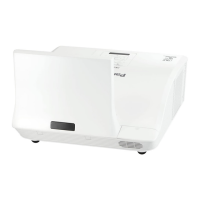
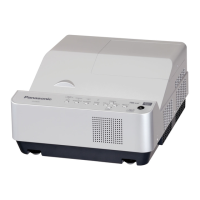
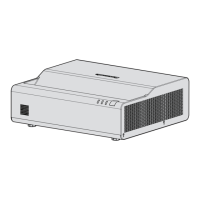
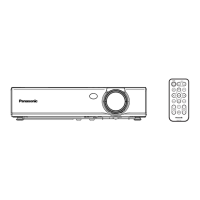
Panasonic PT-CW330EA - User Manual

Panasonic PT-CW330EA
76 pages
Print Icon
To Next Page IconTo Next Page
Loading...
Operating Instructions
Functional Manual
DLP
™
Projector
Commercial Use
Thank you for purchasing this Panasonic Product.
Before operating this product, please read the instructions carefully, and save this manual
J
for future use.
Before using your projector, be sure to read “Read this rst!” (See pages 2 to 9).
J
ENGLISH
TQBJ0512
Model No.
PT-CW330EA
PT-CW240EA
PT-CX300EA

Table of Contents

Questions and Answers

  • S
    Shawn CruzAug 31, 2025
    What to do if my Panasonic PT-CW330EA remote control does not operate?
    • J
      jonathan93Aug 31, 2025
      If your Panasonic Projector remote control isn't working, try these steps: Replace the battery if it's weak. Ensure the battery is inserted correctly. Remove any obstructions from the signal receptor on the projector. Bring the remote control within operational range. Reduce strong light shining onto the signal receptor. Match the remote IDs on both the projector and the remote control if different remote IDs are set.
  • S
    Scott MoodySep 10, 2025
    Why are no 3D images showing on my Panasonic PT-CW330EA?
    • K
      Kimberly OrozcoSep 12, 2025
      To enable 3D images on your Panasonic Projector, ensure that the [3D] item in the 3D setting menu is set to [Auto] or [On], and that [3D Format] is set appropriately.
  • H
    Hannah WilliamsAug 30, 2025
    What to do if Panasonic Projector stops responding to all controls?
    • J
      John MarshallAug 30, 2025
      If the Panasonic Projector stops responding to all controls, turn off the projector if possible, then unplug the power cord and wait at least 30 seconds before reconnecting the power.
  • W
    Wendy RogersSep 12, 2025
    What does it mean if my Panasonic PT-CW330EA Projector lamp burns out?
    • J
      Joanne BradleySep 12, 2025
      If the lamp burns out or makes a popping sound in your Panasonic Projector, the projector will not turn on until the lamp module has been replaced.
  • M
    mullenjeffreySep 12, 2025
    What to do if my Panasonic Projector stops responding?
    • J
      juliecontrerasSep 12, 2025
      If your Panasonic Projector stops responding to all controls, if possible, turn off the projector, then unplug the power cord and wait at least 30 seconds before reconnecting power.
  • G
    greenkennethSep 15, 2025
    Why are there no 3D images on my Panasonic PT-CW330EA Projector?
    • V
      vcooperSep 15, 2025
      To resolve the issue of no 3D images on your Panasonic Projector: * Check if the [3D] item in the 3D setting menu is set to [Auto] or [On]. * Verify that the [3D Format] is set appropriately.
  • M
    Mary StephensSep 23, 2025
    What to do if vertical lines can be seen from the image of my Panasonic PT-CW330EA Projector?
    • J
      Jon ColemanSep 23, 2025
      Adjust [Clock] in the [Position] menu. Also, change the output of the computer that is compatible with this projector.
  • S
    seth60Aug 27, 2025
    How to fix a Panasonic Projector when the power does not turn on?
    • K
      Kelly HamiltonAug 27, 2025
      If your Panasonic Projector's power won't turn on, start by checking the power cord to ensure it's properly connected. Next, verify that the wall outlet has electric supply. Also, check and reset the circuit breakers if they have tripped. Inspect the , , or indicators for any signs. Finally, ensure the lamp cover is securely installed.
  • M
    melissa74Aug 26, 2025
    Why does my Panasonic Projector not turn on?
    • R
      Rebecca LaneAug 26, 2025
      Your Panasonic Projector may not be turning on due to several reasons: the power cord might not be properly connected (check the connection), there may be no electrical supply at the wall outlet (ensure there is power), the circuit breakers might have tripped (reset them), an indicator light might be lit or blinking (check the indicator lights), or the lamp cover may not be securely installed (secure the lamp cover).
  • M
    Mark JonesAug 25, 2025
    How to fix a reversed image on Panasonic PT-CW330EA Projector?
    • P
      Pamela HornAug 26, 2025
      To correct a reversed image on your Panasonic Projector, check the [Ceiling Mount] setting in the [Position] menu.

Panasonic PT-CW330EA Specifications

General IconGeneral
BrandPanasonic
ModelPT-CW330EA
CategoryProjector
LanguageEnglish

Related product manuals