EasyManua.ls Logo

Panasonic PT-DW17K2 - User Manual

Panasonic PT-DW17K2
223 pages
Print Icon
To Next Page IconTo Next Page
Loading...
Thank you for purchasing this Panasonic product.
■ This manual is common to all the models regardless of sufxes of the Model No.
z
for India
PT-DZ21K2D / PT-DS20K2D / PT-DW17K2D / PT-DZ16K2D
z
for other countries or regions
PT-DZ21K2 / PT-DS20K2 / PT-DW17K2 / PT-DZ16K2
■ Before operating this product, please read the instructions carefully and save this manual
for future use.
■ Before using this product, be sure to read “Read this rst!” (
x
pages 5 to 14).
TQBJ0889
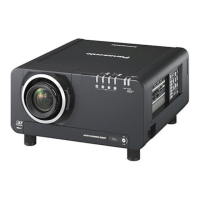
DLP™ Projector
Commercial Use
Operating Instructions
Functional Manual
ENGLISH
Model No.
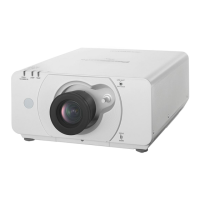
PT-DZ21K2
PT-DS20K2
PT-DW17K2
PT-DZ16K2
The projection lens is sold separately.

Table of Contents

Questions and Answers

  • M
    Mrs. Robin Johnson PhDSep 2, 2025
    Why image output from DVI-D of the computer does not appear on Panasonic PT-DW17K2 Projector?
    • S
      Scott CurrySep 2, 2025
      If the image output from the DVI-D of your computer does not appear on the Panasonic Projector, check if the [EDID SELECT] setting in [DVI-D IN] is set to [EDID3] or [EDID2:PC]. You may also need to update the graphics accelerator driver of the computer to the latest version. Additionally, try making the [EDID SELECT] setting in [DVI-D IN] and then restarting the computer.
  • C
    christopherquinnAug 31, 2025
    Why is DIGITAL LINK input image not displayed on Panasonic PT-DW17K2 Projector?
    • D
      Dr. Jay HowellAug 31, 2025
      If the DIGITAL LINK input image is not displayed on your Panasonic Projector, ensure that the connections between the twisted-pair-cable transmitter and the projector or external device are correctly done. Also, check if [DIGITAL LINK MODE] is set to [AUTO] or [DIGITAL LINK] instead of [ETHERNET], and verify that the input signal is compatible with the twisted-pair-cable transmitter.
  • N
    Natasha MartinAug 29, 2025
    Why is my Panasonic PT-DW17K2 image not displaying correctly?
    • D
      Daniel SellersAug 29, 2025
      If the image on your Panasonic Projector is not displaying correctly, verify that the [SYSTEM SELECTOR] selection is set correctly, the [RGB1 INPUT SETTING] is properly configured, there isn't a problem with the video tape or image source, and the input signal is compatible with the projector.
  • R
    Richard AndradeAug 27, 2025
    How to resolve a fuzzy image on my Panasonic Projector?
    • W
      whallAug 27, 2025
      To fix a fuzzy image on your Panasonic Projector, first, ensure the lens focus is correctly set. Then, check if the projection distance is appropriate. Also, verify whether the lens is dirty and whether the projector is installed perpendicular to the screen.
  • T
    Tonya WilsonAug 26, 2025
    What to do if my Panasonic PT-DW17K2 shows no image?
    • B
      breanna87Aug 26, 2025
      If your Panasonic Projector is not displaying any image, verify that all connections to external devices are correctly performed and the input selection setting is correct. Also, check if the [BRIGHTNESS] adjustment is at a minimum, the external device connected to the projector is working properly, the shutter function is in use, or the lens cover is still attached. If the power indicator is blinking in red, consult your dealer.
  • C
    Caroline StevensAug 25, 2025
    Why isn't my Panasonic Projector remote control working?
    • J
      Jacob EnglishAug 25, 2025
      If the remote control for your Panasonic Projector isn't responding, check the following: Ensure the batteries aren't depleted and are correctly oriented. Make sure there are no obstructions between the remote and the projector's receiver, and that you're within the remote's effective range. Also, check if other light sources are interfering, if the [REMOTE CONTROL] setting in [CONTROL DEVICE SETUP] is set to [DISABLE], if the terminal is used for contact control, and if the ID number setting is correct.
  • B
    brittany57Aug 22, 2025
    How do I get my Panasonic PT-DW17K2 Projector to display image from computer?
    • L
      Laura AndradeAug 22, 2025
      If your Panasonic Projector is not displaying an image from a computer, check if the cable is too long (for D-Sub cables, it should be 10 m (32'10") or shorter). Also, ensure the external video output on the laptop is set correctly; you might need to press “Fn” + “F3” or “Fn” + “F10” simultaneously, but refer to your computer's manual for specific instructions.

Panasonic PT-DW17K2 Specifications

General IconGeneral
BrandPanasonic
ModelPT-DW17K2
CategoryProjector
LanguageEnglish

Related product manuals