EasyManua.ls Logo

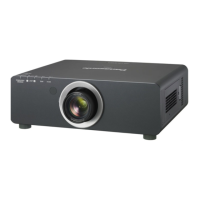
Panasonic PT-DW730E - User Manual

Panasonic PT-DW730E
108 pages
Print Icon
To Next Page IconTo Next Page
Loading...
Thank you for purchasing this Panasonic product.
This manual is common to all the models regardless of suffixes of the Model No.
z
S: Silver model, the standard zoom lens supplied LS: Silver model, the lens sold separately
K: Black model, the standard zoom lens supplied LK: Black model, the lens sold separately
Before operating this product, please read the instructions carefully and save this manual
for future use.
Before using your projector, be sure to read
Read this first!
(
pages 2 to 8)
Model No.
PT-DW730E
PT-DW730EL
PT-DX800E
PT-DX800EL
TQBJ0380
DLP
TM
Projector
Commercial Use
Operating Instructions
Functional Manual
ENGLISH
W0711SM0 -YI

Table of Contents

Other manuals for Panasonic PT-DW730E

Questions and Answers

  • D
    Debra MedinaAug 16, 2025
    How to fix a Panasonic PT-DW730E that does not turn on?
    • S
      samantha09Aug 16, 2025
      If your Panasonic Projector isn't turning on, check these potential solutions: * Ensure the power plug is firmly inserted into the outlet. * Verify that the switch is not turned . * Confirm the outlet has electricity. * Check if the circuit breakers have tripped. * Examine the temperature indicator and lamp indicators / to see if they are lit or blinking. * Make sure the lamp unit cover is securely installed.
  • W
    William FloresAug 19, 2025
    Why is my Panasonic PT-DW730E remote control not working?
    • K
      Kyle GrossAug 19, 2025
      If the remote control for your Panasonic Projector isn't working, try these troubleshooting steps: 1. Check if the batteries are depleted and replace them if necessary. 2. Ensure the batteries are inserted with the correct polarity. 3. Make sure there are no obstructions between the remote and the projector's remote control signal receiver. 4. Verify the remote is within its effective operating range. 5. Check for other light sources, like fluorescent lights, that may be interfering with the signal. 6. Confirm that the [REMOTE CONTROLLER] setting in [CONTROL DEVICE SETUP] is not set to [DISABLE]. 7. Ensure the terminal is not being used for external control. 8. Check that the ID number setting is correct.
  • H
    hkramerAug 21, 2025
    What to do if my Panasonic PT-DW730E Projector shows no picture?
    • I
      istantonAug 22, 2025
      If no picture appears on your Panasonic Projector, consider the following: * Check the connection to the picture (output) device to ensure it is correct. * Verify that the input selection setting is correct. * Ensure the [BRIGHTNESS] adjustment is not set to the minimum. * Confirm the external device connected to the projector is functioning properly. * Check if the shutter function is in use.
  • S
    Stephanie OliverAug 25, 2025
    Why doesn't a picture from my computer appear on the Panasonic PT-DW730E?
    • A
      annwilsonAug 26, 2025
      If you're not getting a picture from your computer on the Panasonic Projector: * Check if the cable is too long (use a cable that is 10 m or shorter). * Verify the external video output of the laptop is set correctly. (External output settings may switch by pressing the [Fn] + [F3] or [Fn] + [F10] key simultaneously. Refer to your computer's user manual, as the method varies.)
  • L
    lopezmarkAug 28, 2025
    Why aren't the control buttons working on my Panasonic Projector?
    • J
      Jordan HubbardAug 28, 2025
      If the control buttons on your Panasonic Projector are not working: * Check if the [CONTROL PANEL] setting in [CONTROL DEVICE SETUP] is set to [DISABLE]. * Ensure the terminal is not being used for external control.
  • K
    kerri46Aug 31, 2025
    How to resolve a fuzzy picture on a Panasonic Projector?
    • S
      sandramurrayAug 31, 2025
      If the picture on your Panasonic Projector is fuzzy, try the following: * Ensure the lens focus has been set correctly. * Verify the projection distance is appropriate. * Check if the lens is dirty and clean it if necessary. * Confirm the projector is installed perpendicular to the screen.
  • M
    Melissa StevensSep 2, 2025
    Why is the color pale on my Panasonic PT-DW730E?
    • P
      Paula MathisSep 3, 2025
      If the color on your Panasonic Projector appears pale or grayish, check these items: * Ensure the [COLOR] and [TINT] are adjusted correctly. * Verify the device connected to the projector is adjusted correctly. * Inspect the RGB cable for any damage.
  • H
    haleylawsonSep 5, 2025
    What causes a Panasonic PT-DW730E picture to display incorrectly?
    • K
      Kayla LloydSep 6, 2025
      If the picture on your Panasonic Projector is not displaying correctly: * Ensure the [SYSTEM SELECTOR] selection is set correctly. * Check for any issues with the VCR or other picture sources. * Verify the projector is receiving supported signals.
  • J
    Jason MillerSep 9, 2025
    How do I fix a Panasonic PT-DW730E when the on screen menu does not appear?
    • J
      Jose WillisSep 9, 2025
      If the on-screen menu is not appearing on your Panasonic Projector, check if the on-screen display function is turned off (hidden).
  • J
    Joseph WeissSep 12, 2025
    What to do if picture from computer's DVI-D graphic board does not appear on Panasonic PT-DW730E?
    • E
      Edwin WareSep 12, 2025
      If the picture from a computer's DVI-D graphic board is not appearing on your Panasonic Projector: * Ensure the [DVI-D IN] setting is set to [EDID3]/[EDID2:PC]. * Consider updating the graphics accelerator driver of the computer to the latest version. * Try restarting the computer after performing [DVI-D IN] settings.

Summary

Important Information and Safety

General Safety Warnings

Covers critical warnings regarding power, installation, and general usage.

Component Handling and Disposal

Precautions for lamps, batteries, accessories, and proper disposal methods.

Projector Setup and Connections

Key Features and Quick Setup Guide

Highlights projector features and provides initial setup steps.

Projection Methods and Lens Installation

Selecting projection orientation and procedures for lens removal/attachment.

Connecting External Devices

Details on terminal assignments and connection examples.

Basic Operation and Settings

Powering On;Off and Image Adjustment

Instructions for powering the projector and adjusting image settings.

Menu Navigation and System Settings

Guide to navigating menus and configuring projector settings.

Display and Network Configuration

Configuration for display language, color matching, and network setup.

Maintenance and Troubleshooting

Indicator Lights and Problem Diagnosis

Explanation of indicators for lamp, temperature, and filter status.

Component Replacement Procedures

Instructions for replacing consumable parts like lamps and air filters.

Troubleshooting Common Issues

Guidance on diagnosing and resolving common projector problems.

Technical Information and Appendix

PJLink Protocol and Network Control

Information on network control commands and PJLink protocol.

Serial Terminal Communication (RS-232 C)

Details on RS-232C connection, pin assignments, and communication settings.

Compatible Signals and Specifications

Table specifying compatible video signals and projector specifications.

Panasonic PT-DW730E Specifications

General IconGeneral
Brightness7000 lumens
TechnologyDLP
LensOptional lenses available
InputsHDMI, DVI-D, VGA, S-Video, Composite
OutputsVGA
Control TerminalsRS-232C

Related product manuals