Chapter 5 Operations — Updating the rmware
262 - ENGLISH
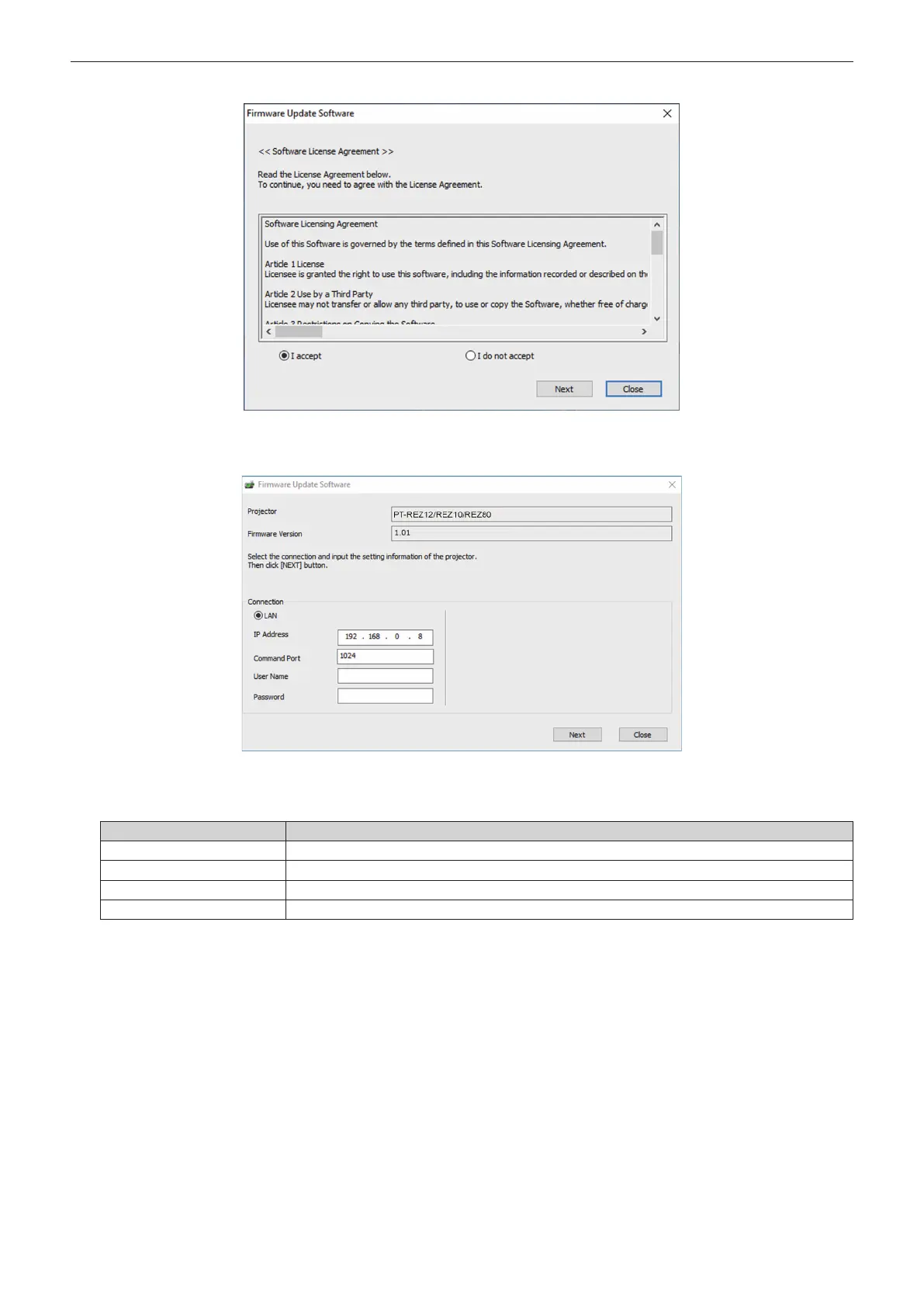
6) Select [I accept].
7) Click [Next].
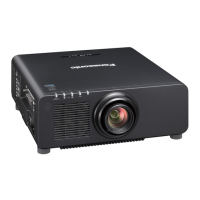
f The connection setting screen is displayed.
8) Enter the setting details of the projector.
f Enter the details set in the projector to be updated.
Item Details
[IP Address]
The [NETWORK] menu → [NETWORK STATUS] → [WIRED LAN(IPv4)] → [IP ADDRESS]
[Command Port]
The [NETWORK] menu → [NETWORK CONTROL] → [COMMAND PORT]
[User Name]
[User name] of the administrator account
[Password]
[Password] of the administrator account














 To Next Page