Chapter 4 Settings — Menu navigation
ENGLISH - 93
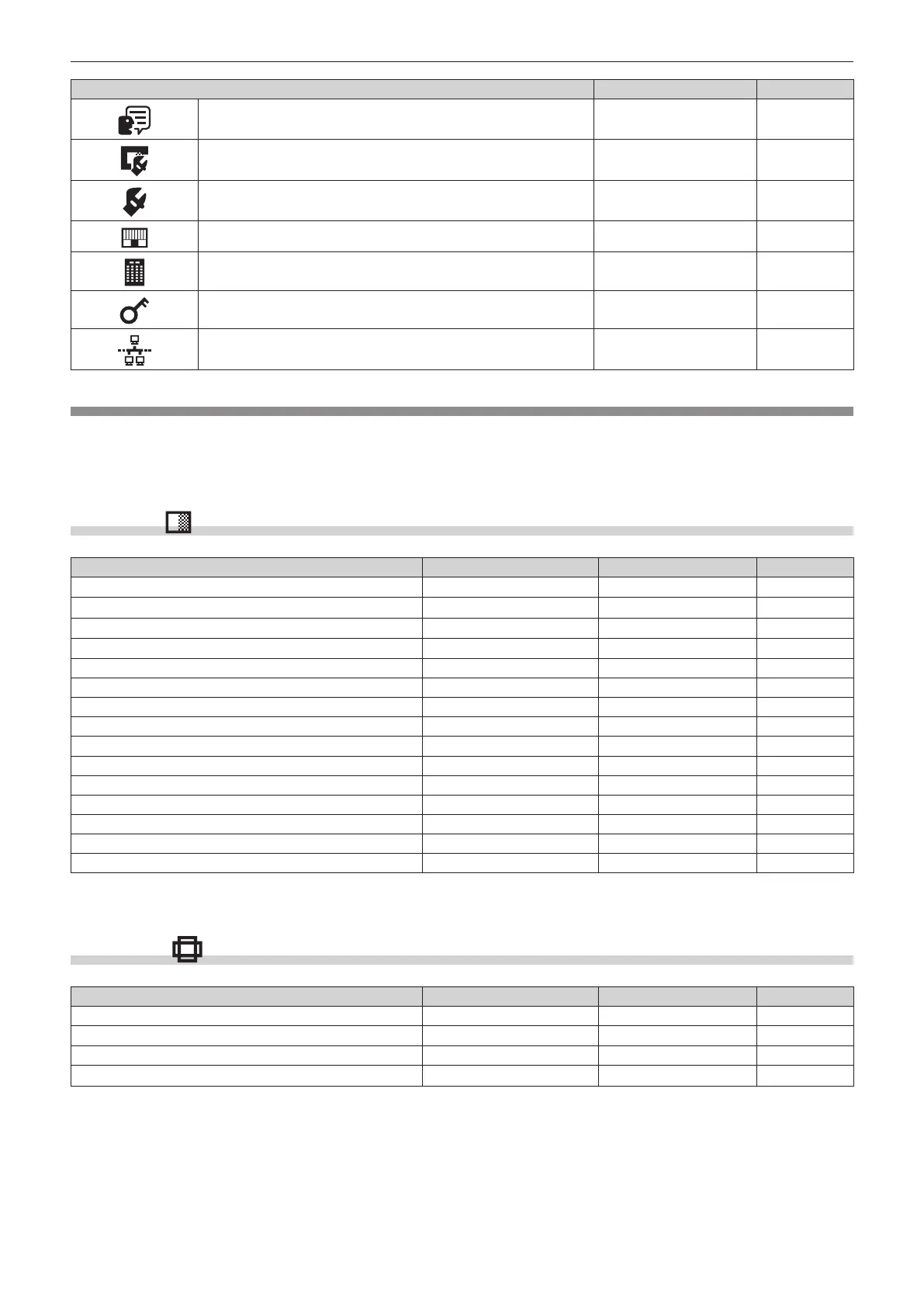
Main menu item [SIMPLE] mode Page
[DISPLAY LANGUAGE]
l
122
[DISPLAY OPTION]
l
123
[PROJECTOR SETUP]
l
151
[TEST PATTERN]
l
192
[SIGNAL LIST]
l
195
[SECURITY] ― 198
[NETWORK]
l
202
Sub-menu
The sub-menu of the selected main menu item is displayed, and you can set and adjust items in the sub-menu.
The menu item with l in the [SIMPLE] mode column indicates that this is displayed in the menu screen (OSD)
when the [DISPLAY OPTION] menu → [MENU MODE] is set to [SIMPLE].
[PICTURE]
Sub-menu item Factory default [SIMPLE] mode Page
[PICTURE MODE] [GRAPHIC]
*1
l
97
[CONTRAST] [0]
l
97
[BRIGHTNESS] [0]
l
97
[COLOR] [0]
*2
l
98
[TINT] [0] ― 98
[COLOR TEMPERATURE] [DEFAULT]
*2
― 98
[WHITE GAIN] [+10] ― 100
[GAMMA] [DEFAULT] ― 100
[SYSTEM DAYLIGHT VIEW] [OFF]
*2
― 102
[SHARPNESS] [+6]
*2
― 102
[NOISE REDUCTION] [OFF]
*2
― 102
[DYNAMIC CONTRAST] [OFF]
*2
― 102
[COLOR SPACE] [NATIVE]
*1
― 105
[SYSTEM SELECTOR] [AUTO]
*1
― 105
[DEFAULT PICTURE MODE] [AUTO] ― 106
*1 Depends on the signal input.
*2 Depends on the [PICTURE MODE].
[POSITION]
Sub-menu item Factory default [SIMPLE] mode Page
[SHIFT] ― ― 108
[ASPECT] [DEFAULT]
l
108
[ZOOM] ― ― 109
[GEOMETRY] [OFF]
l
110














 To Next Page