•
MENU/
REPEAT
*
Press
STOP
to stop the setting process midway.
* The zoom function does not work as long as a device
is connected to the e
xternal microphone jack even if
the zoom is set to ON on this unit.
*
When you perform zoom recording with the unit
placed on the desk, etc., we recommend putting up
the stand (
➜
page 4).
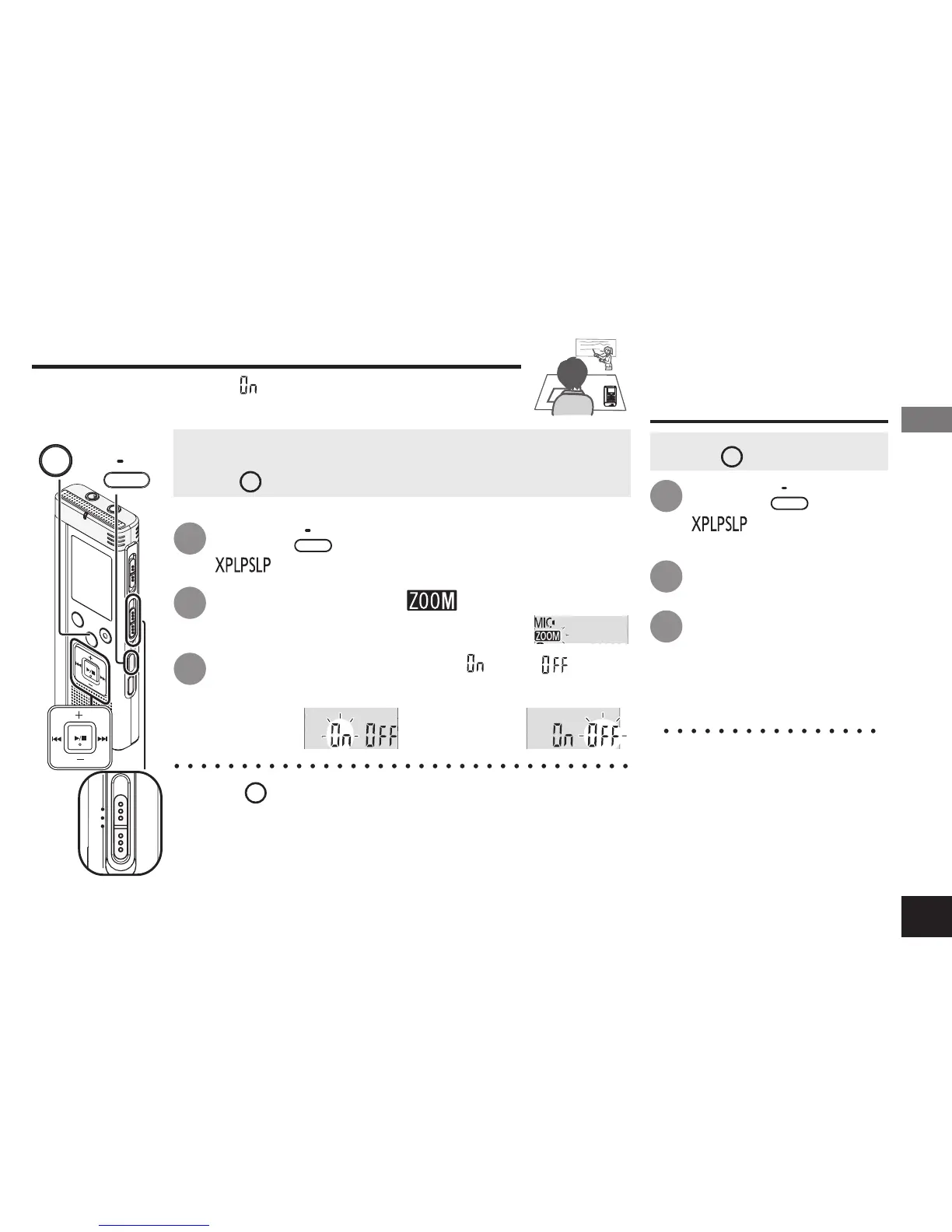
Press
u
,
i
to select “ ” or “ ” and
press
q
/
g
to enter.
Press
+, –
to select “ ” and press
q
/
g
to enter.
Zoom ON Zoom OFF
Changing Zoom microphone setting
Press
•
MENU/
REPEAT
.
“ ” (blinking) is displayed.
1
2
3
•
Set the Recording position switch to [MANUAL] (
➜
page 8).
• Press
STOP
to stop the unit.
Changing recording settings (Zoom microphone/Recording mode (XP/LP/SLP))
When the zoom is set to “ ”, the surrounding sound volume
is lowered, and the sound in front is clearly recorded.
Press
•
MENU/
REPEAT
.
“ ” (blinking) is
displayed.
Press
q
/
g
to enter.
Press
u
,
i
to
select among “XP”,
“LP” and “SLP” and
press
q
/
g
to enter.
How to set the
recording mode
(XP/LP/SLP)
• Press
STOP
to stop the unit.
* If noise bothers you when
recording/pla
ying in SLP
mode, use XP or LP
mode.
1
2
3
Advanced Operations


 To Next Page