RQT9422
18
STOP
•
MENU/
REPEAT
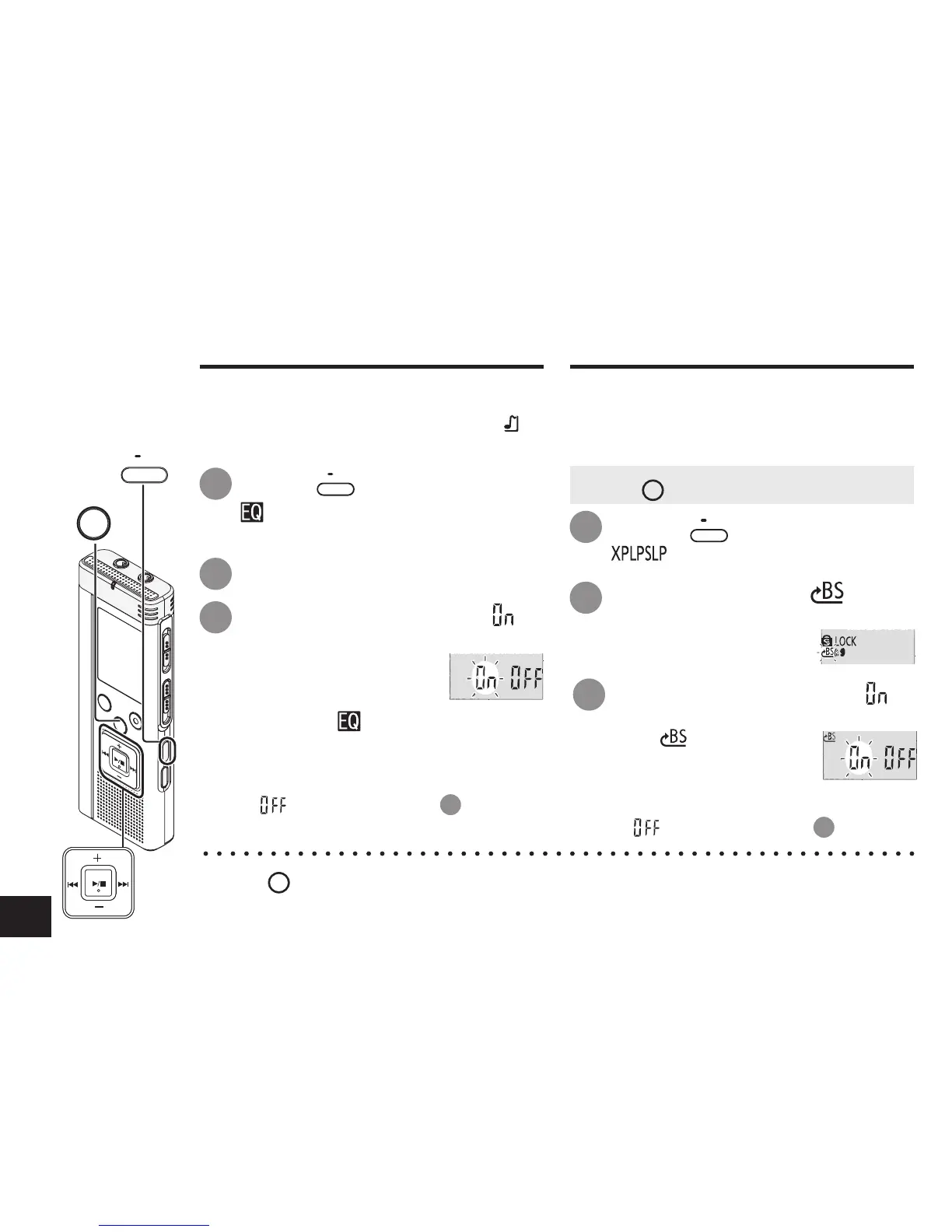
Reducing noise (EQ setting)
This function makes it easier to hear
sounds during playback.
You cannot make this setting when “ ” is
selected.
1
2
3
Press
q
/
g
to enter.
Press
u
,
i
to select “
”
and press
q
/
g
to enter.
After setting, “ ” is displayed while
playing.
Setting Slight return playback
Slight Return Playback function: When
u
is pressed during playback, the play point
reverses about 5 seconds, and playback
resumes from the point.
Press
•
MENU/
REPEAT
during playback.
“ ” (blinking) and “
SPEED
” (lighting) are
displayed.
Reducing noise (EQ setting)/Slight return playback
Canceling Noise reduction (EQ setting):
Select “ ” and enter in step
3
.
2
3
Press
u
,
i
to select “ ”
and press
q
/
g
to enter.
Then “ ” is displayed.
Press
+, –
to select “ ” and
press
q
/
g
to enter.
1
Press
•
MENU/
REPEAT
.
“ ” (blinking) is displayed.
*
Press
STOP
to stop the setting process midway.
* Slight return playback cannot be done during A-B Repeat play (
➜
page 19).
• Press
STOP
to stop the unit.
Canceling Slight return playback:
Select “ ” and enter in step
3
.



 To Next Page
 Loading...










