EasyManua.ls Logo

Panasonic RX-C52 - Auto-Reverse

Panasonic RX-C52
20 pages
Print Icon
To Next Page IconTo Next Page
To Previous Page IconTo Previous Page
Loading...
AUTO
REVERSE
SYSTEM
m
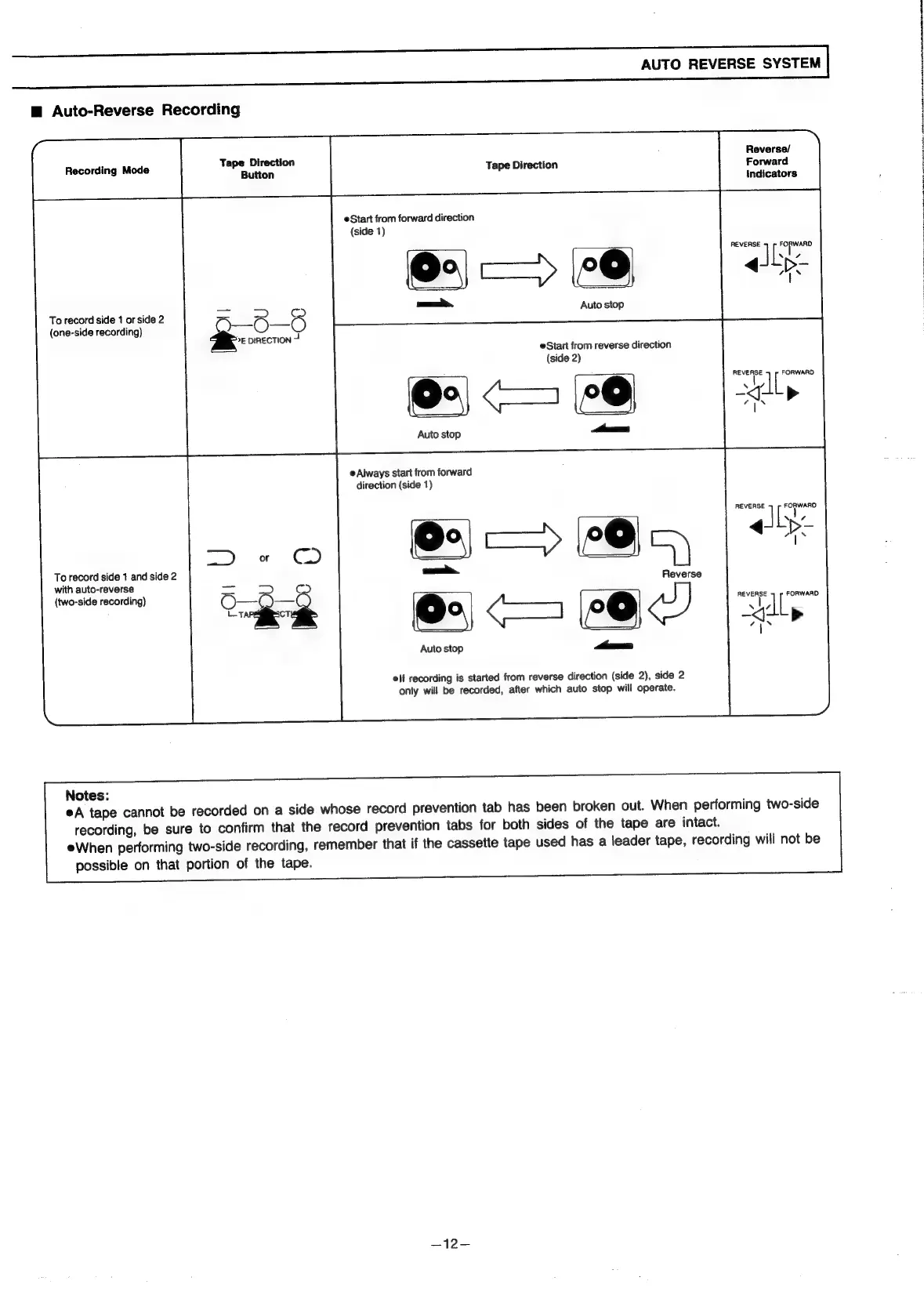
Auto-Reverse
Recording
Reverse/
Recording
Mode
aoa
Tape
Direction
Forward
ion
indicators
eStart
from
forward
direction
(side
1)
REVERSE
FORWARD
F
4
|
XN
aoe.
ta
Auto
sto
To
record
side
1
or
side
2
Oo
ems
(one-side
recording)
Ni
&:
DIRECTION
oat,
eStart
from
reverse
direction
(side
2)
REVERSE
FORWARD
LL
(Oo)
(0)
“gl
Auto
stop
i
e
Always
start
from
forward
direction
(side
1)
¥°
=a
)
:
Reverse
To
record
side
1
and
side
2
with
auto-reverse
(two-side
recording)
fen
eae
*
4
as)
AR
>
Auto
stop
Pras
al
eif
recording
is
started
from
reverse
direction
(side
2),
side
2
only
will
be
recorded,
after
which
auto
stop
will
operate.
Notes:
eA
tape
cannot
be
recorded
on
a
side
whose
record
prevention
tab
has
been
broken
out.
When
performing
two-side
recording,
be
sure
to
confirm
that
the
record
prevention
tabs
for
both
sides
of
the
tape
are
intact.
eWhen
performing
two-side
recording,
remember
that
if
the
cassette
tape
used
has
a
leader
tape,
recording
will
not
be
possible
on
that
portion
of
the
tape.
—12-

Related product manuals