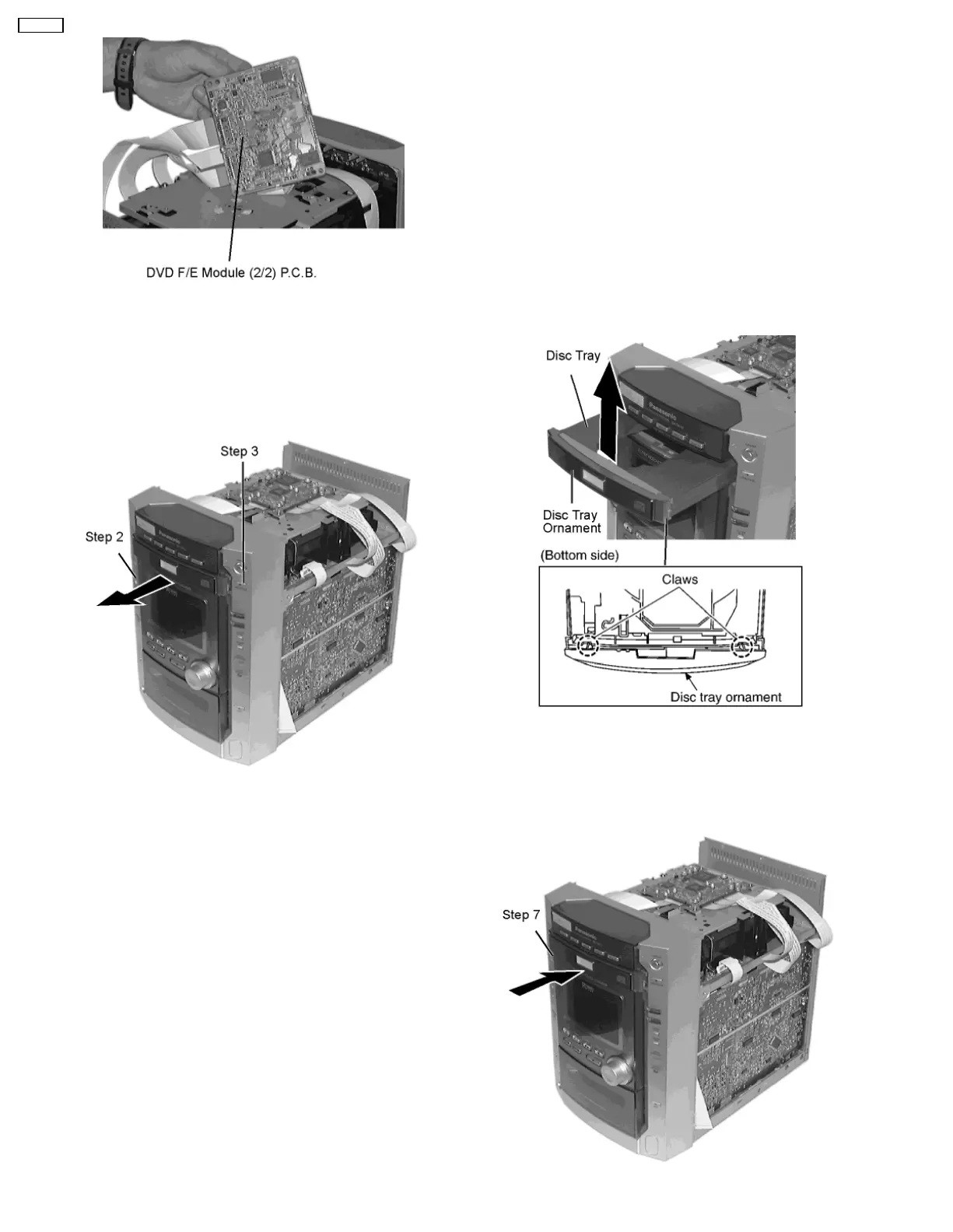
8.3.1. Disassembly for the disc tray
ornament
• Follow the (Step 1) - (Step 3) of item 8.1
When opening the disc tray automatically
Step 1
Connect the power.
Step 2
Push the button and the power turns ON.
Step 3
Push the open/close button, so the disc tray will be
open automatically. (If the other buttons would be push, disc
tray would be open.)
Step 4
Disconnect the power.
Step 5
Release the 2 claws, and then remove the disc tray
ornament.
Step 6
Connect the power again.
Step 7
Push the button and the power turns ON.
8.3. Disassembly for DVD/CD changer unit
14
SA-DK10



 To Next Page