15
RQT5908
Preparations, Operations
DSP sound modes
Changing the recognition mode
The digital sound processor (DSP) in this unit can decode Dolby
Digital signals. It automatically determines the type of signal, PCM
or Dolby Digital, and processes it accordingly.
The DSP can add surround-like effects to stereo sources (analog or
PCM signals).
Choose from the STEREO, SURROUND, or SFC modes.
The DSP may interfere with radio reception. You can turn it off if this
occurs (a page 20).
Output is in stereo when you turn the DSP off so sound is only
heard through the front speakers.
¡PCM with a sampling frequency of 44.1 kHz is the digital signal
format normally found on CDs. Some DVDs also use this format
but often with a higher sampling rate.
¡This unit cannot process other digital signal formats, such as
DTS, PCM signals with sampling frequencies of 96 kHz and
192 kHz, and MPEG.
Note
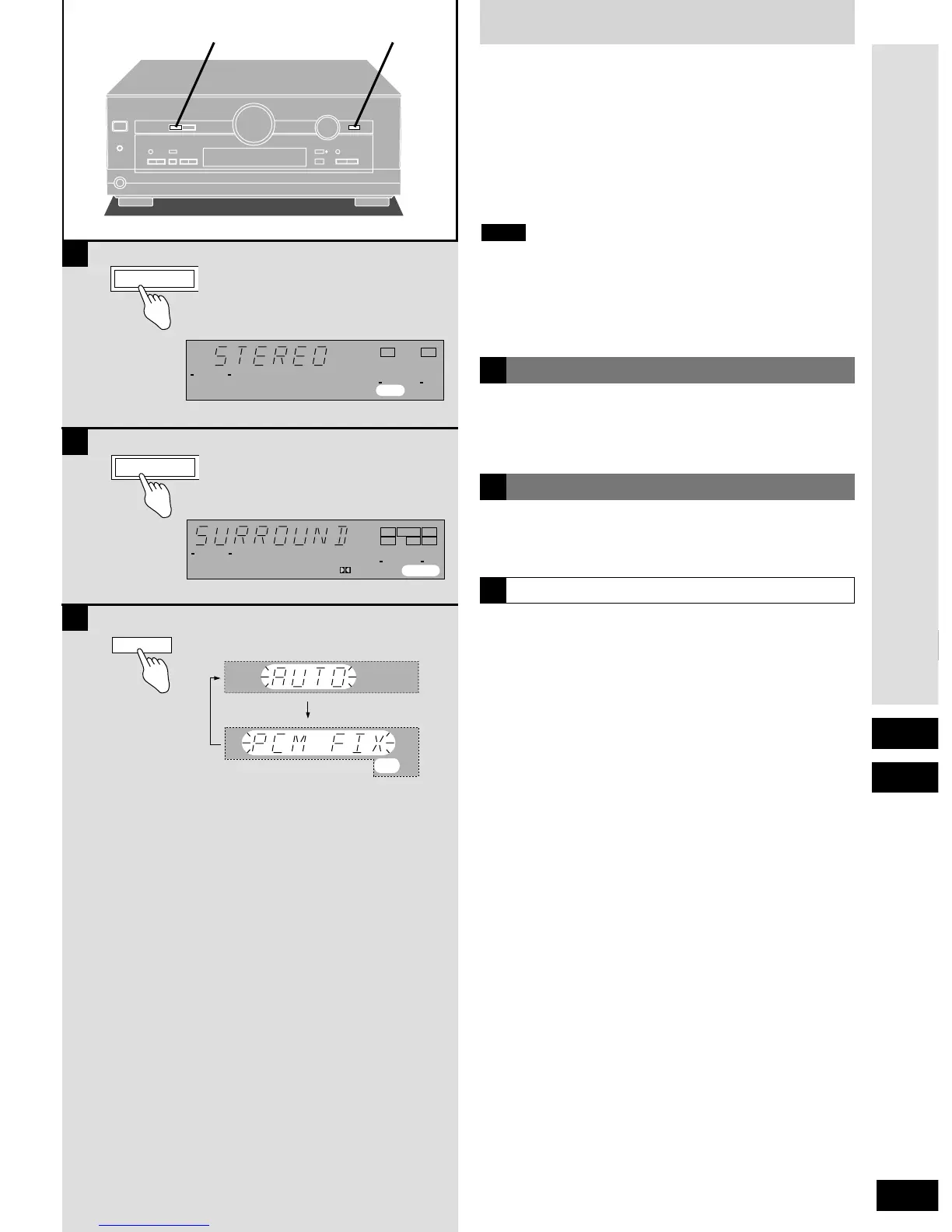
Use this mode to play digital or analog stereo sources or to play
surround sources through two speakers. When surround sources
are played in this mode, the sounds intended for the other speaker
channels are played through the front speakers.
Select this mode when you are playing a Dolby Digital surround
source or an analog source that is recorded with Dolby Surround
(VCR, for example).
STEREO mode
SURROUND mode
In rare cases, the unit may have trouble recognizing the digital
signals on discs. With the PCM signals on CDs, this may cause the
beginning of a track to be cut off. Engage the PCM FIX mode if this
occurs.
This mode does not need to be changed under normal
circumstances. Change it only if the unit appears to be having
trouble recognizing the software you are playing.
While the input source is selected and digital input is engaged:
Press and hold [DIGITAL INPUT].
The current mode is displayed. Press again to change the mode.
Each time you press the button:
AUTO ,/ PCM FIX
When the PCM FIX mode is on, the unit cannot process other
signals.This may cause noise to be output. Select "AUTO" if this
occurs.
The selected mode is stored even if the unit is turned off.






 To Next Page