EasyManua.ls Logo

Panasonic SA-UX100E - User Manual

Panasonic SA-UX100E
24 pages
Print Icon
To Next Page IconTo Next Page
Loading...
© Panasonic Corporation 2016. All rights reserved.
Unauthorized copying and distribution is a violation of
law.
PSG1609001AE
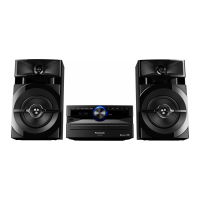
CD Stereo System
Model No. SA-UX100E
SA-UX100GN
SA-UX100GS
Product Color: (K)...Black Type
TABLE OF CONTENTS
PAGE PAGE
1Notes----------------------------------------------------------------- 3
2 Safety Precautions----------------------------------------------- 3
2.1. General Guidelines---------------------------------------- 3
2.2. Before Repair and Adjustment ------------------------- 4
2.3. Protection Circuitry---------------------------------------- 5
2.4. Caution For AC Cord (For E/GS)---------------------- 6
2.5. Safety Parts Information -------------------------------- 7
3 Specifications ----------------------------------------------------- 8
4 Location of Controls and Components ------------------- 9
4.1. Remote Control Key Button Operation--------------- 9
4.2. Main Unit Key Button Operation---------------------- 10
5 Disassembly and Assembly Instructions--------------- 11
5.1. With reference to original service manual
Section 8.9 “Disassembly of Rear Cabinet”,
here is the change for this model -------------------- 11
6 Schematic Diagram -------------------------------------------- 13
6.1. Main (MICON) Circuit (1/2) ---------------------------- 13
6.2. Main (MICON) Circuit (2/2) ---------------------------- 14
6.3. Main (AUX Tuner) Circuit ------------------------------ 15
6.4. Main (DAMP) Circuit ------------------------------------ 16
Notes: Please use this manual together with service manual
Model No.[SA-AKX100PSK], Order no. (PSG1608001CE).
• CD Mechanism Unit (BRS12C) , Order No. PSG1303059AE
• Speaker system SB-UX100GN-K, Order No: PSG1609002AE
Question and Answer IconNeed help?

Do you have a question about the Panasonic SA-UX100E and is the answer not in the manual?

Summary

Safety Precautions and Guidelines

General Safety Guidelines

Provides general safety guidelines for servicing and handling electrical equipment.

Pre-Repair and Adjustment Precautions

Details precautions before performing repairs or adjustments, including capacitor discharge.

Protection Circuitry Operation

Explains the protection circuitry function and troubleshooting steps when it operates.

AC Cord Safety (E;GS Models)

Safety advice regarding AC cord usage, fuse replacement, and wiring for specific models.

Safety Parts Identification

Lists safety-critical components marked with delta symbol for replacement.

Product Specifications

Controls and Components Location

Remote Control Button Operations

Details the function of each button on the remote control unit.

Main Unit Button Operations

Explains the function of each button and control on the main unit.

Disassembly and Assembly Procedures

Rear Cabinet Disassembly Notes

Provides specific instructions for disassembling the rear cabinet, noting changes from the original manual.

Circuit Schematic Diagrams

Main (MICON) Circuit Diagram (Part 1)

Presents the first part of the main control (MICON) circuit schematic diagram.

Main (MICON) Circuit Diagram (Part 2)

Presents the second part of the main control (MICON) circuit schematic diagram.

Main (AUX Tuner) Circuit Diagram

Shows the schematic diagram for the main auxiliary tuner circuit.

Main (DAMP) Circuit Diagram

Displays the schematic diagram for the main damping circuit.

Main (Voltage Regulator) Circuit Diagram

Illustrates the schematic diagram of the main voltage regulator circuit.

Printed Circuit Board Information

Main P.C.B. Component Layout

Shows the layout and component placement for the main printed circuit board.

Parts Lists and Exploded Views

Cabinet Parts Location Diagram

Illustrates the exploded view of cabinet parts and their locations.

Product Packaging Components

Details the packaging components and arrangement for the product.

Mechanical Replacement Parts List

Lists mechanical replacement parts with their part numbers, descriptions, and quantities.

Electrical Replacement Parts List

Lists electrical replacement parts with their part numbers, descriptions, and quantities.

Summary

Safety Precautions and Guidelines

General Safety Guidelines

Provides general safety guidelines for servicing and handling electrical equipment.

Pre-Repair and Adjustment Precautions

Details precautions before performing repairs or adjustments, including capacitor discharge.

Protection Circuitry Operation

Explains the protection circuitry function and troubleshooting steps when it operates.

AC Cord Safety (E;GS Models)

Safety advice regarding AC cord usage, fuse replacement, and wiring for specific models.

Safety Parts Identification

Lists safety-critical components marked with delta symbol for replacement.

Product Specifications

Controls and Components Location

Remote Control Button Operations

Details the function of each button on the remote control unit.

Main Unit Button Operations

Explains the function of each button and control on the main unit.

Disassembly and Assembly Procedures

Rear Cabinet Disassembly Notes

Provides specific instructions for disassembling the rear cabinet, noting changes from the original manual.

Circuit Schematic Diagrams

Main (MICON) Circuit Diagram (Part 1)

Presents the first part of the main control (MICON) circuit schematic diagram.

Main (MICON) Circuit Diagram (Part 2)

Presents the second part of the main control (MICON) circuit schematic diagram.

Main (AUX Tuner) Circuit Diagram

Shows the schematic diagram for the main auxiliary tuner circuit.

Main (DAMP) Circuit Diagram

Displays the schematic diagram for the main damping circuit.

Main (Voltage Regulator) Circuit Diagram

Illustrates the schematic diagram of the main voltage regulator circuit.

Printed Circuit Board Information

Main P.C.B. Component Layout

Shows the layout and component placement for the main printed circuit board.

Parts Lists and Exploded Views

Cabinet Parts Location Diagram

Illustrates the exploded view of cabinet parts and their locations.

Product Packaging Components

Details the packaging components and arrangement for the product.

Mechanical Replacement Parts List

Lists mechanical replacement parts with their part numbers, descriptions, and quantities.

Electrical Replacement Parts List

Lists electrical replacement parts with their part numbers, descriptions, and quantities.

Overview

This document provides service information for the Panasonic CD Stereo System, Model No. SA-UX100E, SA-UX100GN, and SA-UX100GS, which features a black color (K). This simplified service manual is based on the SA-AKX100PS (Order No. PSG1608001CE) and should be used in conjunction with it. It covers safety precautions, specifications, control locations, disassembly and assembly instructions, schematic diagrams, printed circuit board layouts, and replacement parts lists.

Function Description:

The Panasonic CD Stereo System is designed to provide high-quality audio playback from various sources. It functions as a compact disc player, an FM tuner, and a Bluetooth-enabled audio system, allowing for wireless streaming from compatible devices. The system also includes a USB port for playing audio files from external storage. The amplifier section delivers powerful stereo sound, making it suitable for home entertainment.

Important Technical Specifications:

Amplifier Section:

  • RMS Output Power (Stereo Mode, Front Ch, both channels driven): 150 W per channel (4 Ω, 1 kHz, 30% THD).
  • Total RMS Stereo Mode Power: 300 W.
  • PMPO Output Power: 3300 W (For GN/GS models).

Tuner, Terminals Section:

  • Frequency Modulation (FM) Preset Memory: 30 stations.
  • Frequency Range: 87.50 MHz to 108.00 MHz (50 kHz step).
  • Antenna Terminals: 75 Ω (unbalanced).
  • Analog Audio Input: Pin jack (1 system).

Disc Section:

  • Discs Played: 8 cm or 12 cm CDs, CD-R/RW (CD-DA, MP3*).
  • Pick-up Wavelength: 790 nm (CD).

USB Section:

  • USB Port: USB 2.0 full speed.
  • Media File Format Support: MP3 (*.mp3).
  • USB Device File System: FAT12, FAT16, FAT32.

Bluetooth® Section:

  • Version: Bluetooth® Ver. 2.1 + EDR.
  • Class: Class 2.
  • Supported Profiles: A2DP, AVRCP, SPP.
  • Operating Frequency: 2.4 GHz band FH-SS.
  • Operation Distance: 10 m line of sight.

General:

  • Power Supply: AC 220 V to 240 V, 50 Hz (For E/GN); AC 220 V to 240 V, 50/60 Hz (For GS).
  • Power Consumption: 49 W.
  • Dimensions (W x H x D): 250 mm x 132 mm x 227 mm.
  • Mass: 1.7 kg.
  • Operating Temperature Range: 0 °C to +40 °C.
  • Operating Humidity Range: 35% to 80% RH (no condensation).
  • Power Consumption in Standby Mode (approximate): 0.5 W.
  • Power Consumption in Standby Mode (approximate, with "BLUETOOTH STANDBY" set to "ON"): 0.6 W.

Usage Features:

Remote Control Key Button Operation:

  • Standby/on switch [0/1]: Toggles the unit between on and standby modes. In standby, the unit consumes a small amount of power.
  • Select the audio source: Allows selection of the desired audio input. On the main unit, pressing and holding this button initiates Bluetooth® pairing.
  • Basic playback control: Standard controls for playing, pausing, skipping tracks.
  • View the setup menu: Accesses system settings.
  • View the content information: Displays details about the currently playing media.
  • Select or confirm the option: Used for navigating and confirming selections in menus.
  • Open or close the disc tray: Controls the CD tray.
  • Decrease the brightness of the display panel: Reduces display illumination; illumination is also switched off. Press again to cancel.
  • Adjust the volume level: Controls the audio output volume.
  • Mute the sound: Silences the audio. Mute is cancelled by adjusting volume or switching off the system.
  • View the play menu: Accesses playback options.
  • Select the sound effects: Applies various audio effects.

Main Unit Key Button Operation:

  • Standby/on switch [0/1]: Same function as on the remote.
  • Select the audio source: Same function as on the remote.
  • Basic playback control: Same function as on the remote.
  • Open or close the disc tray: Same function as on the remote.
  • Adjust the volume level: Same function as on the remote.
  • Select the jukebox: Activates the jukebox feature.
  • Display panel: Shows system information.
  • USB port: For connecting USB devices.
  • Disc tray: The physical tray for loading CDs.
  • Remote control sensor: Receives signals from the remote control, effective within approximately 7 m and an angle of approximately 20° up/down and 30° left/right.

Maintenance Features:

Safety Precautions:

  • Important Safety Notice: Emphasizes the use of manufacturer-specified parts for critical components (marked with Δ in diagrams) to prevent hazards like X-RADIATION, shock, or fire. Modifications to the original design are not permitted.
  • Isolation Transformer: Recommended for servicing AC Adaptor whose chassis is not isolated from the AC power line, to protect technicians from electrical shocks and prevent damage to the adaptor.
  • Lead Dress and Short Circuit: Observe original lead dress; replace all overheated or damaged parts if a short circuit is found.
  • Protective Devices: Ensure all insulation barriers, papers, and shields are properly installed after servicing.
  • Leakage Current Checks: Perform both cold and hot leakage current checks after servicing to prevent shock hazards.
    • Cold Check: Measures resistance between the jumpered AC plug and exposed metallic cabinet parts (1MΩ to 5.2MΩ for parts with a return path to chassis, ∞ for parts without).
    • Hot Check: Measures potential across a 1.5KΩ, 10W resistor in parallel with a 0.15µF capacitor, between exposed metallic parts and earth ground. Potential should not exceed 0.75 volts RMS (or 1/2 milliamp with a leakage current tester).
  • Discharging AC Capacitor: Before repair and adjustment, disconnect AC power and discharge the AC capacitor in the SMPS Module through a 10 Ω, 10 W resistor to ground.
  • Gradual Power Restoration: After repairs, restore power gradually using a variac to avoid overcurrent.
  • Current Consumption: Provides reference values for current consumption in Power ON, FM Tuner at minimal volume mode (~350 mA for E/GN and GS models).

Protection Circuitry:

  • The unit includes protection circuitry that may activate if no sound is heard on power-on, or if sound stops during performance. This prevents damage from shorted speaker wires or using speakers with impedance below the rated value.
  • Troubleshooting Steps: Turn off power, determine and correct the cause, then turn on power again after one minute. The unit will not operate until power is cycled off and on.

Caution for AC Cord (For E/GS):

  • Detailed instructions for safe handling of the AC cord, including fuse replacement (5-ampere, ASTA or BSI approved to BS1362), and proper wiring code for new plugs. Emphasizes not to connect wires to the earth terminal and to keep the plug dry.

Safety Parts Information:

  • A list of critical safety components (marked with Δ) that must be replaced with manufacturer-specified parts. This includes items like the top cabinet, name plates, AC cords, O/I (operating instructions) manuals, traverse assembly, and the SMPS module.

RTL (Retention Time Limited) Parts:

  • Certain parts are marked as RTL, indicating that their availability is limited after production discontinuation. These parts will be available for a specific period, after which they will no longer be supplied.

E.S.D. Standards:

  • References standards for Electrostatically Sensitive Devices, emphasizing "PREVENTION OF ELECTROSTATIC DISCHARGE (ESD) TO ELECTROSTATIC SENSITIVE (ES) DEVICES" section.

Disassembly and Assembly Instructions:

  • Provides a simplified guide for disassembling the rear cabinet, referring to the original service manual for detailed steps on other components like the top cabinet, front panel unit, main P.C.B., and SMPS module. Key steps include removing screws, releasing catches, and carefully handling components like the Firecone P.C.B.

This comprehensive manual ensures that service technicians have all necessary information for safe and effective repair and maintenance of the Panasonic CD Stereo System.

Panasonic SA-UX100E Specifications

General IconGeneral
BrandPanasonic
ModelSA-UX100E
CategoryStereo System
LanguageEnglish

Related product manuals