t
Listening
to Radio
Broadcasts
Manual tuner operation (to tune to broadcasts by using the
jog
dial)
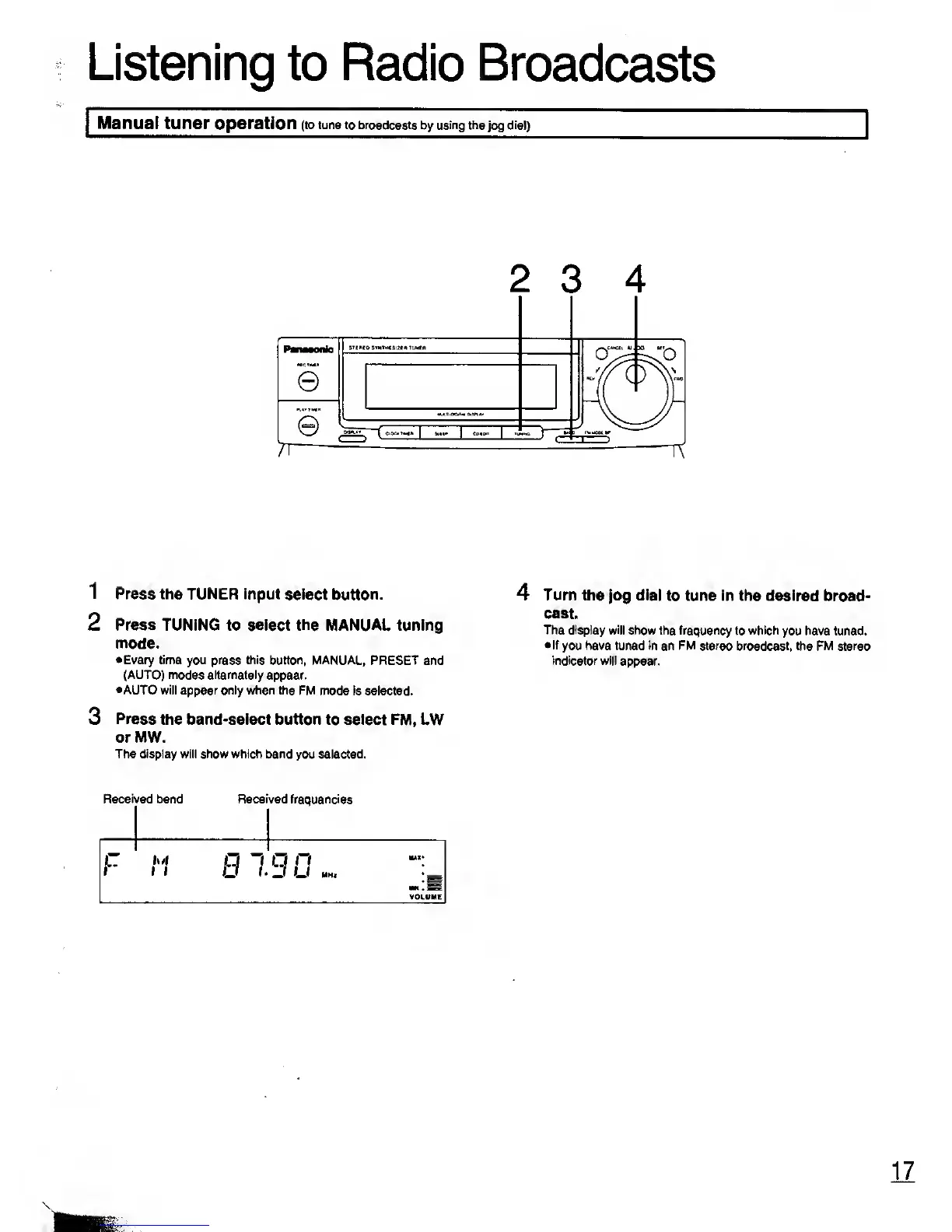
2
3 4
1
Press the TUNER input select
button.
2 Press TUNING to select the
MANUAL tuning
mode.
•
Every time you press this button, MANUAL,
PRESET and
(AUTO) modes alternately
appear.
•AUTO will appear only when the
FM mode is selected.
3
Press
the band-select button to select FM,
LW
or MW.
The display will show which band
you selected.
Received
band Received frequencies
F M
q
n
q
n
J
U
MHz
MAX-
IM . SS
VOLUME
4
Turn the
jog dial
to
tune in
the desired broad-
cast.
The display
will show the frequency
to
which
you have tuned.
•If
you have tuned in an FM stereo broadcast, the
FM stereo
indicator will
appear.
Warn,
17










 To Next Page