Special features
A
O O
COMPACT Oi SC»l«Yt«
()
O
()
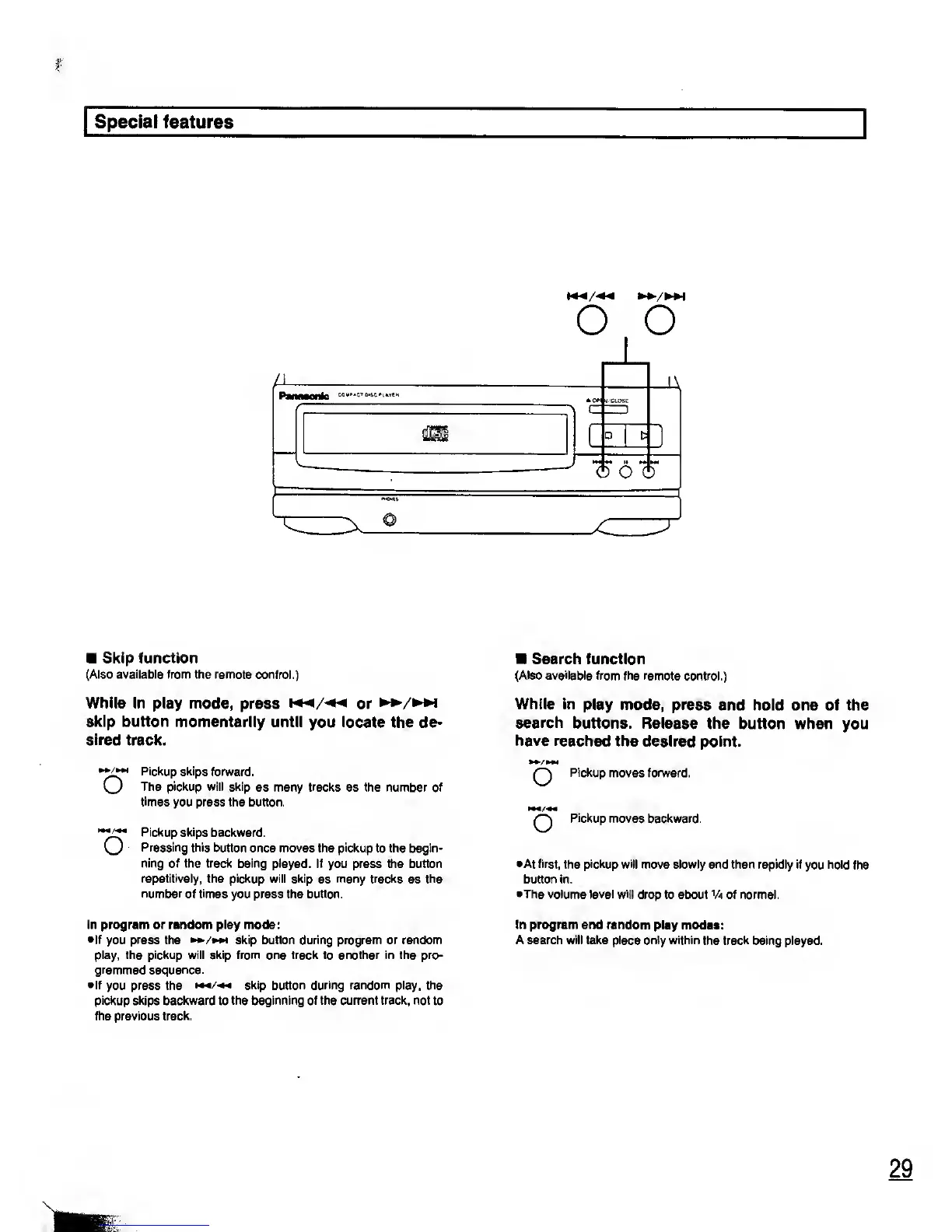
Skip function
(Also available from the remote control.)
While in play mode,
press
w^/^
or
skip button
momentarily until
you
locate
the de-
sired
track.
Pickup skips
forward.
O
The pickup will skip
as many tracks as the number of
times
you press the button.
Pickup skips
backward.
Pressing this
button once moves the pickup to the begin-
ning of the track being
played. If you press the button
repetitively,
the pickup will skip
as
many tracks
as the
number of
times
you press the button.
In program or random play mode:
•If
you
press
the skip button during program or random
play, the pickup will skip from one track to another in the pro-
grammed sequence.
•If
you press the
skip button during random play, the
pickup
skips
backward
to
the beginning of the current track, not to
the previous track.
Search function
(Also available from
the remote control.)
While in
play mode, press
and hold one of the
search
buttons. Release the
button when you
have reached
the desired point.
•/»»,
O
Pickup
moves forward.
Q
Pickup
moves backward.
•At first,
the
pickup will
move slowly and then rapidly if
you
hold
the
button in.
•The volume
level
will
drop to about Va of normal.
In program and random
play modes:
A search will take place only within
the
track
being played.










 To Next Page