Edit-Recording
from
Compact
Discs
You
can
edit-record
up to
36
tracks.
Before
recording, the
cassette deck will
automatically
rewind
the
Using the
edit-recording safeguards against
a break in the continu-
tape
to the beginning and
make a non-recorded
passage
about
ity of the
sound when the recording changes from
one side of the
10 seconds,
then stop.
tape to the other.
So you don't have
to set the cassette
tape to the starting
position
before recording.
|
Sequential
CD recording
(ALBUM)
The system
calculates and
displays
in
advance the length
of the
tape required
to accommodate
the recording of all the tracks
on the
compact disc in
their original sequence.
The tracks are then
re-
corded in their original
sequence.
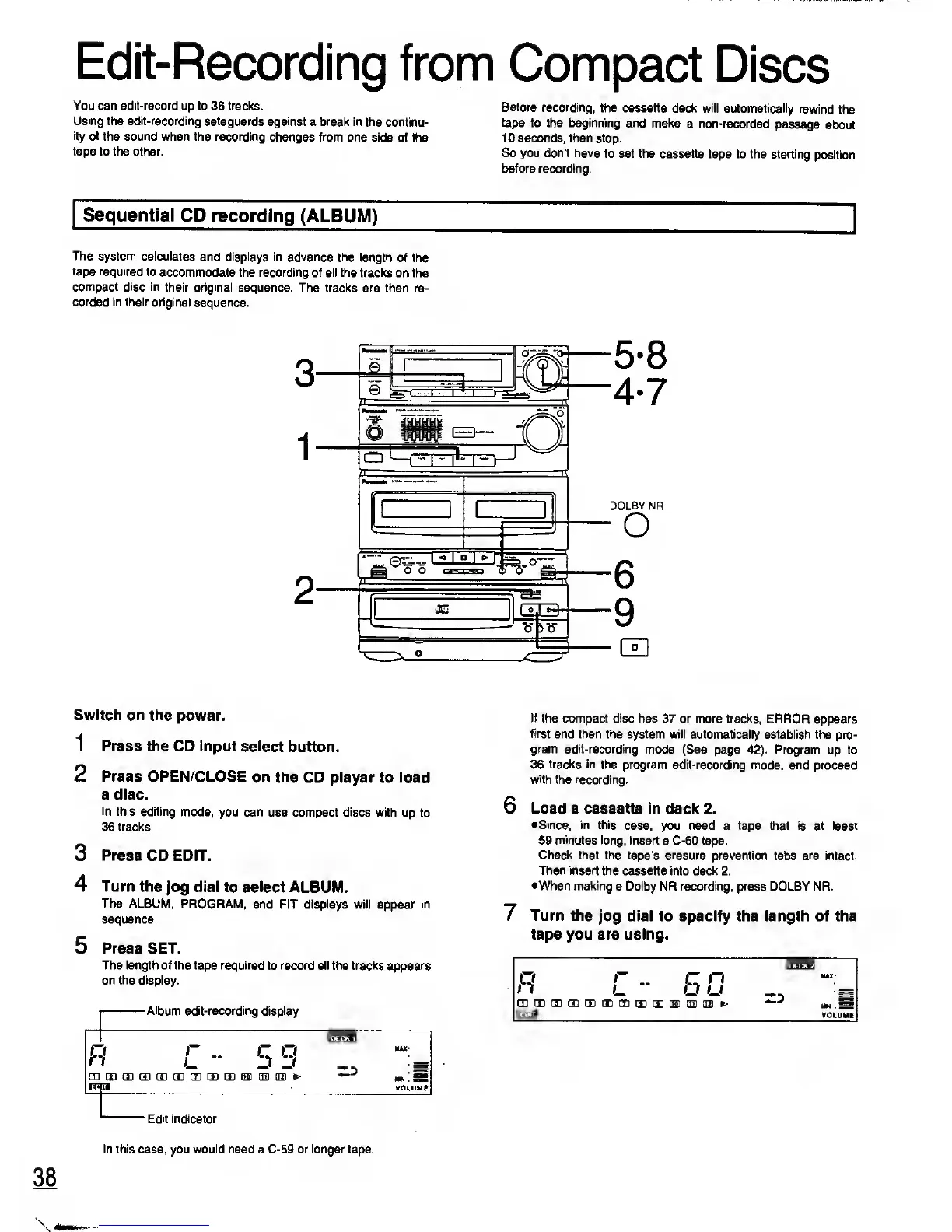
Switch on the
power.
1 Press
the CD input select
button.
2
Press OPEN/CLOSE
on the
CD player to load
a disc.
In this editing
mode,
you
can
use compact discs with
up to
36 tracks.
3
Press
CD EDIT.
4 Turn the
Jog
dial to select
ALBUM.
The ALBUM, PROGRAM,
and FIT displays will appear in
sequence.
5 Press SET.
The
length of the tape required
to record all the tracks appears
on the display.
Album
edit-recording display
li!J»'!MI
R
C
-
5 9
MAX*
CUGDQDGDCECECIDCBCEUSQBE)^
VOLUME
If the compact disc
has 37 or more tracks, ERROR
appears
first
and then the system will automatically
establish the pro-
gram edit-recording
mode (See
page
42).
Program
up to
36
tracks in
the program edit-recording mode, and
proceed
with the recording.
6
Load
a cassette in deck 2.
•Since, in this
case, you need a tape that is at least
59 minutes long, insert
a C-60
tape.
Check that the tape's erasure
prevention tabs are intact.
Then insert the
cassette into deck 2.
•When making
a Dolby NR recording, press DOLBY NR.
7 Turn the
jog dial to specify the length of the
tape
you
are using.
Edit indicator
38
In this
case, you
would need
a C-59
or longer tape.










 To Next Page