EasyManua.ls Logo

Panasonic SC-CH11 - Direct Access Play

Panasonic SC-CH11
51 pages
Print Icon
To Next Page IconTo Next Page
To Previous Page IconTo Previous Page
Loading...
Listening
to
Compact
Discs
(continued)
Direct
access
play
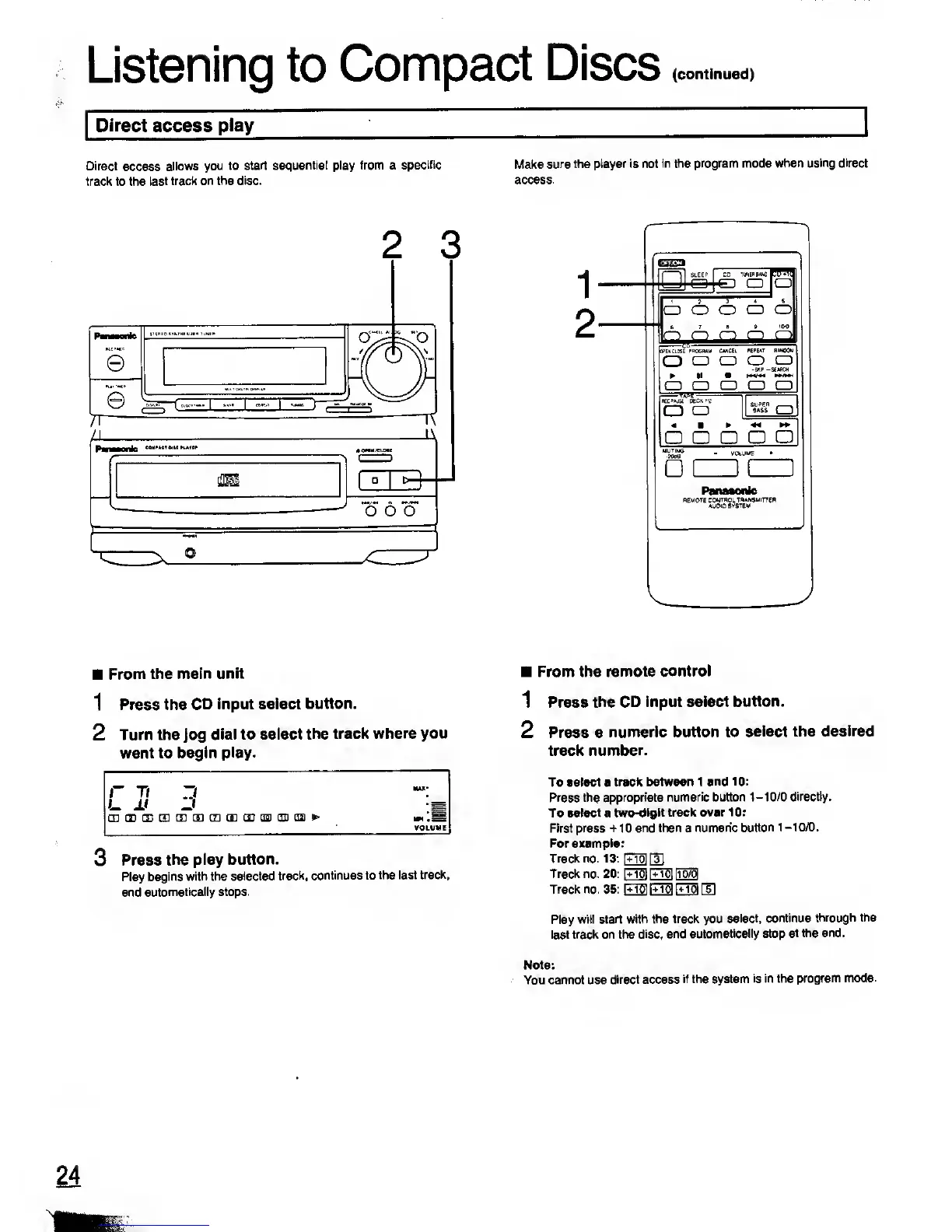
Direct
access
allows
you to
start sequential play from a
specific
track to the
last track
on the disc.
Make sure the
player is not in the program mode
when using direct
access.
Pan—onlc
e
e
n
2
3
yQBSE
E
j
o*
6
"o
.
. in,
-
r-
1
2
SLEEP CD
TUNER MhO
CD
O O
|K>E>1 CLOSE
POtKOAM
O
o
ii
a_a
'.8f
=
REC»»JSE OeCKtfl
a
a
o
o o
CWCtl
P.EFEAT nwoou
o
o a
a a a
SuPEO
BASS
|
1
a
a
•mow
From
the
main unit
1
Press the
CD input select
button.
2
Turn the
Jog
dial to select
the track
where you
want to begin
play.
r
rt
d
MAX*
L
±i
.;
oi< en ce cm
m m r7i rr)
in
qgi rni rra
VOLUME
3 Press
the play
button.
Play
begins with the
selected
track, continues to
the last
track,
and
automatically stops.
From the
remote control
1 Press the
CD input select
button.
2 Press a
numeric button to
select the
desired
track
number.
To select a track
between 1
and 10:
Press
the
appropriate
numeric button
1-10/0 directly.
To select a
two-digit track over
10:
First press
+
1 0
and then
a
numeric
button 1
-10/0.
For
example:
Track no. 13:
[MO]
[3]
Track no. 20:
\+M
[+33
E8B
Track no. 35:
E33 E33 E3
[9
Play
will start with
the track you
select, continue
through the
last track on the
disc, and
automatically stop
at the end.
Note:
You cannot use
direct access
if the system
is in the
program mode.

Related product manuals