Program play
This function allows
you
to program up to 36
tracks on
a
disc in any
order you choose.
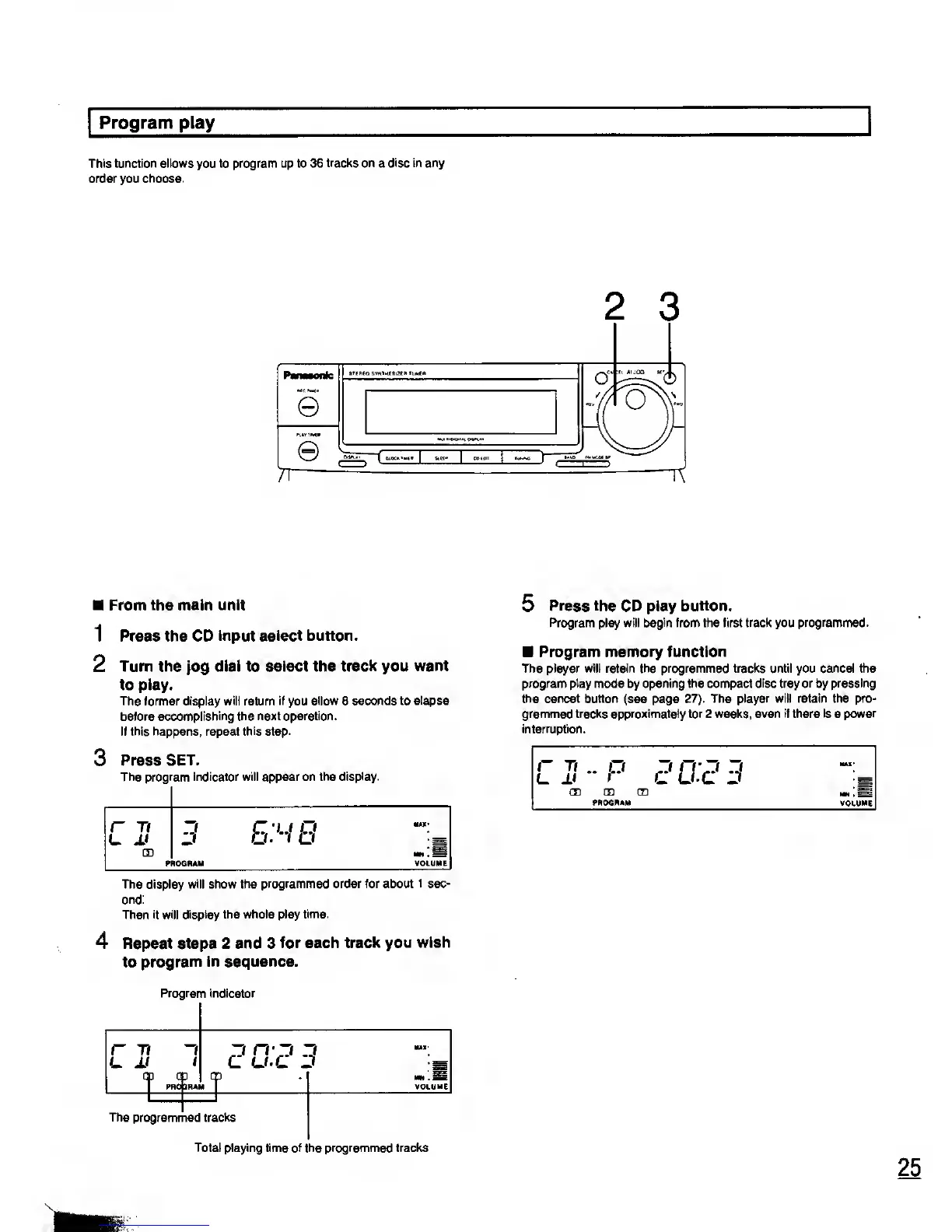
2
3
From the main unit
1 Press the CD
Input select button.
2
Turn the
jog
dial to select the track you
want
to play.
The former display
will
return
if
you
allow
8
seconds to elapse
before
accomplishing the next operation.
If this happens, repeat
this
step.
3 Press
SET.
The program indicator will appear on the display.
r
Tl
JJ
m
3
ES
B
MM-
.;
PROGRAM
VOLUME
The display will show the
programmed order for about 1 sec-
ond:
Then
it will display the whole play
time.
4 Repeat steps 2 and 3
for each track
you wish
to
program in sequence.
Program indicator
r 7i
i
™!
1
PROpRA
3
CrZl
I
VOLUME
The
programmed tracks
Total playing time
of the programmed
tracks
5
Press the CD play button.
Program play will begin from the first track you programmed.
Program memory function
The player will retain the programmed tracks until you cancel the
program play mode by opening the compact
disc
tray
or
by
pressing
the cancel
button
(see page 27).
The player will retain the pro-
grammed tracks approximately for 2 weeks, even
if
there
is
a
power
interruption.
r ti
-P
r?i
IS 3
MAC
CD CD CD
PROGRAM VOLUME










 To Next Page