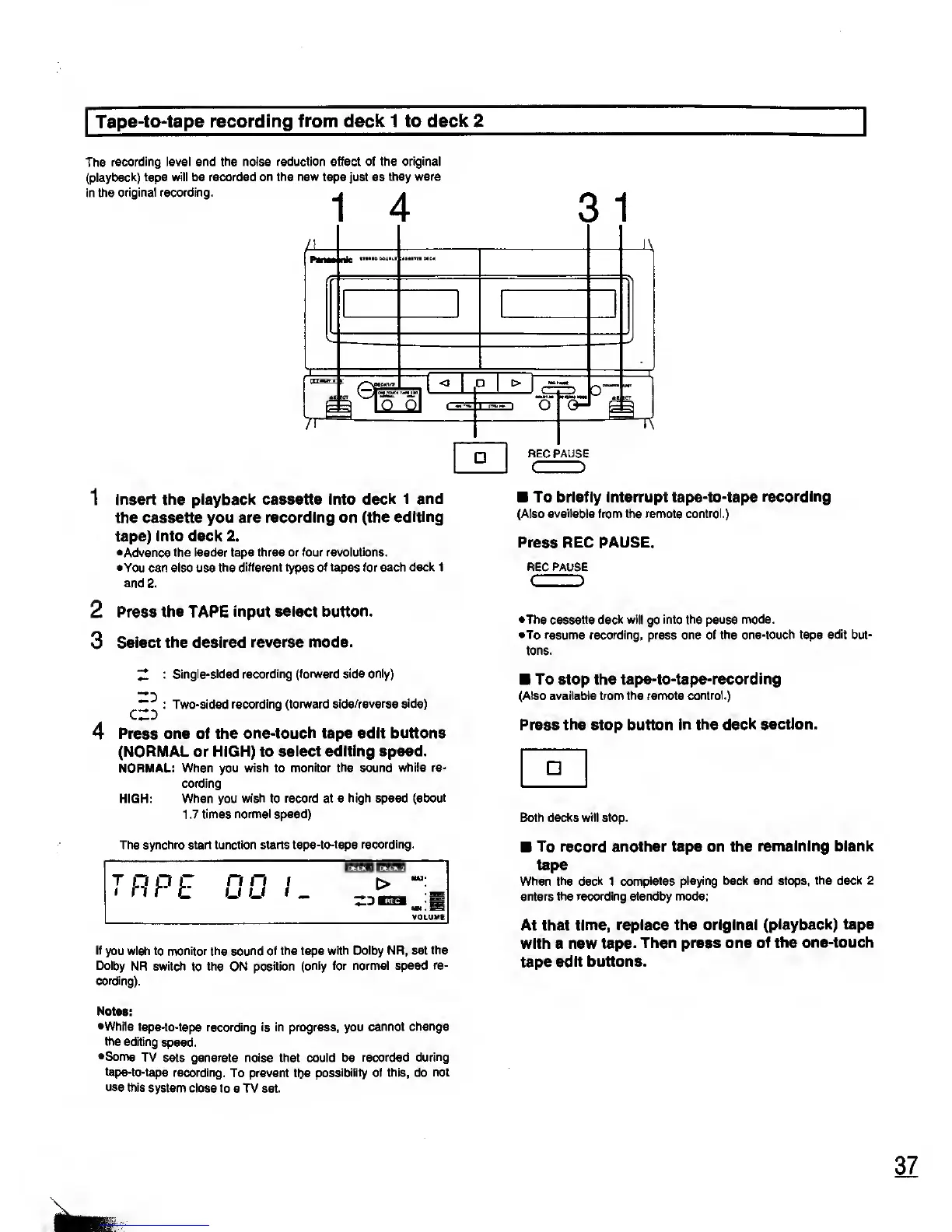
Tape-to-tape recording from deck 1 to
deck 2
The
recording level and the noise reduction effect of
the original
(playback) tape will be
recorded on the new
tape
just
as
they were
in the
original recording.
^
*
11
3
1
< O
1
Insert the playback cassette into
deck 1 and
the
cassette
you
are recording on (the
editing
tape) into deck 2.
•Advance the leader tape three or four
revolutions.
•You can also use the
different types of tapes for each deck 1
and 2.
2
Press the TAPE input select
button.
3
Select the desired
reverse mode.
"Z
Single-sided
recording (forward side only)
c
^
: Two-sided
recording (forward side/reverse side)
4
Press one of the
one-touch tape edit buttons
(NORMAL or HIGH) to
select editing speed.
NORMAL: When you wish to
monitor the sound while re-
cording
HIGH: When you
wish
to
record at a high speed (about
1 .7
times normal speed)
The synchro start function starts tape-to-tape
recording.
If
you wish to monitor the sound of the tape
with Dolby NR, set
the
Dolby
NR switch
to
the ON position
(only for normal speed
re-
cording).
Notes:
•While
tape-to-tape recording is in progress, you
cannot
change
the editing
speed.
•Some TV
sets generate noise that could be
recorded during
tape-to-tape
recording.
To prevent
tbe
possibility of this, do
not
use
this
system close
to
a
TV set.
O
O-
p
REC PAUS
E
( )
To briefly interrupt tape-to-tape
recording
(Also available from the remote control.)
Press REC PAUSE.
REC PAUSE
C
J
•The cassette deck
will
go
into the
pause
mode.
•To
resume recording, press one of the one-touch tape
edit
but-
tons.
To stop the
tape-to-tape-recording
(Also available from the remote
control.)
Press the stop button
in the deck section.
Both decks
will
stop.
To record another tape on the
remaining blank
tape
When the
deck
1
completes playing back and stops,
the deck 2
enters the recording standby mode;
At that
time, replace the original
(playback) tape
with a new tape.
Then press one
of the one-touch
tape
edit buttons.










 To Next Page