Listening to Compact Discs
(continued)
Random play (only from
the remote control)
The
microcomputer
will automatically select
a
sequence of tracks to
be played
in random
order.
Note:
You
cannot
use
random play in combination with program play.
CD o
a
CD
lO
a
o o o o o
•
T
f IM
o a o o o
|p»f
*
ClCSi
»KXHU
DWCEl
«»E»T AUOOU
O
o o o o-
-SOT
-tHKM
II
!«*
«
«
CD CD CD
CD CD
BASS
f
1
a a a
AM*
VC.JUF
V.
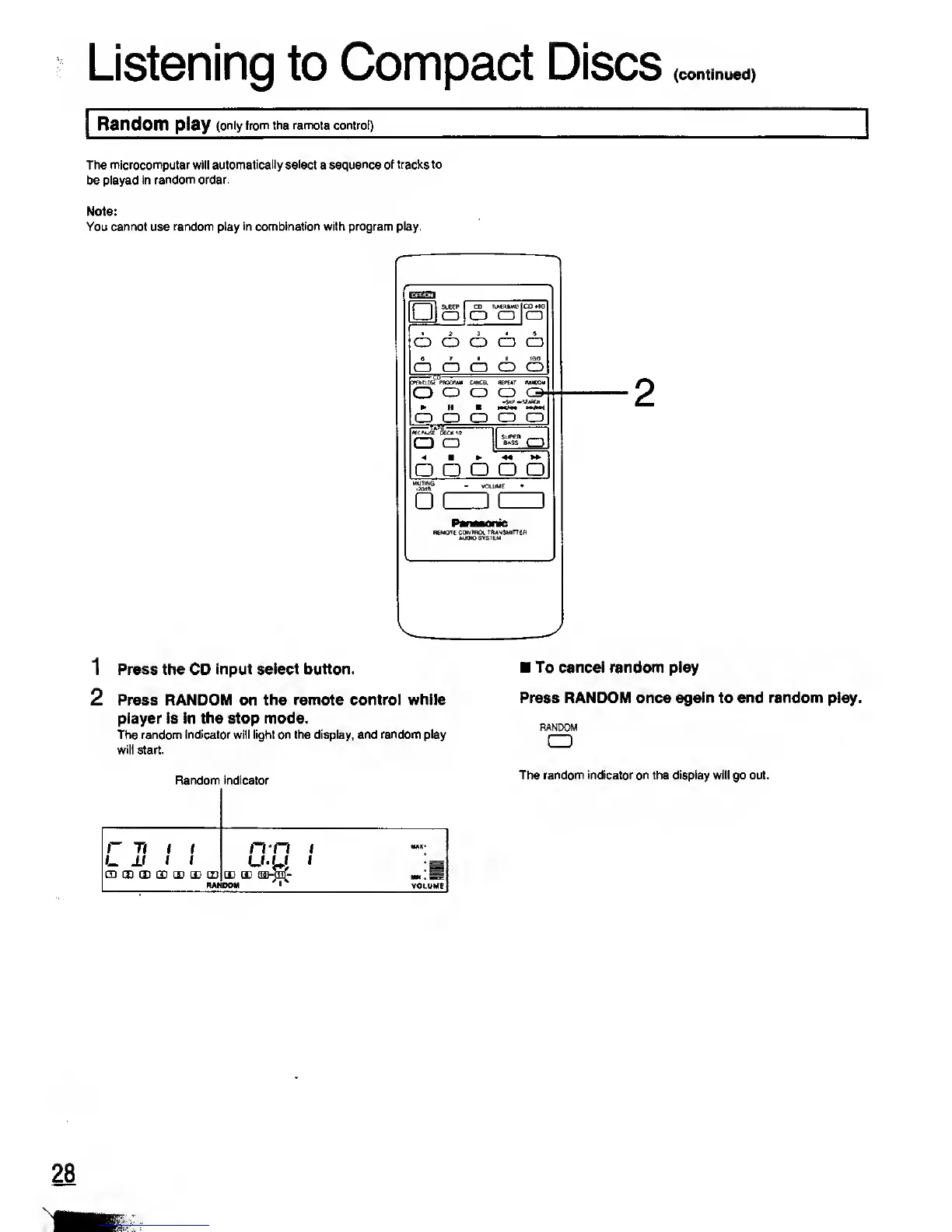
1 Press the CD
input select button.
2 Press RANDOM on the
remote control while
player is in the stop mode.
The random indicator will light on the display, and
random
play
will start.
Random indicator
r
rt
i t
>_
±i i f
ffl IS
(I 11 H) E E
RAI
n-n
i
U-U
1
m m
fljwn^
DOM
/
I
X
MM'
MM . Sl=
VOLUME
J
To cancel random play
Press RANDOM once again to end
random
play.
RANDOM
CD
The random indicator on the display will go out.
28
Hi::










 To Next Page