EasyManua.ls Logo

Panasonic SC-CH11 - Changing the Program; To Confirm the Program; To Cancel Program Play

Panasonic SC-CH11
51 pages
Print Icon
To Next Page IconTo Next Page
To Previous Page IconTo Previous Page
Loading...
o o
•aonle
»«»«'•«»"'"
I
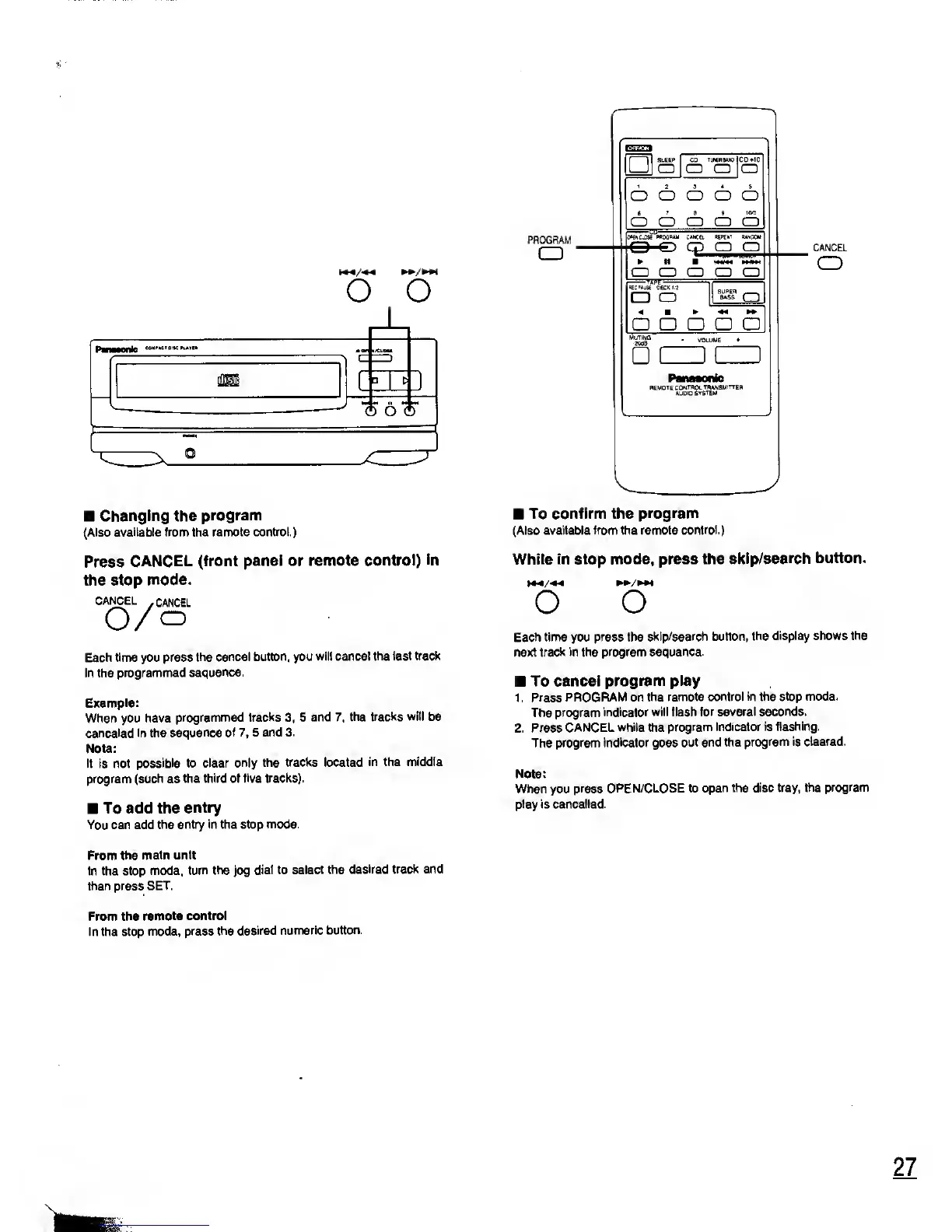
Changing the
program
(Also
available from the remote
control.)
Press
CANCEL (front
panel or
remote control)
in
the stop mode.
CANCEL
-
CANCEL
O/o
Each time you press
the cancel
button,
you
will cancel the last
track
in the
programmed
sequence.
Example:
When you have
programmed
tracks
3, 5
and
7,
the
tracks will be
canceled in the
sequence of
7,
5 and
3.
Note:
It is not
possible to clear
only the tracks located
in the middle
program
(such
as
the third of
five tracks).
To add the
entry
You can add
the entry in the stop
mode.
From
the main unit
In the stop
mode,
turn the
jog
dial to
select the desired
track and
then press SET.
PROGRAM
o
SLEEP
a
CD
tlKKWO
a cd
co»io
a
o
o o o o
T
> HW
o o
o o o
i
mzjxe
pbocbu"
c»»cei ww
random
O
O CP
CD O
CD CD CD CD CD
a
a
o
a a a
two
CANCEL
o
To confirm the
program
(Also
available from the remote control.)
While in stop mode, press
the
skip/search button.
O
O
Each time you press the
skip/search button, the
display shows
the
next
track in the program sequence.
To cancel
program play
1 . Press
PROGRAM on the
remote control
in
the
stop mode.
The program
indicator will flash for
several seconds.
2. Press
CANCEL while the
program indicator is
flashing.
The
program indicator goes
out and the
program is cleared.
Note:
When you press
OPEN/CLOSE to
open the disc tray, the
program
play is cancelled.
From the
remote control
In the stop
mode, press
the desired
numeric
button.
27

Related product manuals