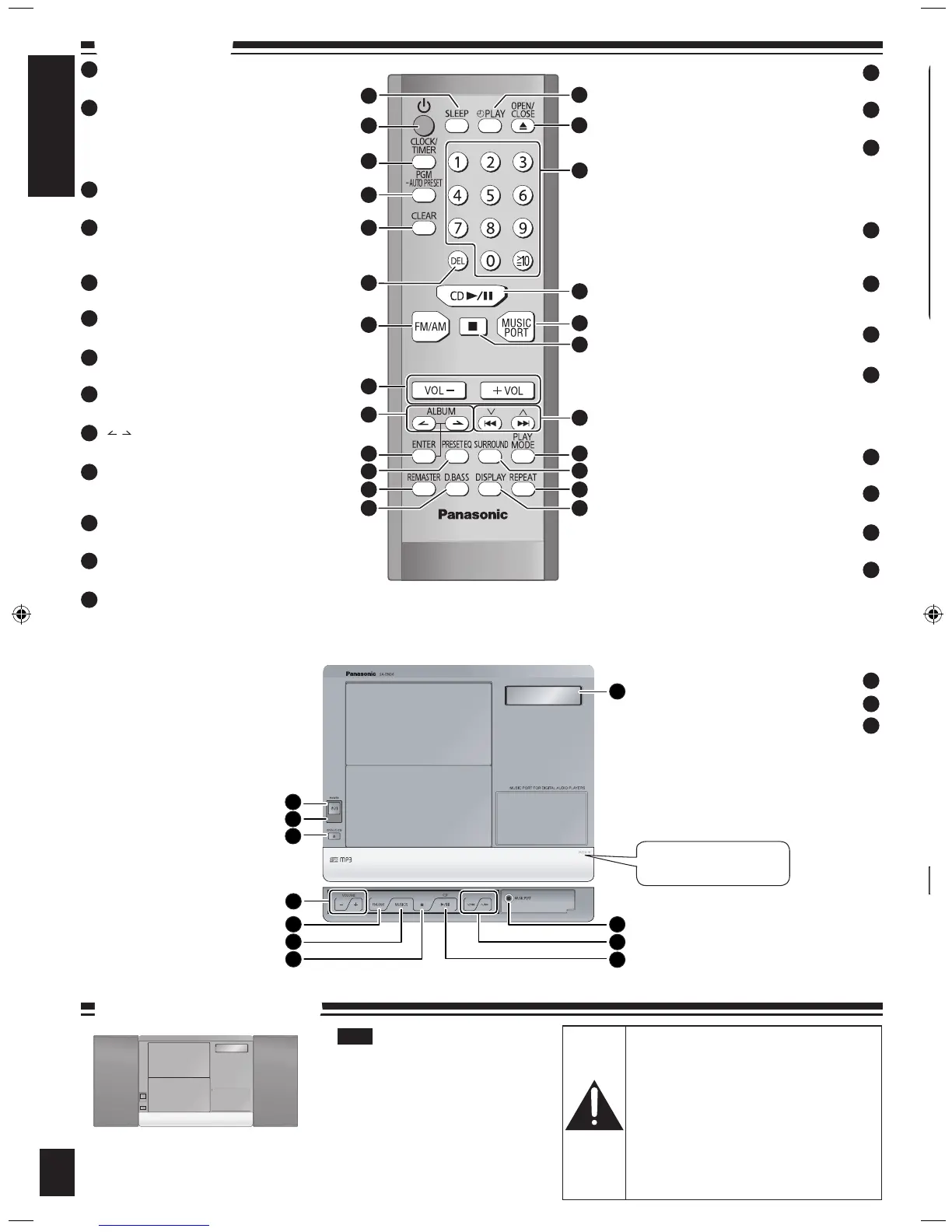
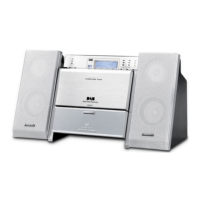
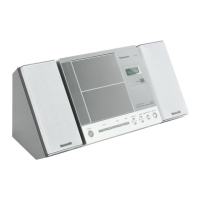
[SLEEP] (8)
Sleep timer setting
Standby/on switch [^], [8, POWER] (5, 8)
Press to switch the unit from on to standby
mode or vice versa.
In standby mode, the unit is still consuming a
small amount of power.
[CLOCK/TIMER] (8)
Clock and Timer setting
[PGM, -AUTO PRESET] (6, 7)
CD/MP3 Program, Tuner Preset (Manual)
[Long press] Tuner Preset (Auto)
[CLEAR] (6)
CD/MP3: Delete all programs
[DEL] (6)
Delete last programmed track
[FM/AM] (7)
Selector switch to Tuner for FM and AM
[VOL-], [+VOL], [VOLUME -, +] (5, 8)
To adjust the volume
[ , , ALBUM] (5, 6)
MP3: Previous/Next Album
[ENTER] (6, 8)
MP3: Confirm track selection during Program
Mode
[PRESET EQ] (7)
Preset EQ mode selector
[REMASTER] (7)
Remaster on/off
[D.BASS] (7)
D.BASS on/off
1
2
9
8
7
6
5
4
3
10
11
12
13
14
16
17
18
19
20
21
22
23
24
25
Remote control signal sensor
Display
Music port jack
(8) [z PLAY]
Play timer on/off
(5) [;, OPEN/CLOSE]
Open and Close CD lid
(5, 6, 7) Numbered buttons [1-9, 0,
≧
10]
To select a 2-digit number
e.g. 16: [
≧
10] [1] [6]
To select a 3-digit number
e.g. 226: [
≧
10] [
≧
10] [2] [2] [6]
(5, 6) [CD q/h]
Selector switch to CD
Direct CD Play/CD Pause
(5, 8) [MUSIC PORT]
Selector switch to MUSIC PORT
Play portable audio equipment
(5) [g]
Stop button
(5, 6, 7) [u, 2], [i, 1], [2/u], [1/i]
CD: Skip/Search
MP3: Track Skip
Tuner: Tune up/down
[Long press] Auto tuning
(7) [PLAY MODE]
Play mode button
(7) [SURROUND]
Surround mode on/off
(6) [REPEAT]
Repeat on/off
(6) [DISPLAY]
CD: CD Display (Elapsed play time/Remaining
play time)
MP3: MP3 Display [Elapsed time/Album name/
Track name/ID3 (Album)/ID3 (Track)/ID3 (Artist)]
26
27
Push to open the lid.
15
Keep your speakers at least 10 mm
(13/32”) away from the system for
proper ventilation.
These speakers do not have
magnetic shielding. Do not place
them near televisions, personal
computers or other devices easily
influenced by magnetism.
You cannot take the front net off
the speakers.
•
•
•
Note
Caution
Use the speakers only with the
recommended system. Failure to do
so may lead to damage to the amplifier
and/or speakers, and may result in the
risk of fire. Consult a qualified service
person if damage has occurred or if
you experience a sudden change in
performance.
Do not attach these speakers to walls or
ceilings.
•
•
Placement of speakers
Speakers are designed identically so
that no left or right channel orientation
is necessary.
Control guide
Press [8, POWER] to turn the unit on.
Press [;, OPEN/CLOSE] to open the CD lid and then set the CD in
place.
Press [;, OPEN/CLOSE] again to close the lid.
Keep fingers away from the CD lid when it is closing to avoid possible
minor injury.
Label must face outward.
Press until you hear it click into place.
Press [CD q/h] to start play.
Adjust the volume.
Be sure to press the [;, OPEN/CLOSE] button to open and close the
CD lid.
Damage may occur if the lid is forcibly closed.
During standby, if the CD is ready in the unit, the unit comes on and
play begins. (One touch play)
•
•
•
Basic play
Speakers
4


 To Next Page