11
VQT5F34
ENGLISH
1 Press [ , MEMORY] (main unit: [ /MEMORY]) to
select “MEMORY”.
2 Press [1/;] to start playback.
1 Press [USB] to select “USB B” or “USB A”.
2 Press [1/;] to start playback.
For other operations, refer to “Disc”.
You can view the available information on the display
panel.
Press [DISPLAY-DIMMER].
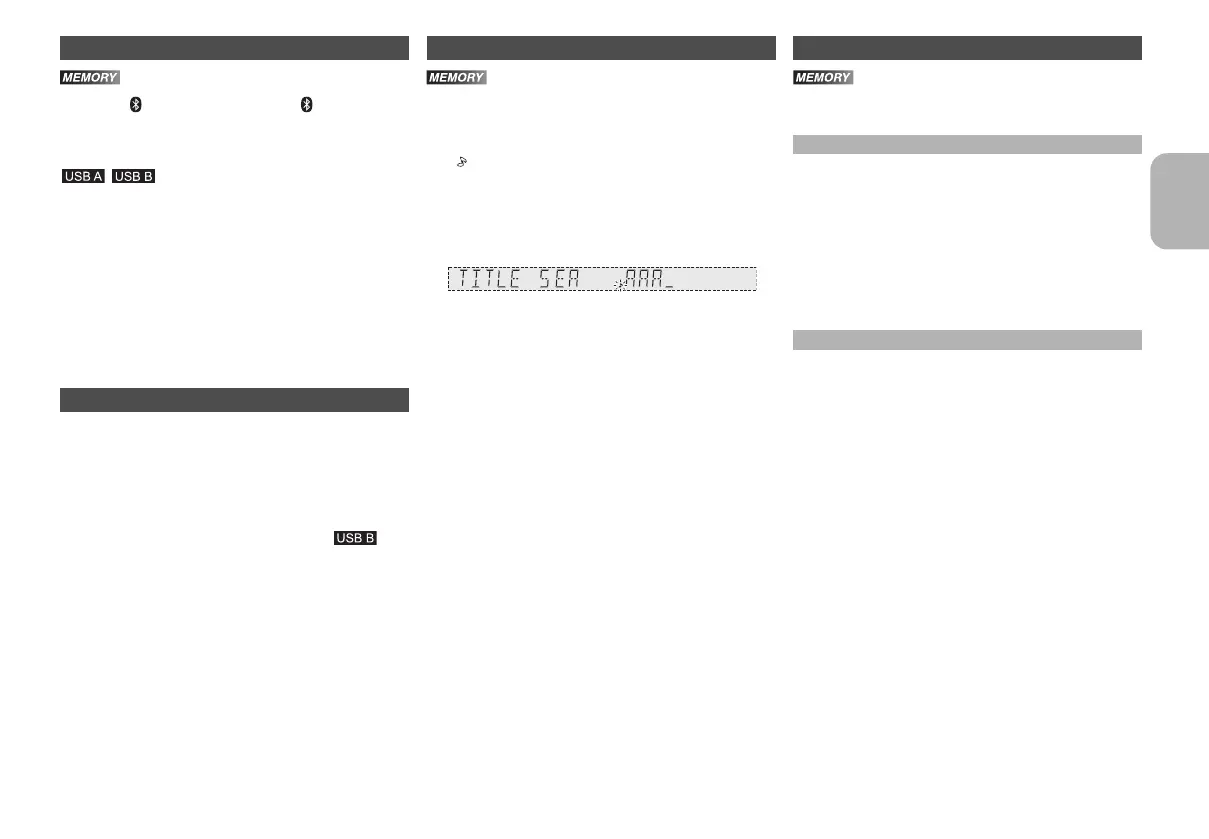
You can search for the desired track in the internal
memory with title search.
1 Press [TITLE SEARCH].
“ ” blinks.
2 Press the alphanumeric buttons or [3, 4] to
select the desired character then press [1] to
select next character.
To delete a character, press [DEL].
3 Press [OK].
Press [2, 1] to search for previous or next match.
“NOT FOUND” is shown if there is no match.
4 Press [OK] to confirm and play the track.
To cancel, press [TITLE SEARCH].
Note:
• This function skip tracks that are created with basic
recording (> “Basic recording”).
• This function does not work with random or programme
playback.
• The character is not case sensitive.
• A same track title display will be shown for tracks with the
same title.
You can keep up to 6 playlists in the internal memory.
Each playlist can keep up to 99 tracks.
1 Select the track you want to add to the playlist.
2 Press [PLAY LIST].
3 Press and hold the alphanumeric button (1 to 6)
to add the track to the corresponding playlist.
Or press and hold [1] to [6] on the main unit to add
the track to the corresponding playlist.
Do steps 1 through 3 again to add more tracks.
1 Press [PLAY LIST] and then the alphanumeric
button (1 to 6) to select the playlist.
Or press [1] to [6] on the main unit to select the
playlist.
2 Press [1/;] to start playback.
Basic playback
• Stop playback
Press [∫]. “RESUME” is shown.
Press [1/;] to continue playback.
OR
Press [∫] two times to stop the playback fully.
Viewing available information
• In the stop mode
Available storage space or remaining recording time of
the internal memory or the USB device in .
• During recording
Information that is related to recording.
• During playback or pause
Information of the current track.
Title search Playlist
Adding tracks to the playlist
Listening to the playlist
• Cancel playlist playback
Press [PLAY LIST] two times.
OR
Press the selected [1] to [6] on the main unit.
• View contents of the playlist
Press [:] or [9] in the stop mode.
OR
Turn [MULTI CONTROL] in the stop mode.
• Clear a single track
In the stop mode, press [:] or [9] to select
the desired track you want to clear and then press
[DEL].
“DELETE?” is shown.
Within 5 seconds, press [OK].
• Clear all tracks in a playlist
In the stop mode, press [∫].
“CLEAR?” is shown.
Within 5 seconds, press [OK].
11
SC-MAX370GS_eng_sch_rus_ukr.book 11 ページ 2014年3月12日 水曜日 午後6時49分




 To Next Page