14
TQBM0933
D:\A_Job\PSG\_FY22\SC-PM270\Source\woi\PM272EB.EG_TQBM0933_EN.fm
Media playback
The following marks indicate the availability of the feature.
Basic playback
CD USB BLUETOOTH
Note:
Depending on the Bluetooth
®
device, some operations may not work.
Viewing available information
CD USB BLUETOOTH
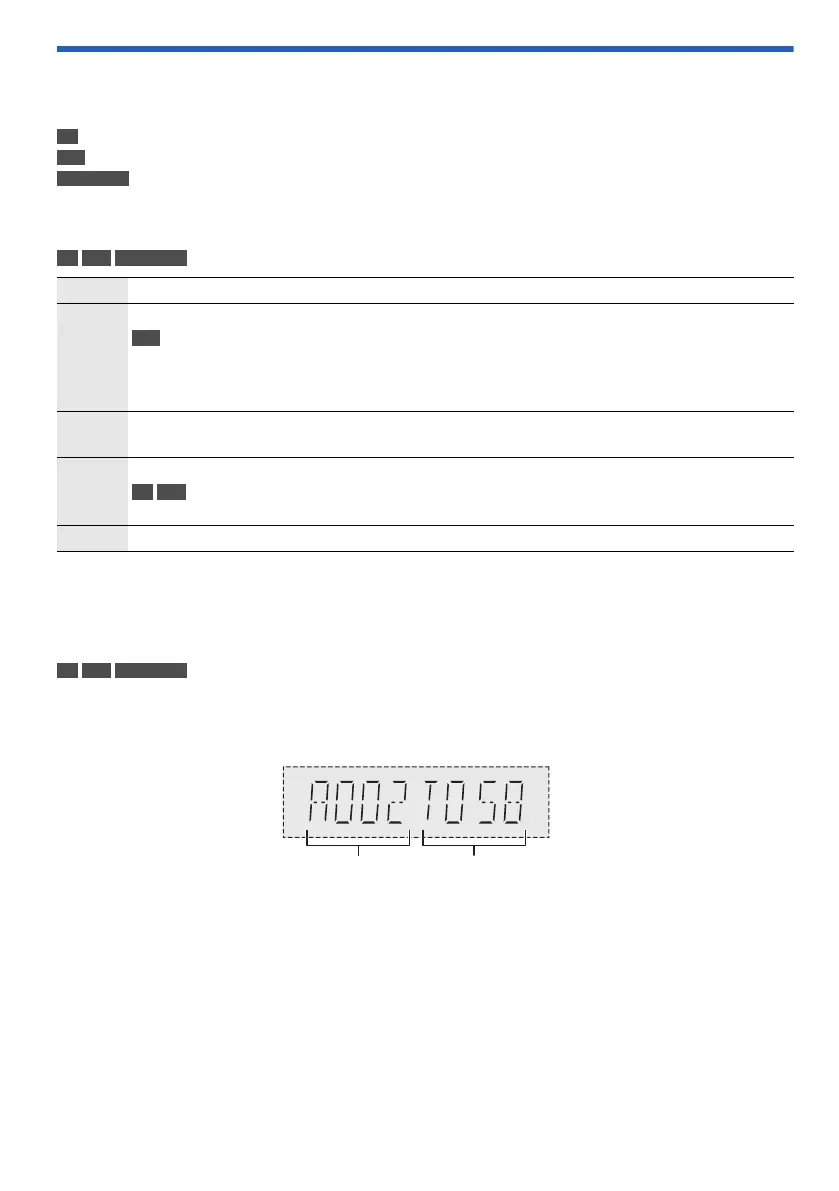
You can view the available information, such as MP3 album and track number, on the display panel.
Press [DISPLAY] repeatedly.
Example: MP3 album and track number display.
Note:
• Maximum characters that can be shown: Approximately 32
• This system supports ver. 1.0, 1.1 and 2.3 ID3 tags.
• Text data that the system does not support can show differently.
CD :
USB :
BLUETOOTH :
CD-R/RW in CD-DA format or with MP3 files.
USB device with MP3 files.
Bluetooth
®
device.
Play Press [4/9].
Stop Press [8].
USB
The track is memorised.
“RESUME” is shown.
Press again to stop fully.
Pause Press [4/9].
Press again to continue playback.
Skip Press [2/3] or [5/6] to skip track.
CD USB
Press [R, T] to skip MP3 album.
Search Press and hold [2/3] or [5/6].
Album number Track number
PM272EB.EG_TQBM0933_EN.fm Page 14 Wednesday, August 30, 2023 4:20 PM











 To Next Page