Playing data discs
• You can play JPEG files on DVD-RAM or play HighMAT discs without
using the HighMAT function (➡ Other Menu, page 19).
• Only a content list appears when playing CDs, but information for CD-
Text discs is correctly displayed.
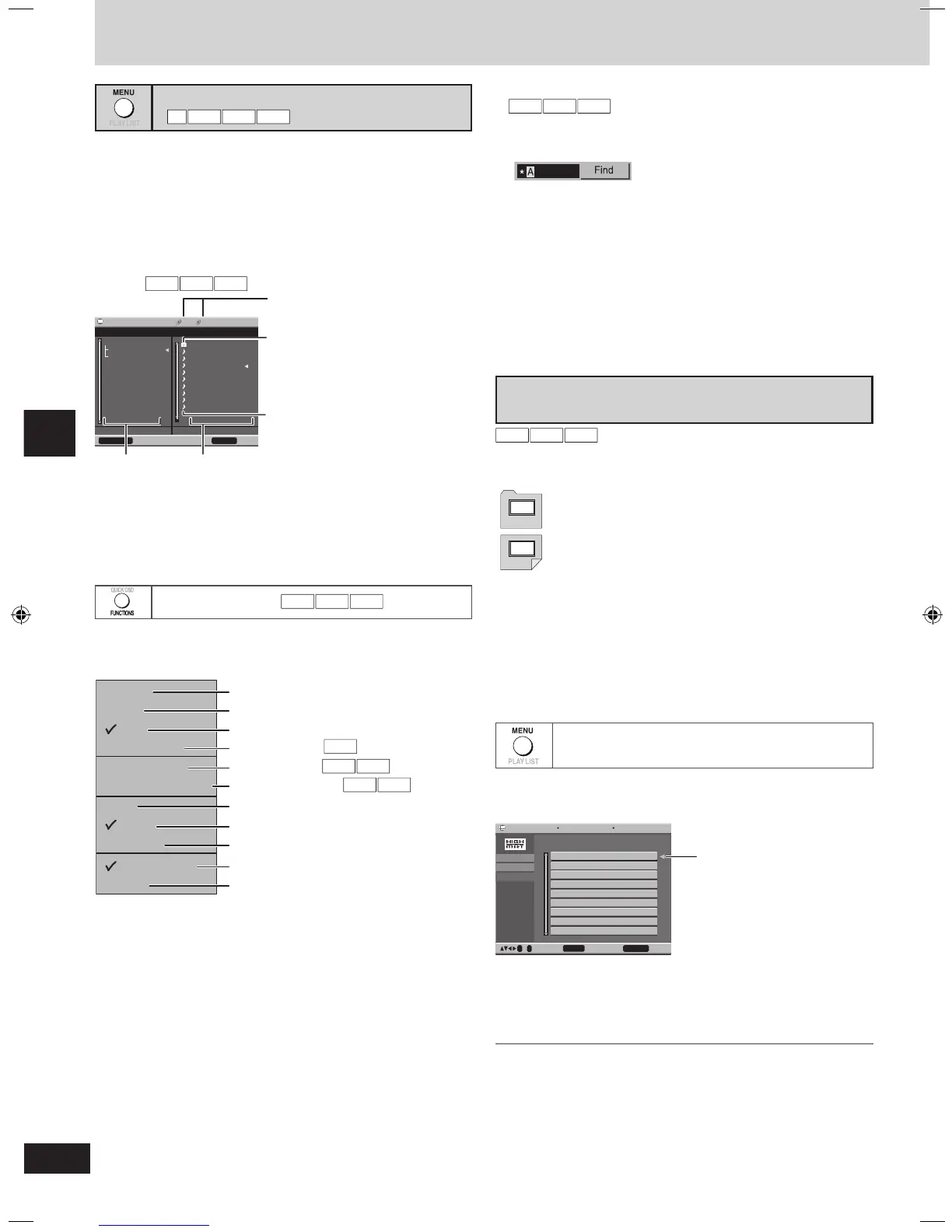
■ Using navigation menus
1 Press [MENU].
2 Press [e, r, w, q] to select the group or audio/picture
content and press [ENTER].
• To play WMA/MP3 while showing JPEG images
First select the JPEG file you want to show, then select the WMA/MP3
file(s).
• To skip a page
Press [SHIFT]+[ANGLE/PAGE].
• To exit the screen
Press [MENU].
Using the submenu
1 While the navigation menu is displayed, press
[FUNCTIONS].
Example (actual items depend on the disc)
2 Press [e,r] to select the item and press [ENTER].
• To return to the menu
Press [RETURN].
Discs — Using navigation menus
Discs — Using navigation menus
■ Finding a track or group title
To find a group:
highlight one of the group names
To find content:
highlight an item in the content column
1 Select “Find” in the submenu.
2 Press [e,r] to select a character and press [ENTER].
• Repeat to enter other characters.
• Lower case is also searched.
• Press [t, y] to skip between A, E, I, O, and U.
• Press [w] to erase a character.
• Erase the asterisk (
★) to search only for the titles starting with that
word.
3 Press [q] to select “Find” and press [ENTER].
The search results screen appears.
4 Press [e,r] to select the content or group and press
[ENTER].
Playing HighMAT discs
A menu appears when you select the disc.
Press [e, r, w, q] to select then press [ENTER].
When you press [ENTER]:
• To display the screen
Press [TOP MENU].
• To return to the menu above the current one
Press [RETURN].
• To change the menu background
Press [FUNCTIONS].
The background changes to the one recorded on the disc.
• To exit the screen
Press [g, STOP].
Selecting from the lists
1 During play
Press [MENU].
Playing
2 Press [w] then [e, r] to switch between the play list,
group and content lists.
3 Press [q] then [e, r] to select an item and press
[ENTER].
• To skip a page
Press [SHIFT]+[ANGLE/PAGE].
• To exit the list screen
Press [MENU].
Menu:
Play list:
Takes you to the next menu which shows play
lists or another menu.
Play starts.


 To Next Page