7
RQTX0246
Getting Started
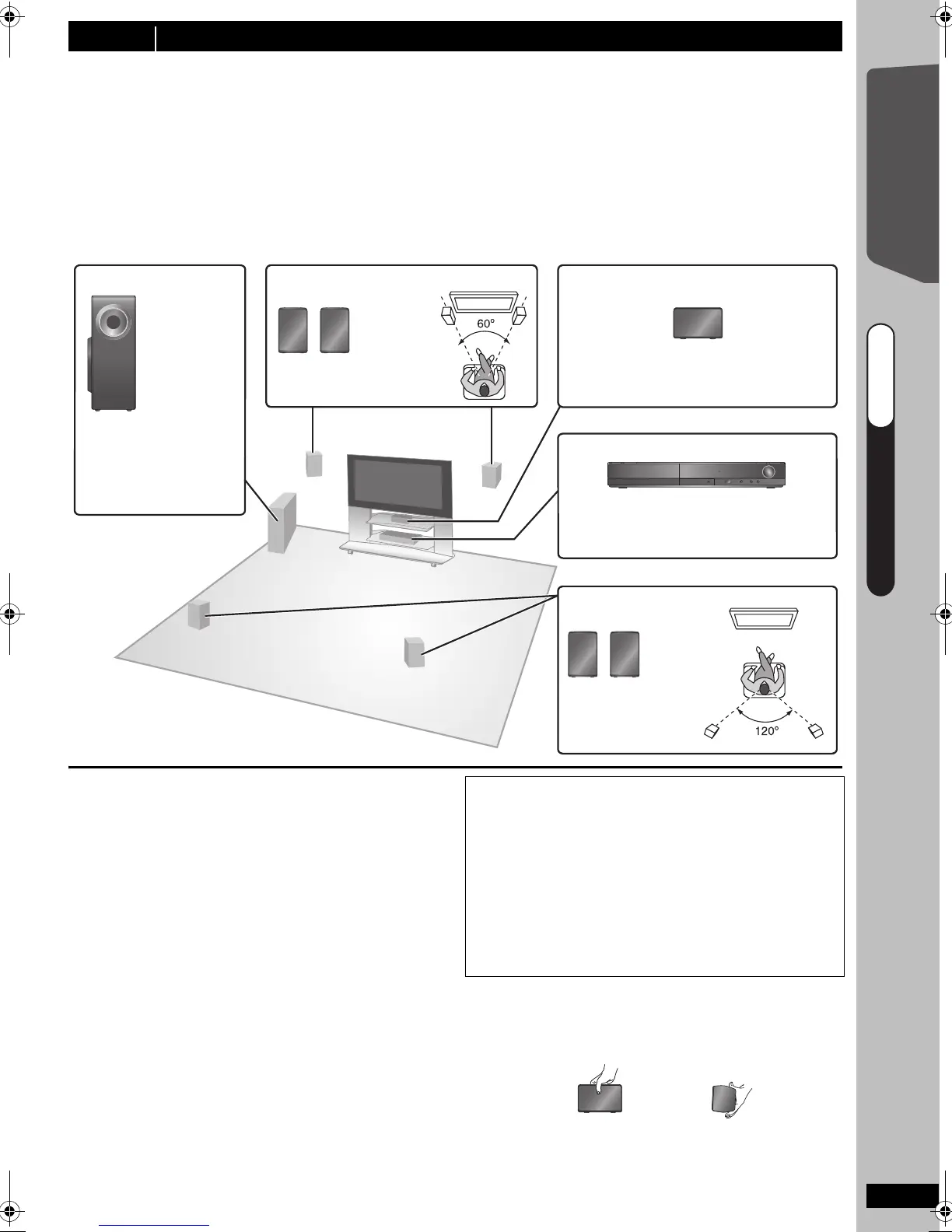
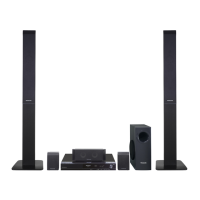
How you set up your speakers can affect the bass and the sound field.
Note the following points:
≥Place speakers on flat secure bases.
≥
Placing speakers too close to floors, walls, and corners can result in excessive bass. Cover walls and windows with thick
curtains.
≥For optional wall mount, refer to page 29.
[Note]
Keep your speakers at least 10 mm away from the system for proper ventilation.
Setup example
Place the front, center, and surround speakers at approximately the same distance from the seating position. The
angles in the diagram are approximate.
Notes on speaker use
≥Use only supplied speakers
Using other speakers can damage the unit, and sound
quality will be negatively affected.
≥You can damage your speakers and shorten their
useful life if you play sound at high levels over
extended periods.
≥Reduce the volume in the following cases to avoid
damage:
–When playing distorted sound.
–When the speakers are reverberating due to a record
player, noise from FM broadcasts, or continuous
signals from an oscillator, test disc, or electronic
instrument.
–When adjusting the sound quality.
–When turning the unit on or off.
If irregular colouring occurs on your TV
The center speaker is designed to be used close to a TV,
but the picture may be affected with some TVs and setup
combinations.
If this occurs, turn the TV off for about 30 minutes.
The demagnetising function of the TV should correct the
problem. If it persists, move the speakers further away from
the TV.
Caution
Do not touch the front netted area of the speakers. Hold by
the sides.
e.g.
[PT170]
Center speaker
step 2 Installation
Subwoofer Front speakers
e.g. [PT170]
Center speaker
e.g. [PT170]
This unit
Surround speakers
e.g. [PT170]
To allow for proper ventilation and to
maintain good airflow around this unit,
position it with at least 5 cm of space on
all sides.
Put on a rack or shelf. Vibration caused
by the speaker can disrupt the picture if
it is placed directly on the TV.
Place to the right or left
of the TV, on the floor or
a sturdy shelf so that it
will not cause vibration.
Leave about 30 cm
from the TV.
Caution
≥This unit and supplied speakers are to be used
only as indicated in this setup. Failure to do so
may lead to damage to the amplifier and/or the
speakers, and may result in the risk of fire.
Consult a qualified service person if damage has
occurred or if you experience a sudden change
in performance.
≥Do not attempt to attach these speakers to walls
using methods other than those described in this
manual.
DO
DO
NOT
QUICK START GUIDEQUICK START GUIDEQUICK START GUIDE
step 2
SC-PT170-175EB-RQTX0246-B_eng.book Page 7 Wednesday, February 4, 2009 3:20 PM










 To Next Page