8
RQTX0246
Getting Started
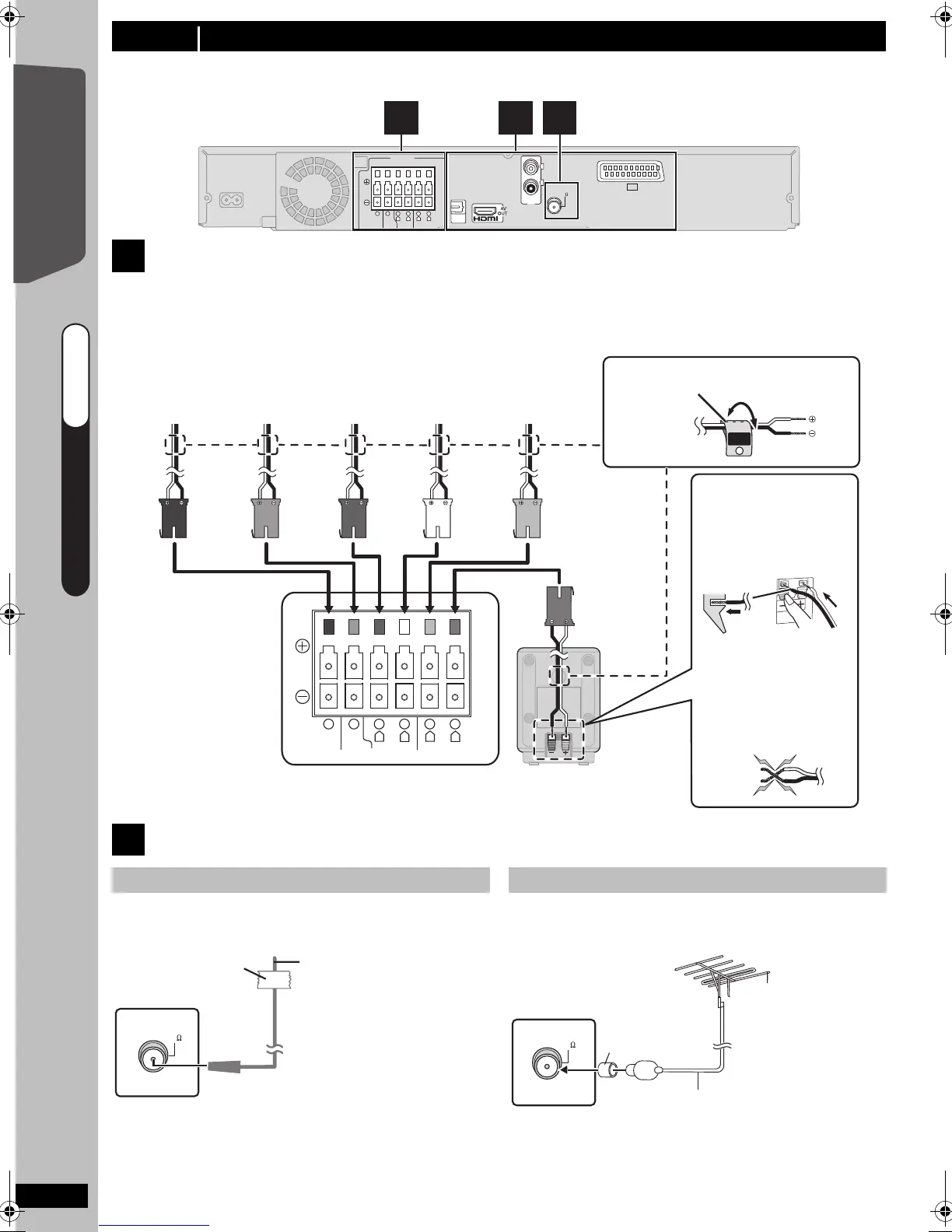
Turn off all equipment before connection and read the appropriate operating instructions.
Do not connect the AC mains lead until all other connections are complete.
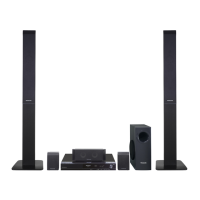
Setup example
Pay attention to the type of speaker and the connector colour when you place the speakers.
Connect to the terminals of the same colour.
Use of the speaker cable stickers is convenient when making cable connections.
step 3 Connections
1
Speaker connections
This unit
CENTERSUBWOOFER FRONT
6 5 2 1 4 3
L
R
L
R
SURROUND
FM ANT
(75 )
1
SPEAKERS
3
OPTICAL
IN
AUX
L
R
AV
2
CENTERSUBWOOFER FRONT
6 5 2 1 4 3
L
R
L
R
SURROUND
Lch
SURROUND
3
WHITE
FRONT
(L)
GREY
SURROUND
(R)
RED
FRONT
(R)
GREEN
CENTER
PURPLE
SUBWOOFER
Insert the wire fully,
taking care not to
insert beyond the
wire insulation.
: White
: Blue
DO
NOT
This unit
BLUE
SURROUND
(L)
● Be careful not to
cross (short circuit)
or reverse the polarity
of the speaker wires
as doing so may
damage the speakers.
Push!
e.g. Surround speaker (L)
Speaker cable sticker (included)
e.g. [PT170]
2
Radio antenna connections
Using an indoor antenna
FM ANT
(75 )
Adhesive tape
This unit
FM indoor antenna
(included)
Affix this end of the
antenna where
reception is best.
Using an outdoor antenna (optional)
75 coaxial cable
(not included)
FM ANT
(75 )
This unit
FM outdoor antenna
[Using a TV antenna
(not included)]
The antenna should
be installed by a
competent technician.
Use the antenna
plug adaptor
(included).
Use outdoor antenna if FM radio reception is poor.
≥Disconnect the antenna when the unit is not in use.
≥Do not use the outdoor antenna during an electrical
storm.
QUICK START GUIDE
QUICK START GUIDE
step 3
SC-PT170-175EB-RQTX0246-B_eng.book Page 8 Wednesday, February 4, 2009 3:20 PM










 To Next Page