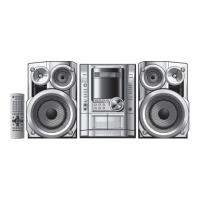
Control reference guide
RQT8092
8
ENGLISH
1
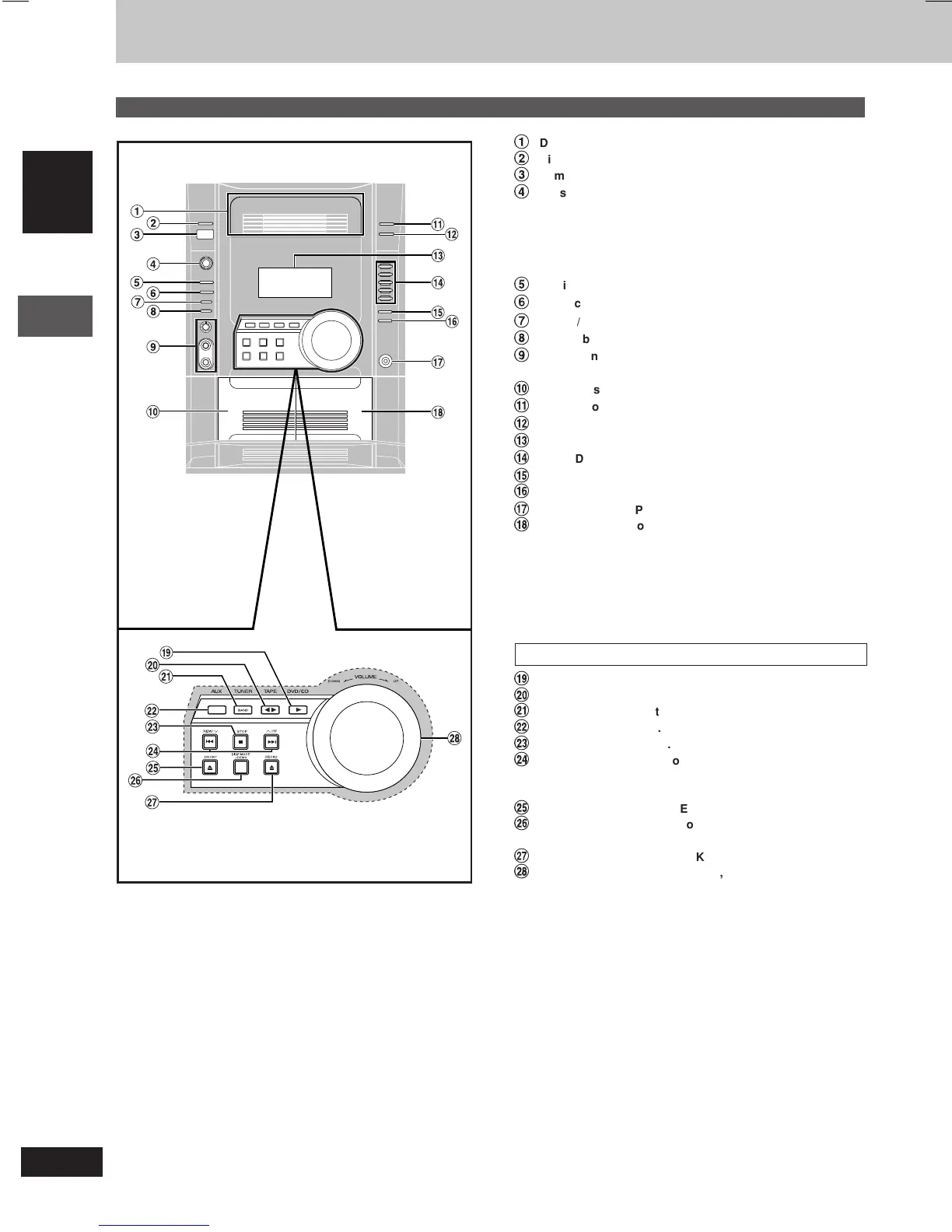
Disc drawer
2
Disc check button [DISC CHECK] ....................................... 10
3
Remote control signal sensor
4
AC supply indicator [AC IN]
This indicator lights when the unit is connected to the AC mains
supply.
Standby/on switch [
ff
ff
f/I]
Press to switch the unit from on to standby mode or vice versa. In
standby mode, the unit is still consuming a small amount of power.
5
Multi Re-master button [MULTI RE-MASTER] .................... 23
6
Advanced surround button [ADVANCED SURROUND] .... 23
7
Deck 1/2 selection button [DECK 1/2] .................................21
8
Record button [a REC] ....................................................... 21
9
Microphone volume control [MIC VOL MIN, MAX] .............22
Microphone jacks [MIC 1, 2] ................................................ 22
Ä
Deck 1 cassette holder .........................................................21
Å
Disc tray open/close button [OPEN/CLOSE c] ................. 10
Ç
Disc change button [DISC CHANGE c] ............................. 10
É
Display
Ñ
DVD/CD direct play buttons [1–5] .......................................10
Ö
Super sound EQ button [SUPER SOUND EQ] ................... 23
Ü
Sound EQ button [SOUND EQ] ............................................23
á
Headphone jack [PHONES] .................................................. 25
à
Deck 2 cassette holder .........................................................21
Main unit
Center console
â
DVD/CD play button [:, DVD/CD] ......................................... 6
ä
Tape play/direction button [; :, TAPE] ............................. 21
ã
Tuner/band select button [BAND, TUNER] ........................ 20
å
AUX button [AUX] ................................................................ 25
ç
Stop button [L, STOP] ......................................................... 10
é
Disc skip/search/slow-motion play, tape fast-forward/
rewind, tune, time adjust buttons
[g, REW/
44
44
4, f,
33
33
3/FF]......................................... 10, 20, 21
è
Deck 1 open button [c, DECK1] ......................................... 21
ê
Display mode, demonstration button
[DISP MODE, –DEMO] ..................................................... 6, 25
ë
Deck 2 open button [c, DECK2] ......................................... 21
í
Volume control [VOLUME DOWN, UP] ............................... 22
Control reference guide
8







 To Next Page