53
LSQT1346
Playback
2
Still picture playback
[HDD] [SD]
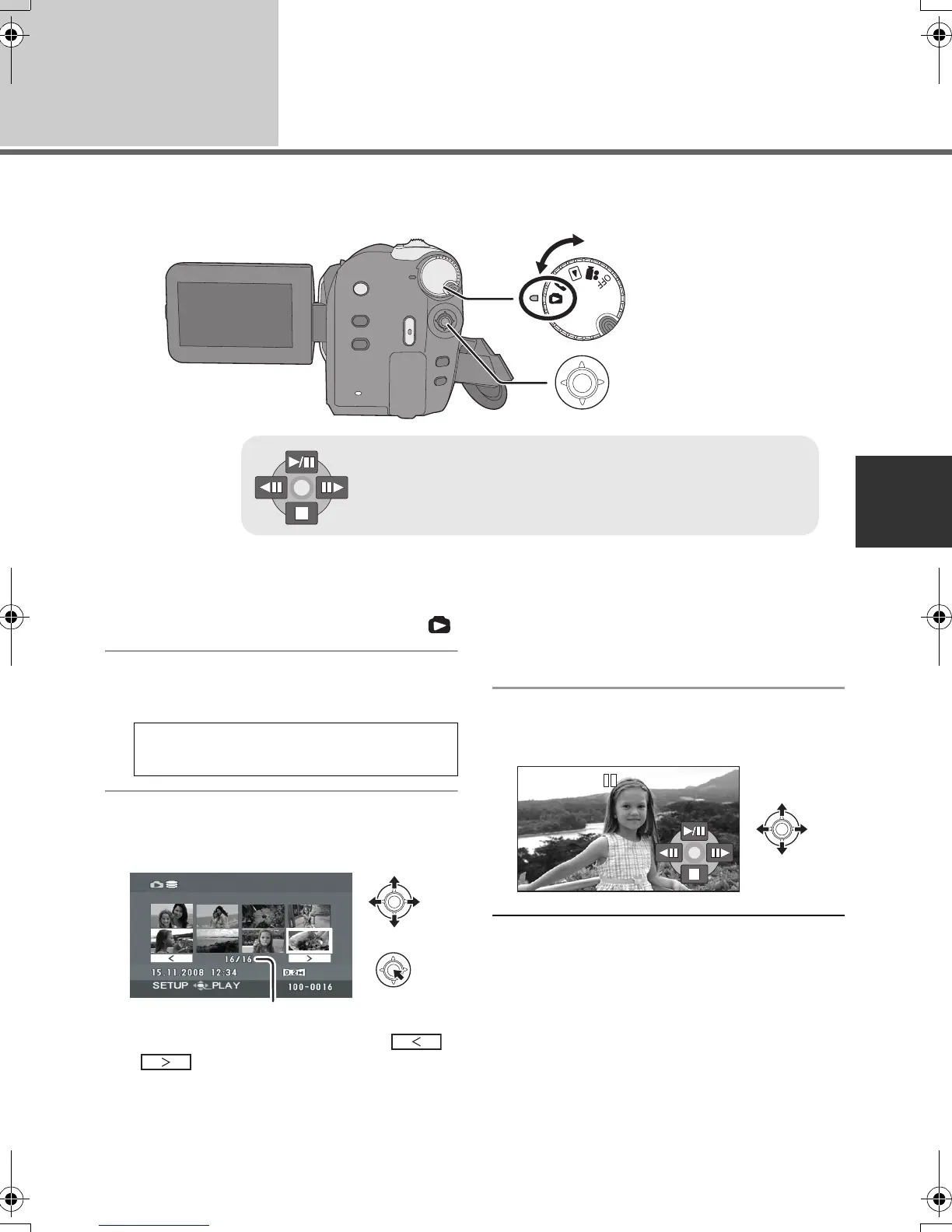
1 Rotate the mode dial to select .
2 Select the playback medium by
the menu. (l 24)
3 Select the file to be played back,
then press the joystick.
A File number (Page number: When [ ]/
[ ] is selected.)
≥ The method for selecting pages is the same as
for motion picture playback. (l 50)
The selected file is played back, and the
operation icon is automatically displayed on the
screen.
4 Select the playback operation
with the joystick.
1/;: Slide show start/pause.
2;: Plays back the previous picture.
;1: Plays back the next picture.
∫: Stops the playback and shows the thumbnails.
[MEDIA SELECT] # [HDD] or
[SD CARD]
SDR-H60&40EP-LSQT1346_eng.book 53 ページ 2008年2月25日 月曜日 午後3時33分









 To Next Page