60
LSQT1346
Editing
3
Using playlists
[HDD]
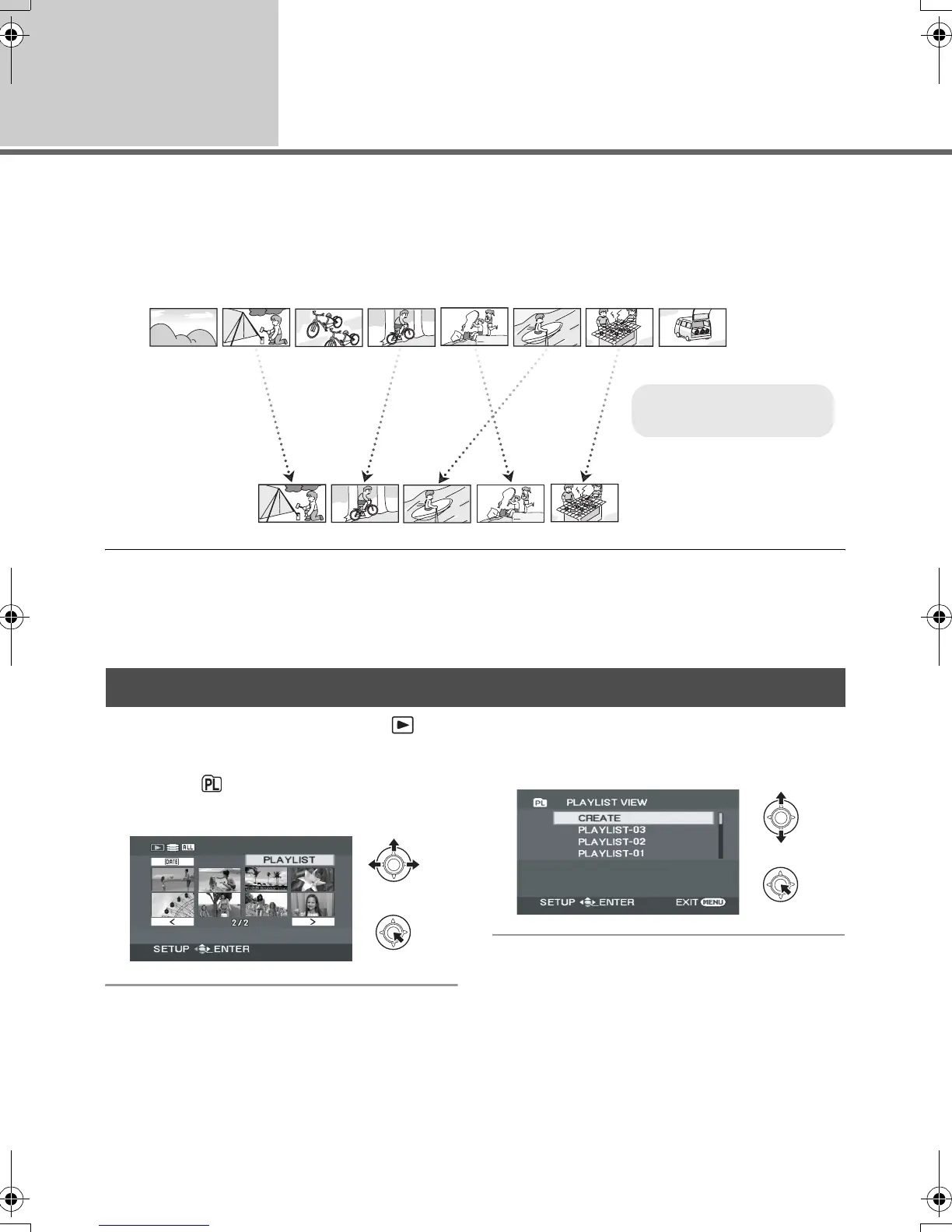
You can create a playlist by gathering your favourite recorded scenes.
Since the playlist is not created by copying data, playlists consume a very small amount of HDD space.
≥ When you create or delete playlists, the original scenes will not be modified. Editing scenes on a
playlist will not affect the original scenes.
≥ You can create a playlist on the HDD only. You cannot create a playlist on an SD card.
≥ The maximum number of playlists on the HDD: 4
The maximum number of playlist scenes on the HDD: 99
≥ If original scenes are deleted, the portion of playlists created with these scenes is also deleted.
¬Rotate the mode dial to select .
¬Select [HDD] in [MEDIA SELECT].
1 Select (PLAYLIST), then press
the joystick.
2 Select [CREATE], then press the
joystick.
Creating a new playlist
A
B
A Recorded scenes
B Playlist
SDR-H60&40EP-LSQT1346_eng.book 60 ページ 2008年2月25日 月曜日 午後3時33分


 To Next Page