63
LSQT1346
Editing
4
Editing still pictures
¬Rotate the mode dial to select .
Function Operating method
Locking still pictures
[HDD] [SD]
This is for preventing still
picture files from being
deleted by mistake.
(However, please be aware
that if a medium is
formatted, then all the data
on the medium will be
erased.)
¬Select [HDD] or [SD CARD] in [MEDIA SELECT].
1 Select the menu. (l 24)
[PHOTO SETUP] # [LOCK SET] # [YES]
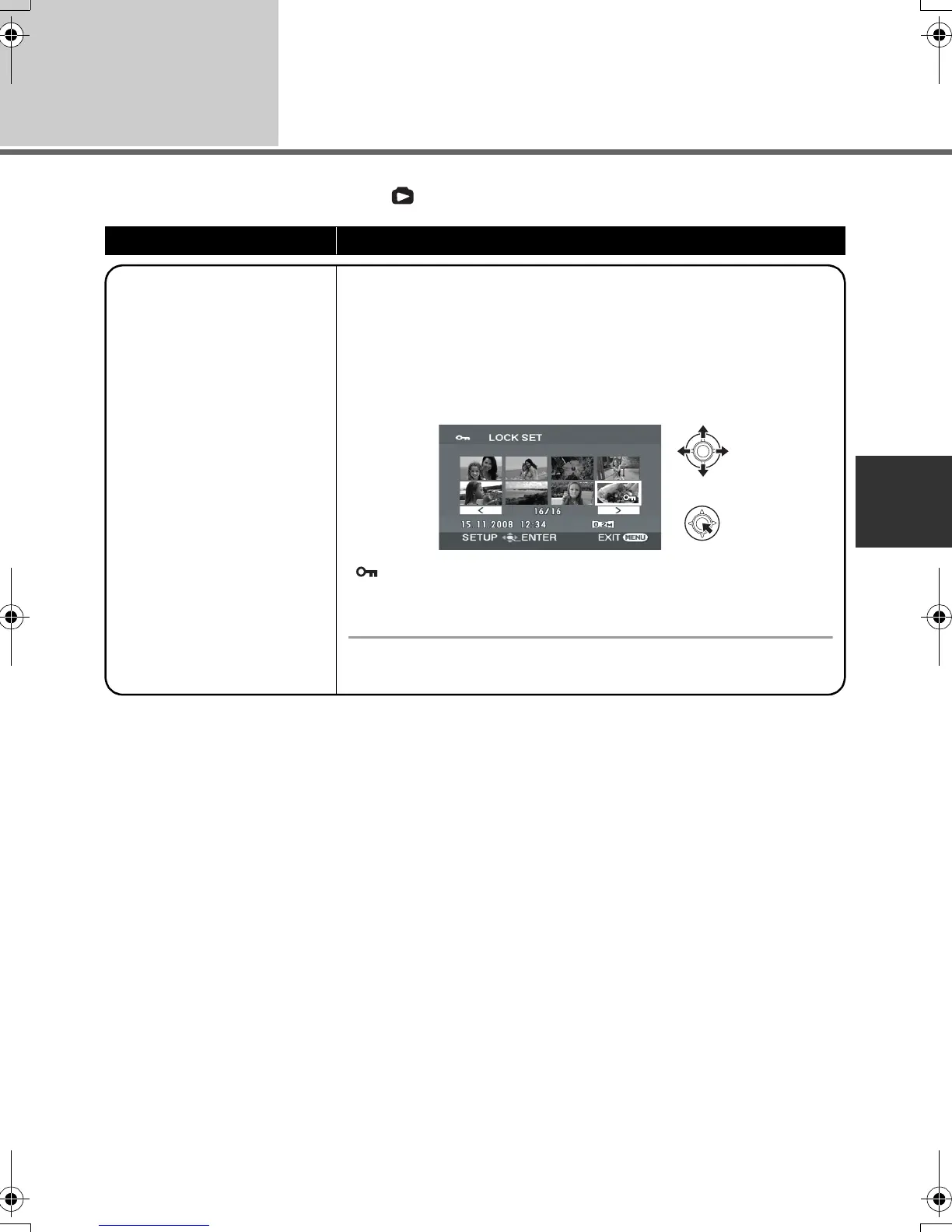
2 Select the file to be protected, then press the
joystick.
[ ] appears and the selected file is locked.
≥ Press the joystick again to release the lock setting.
≥ You can also select multiple files in succession.
To complete the settings
Press the MENU button.
SDR-H60&40EP-LSQT1346_eng.book 63 ページ 2008年2月25日 月曜日 午後3時33分







 To Next Page