46 VQT1R13
Playback
1
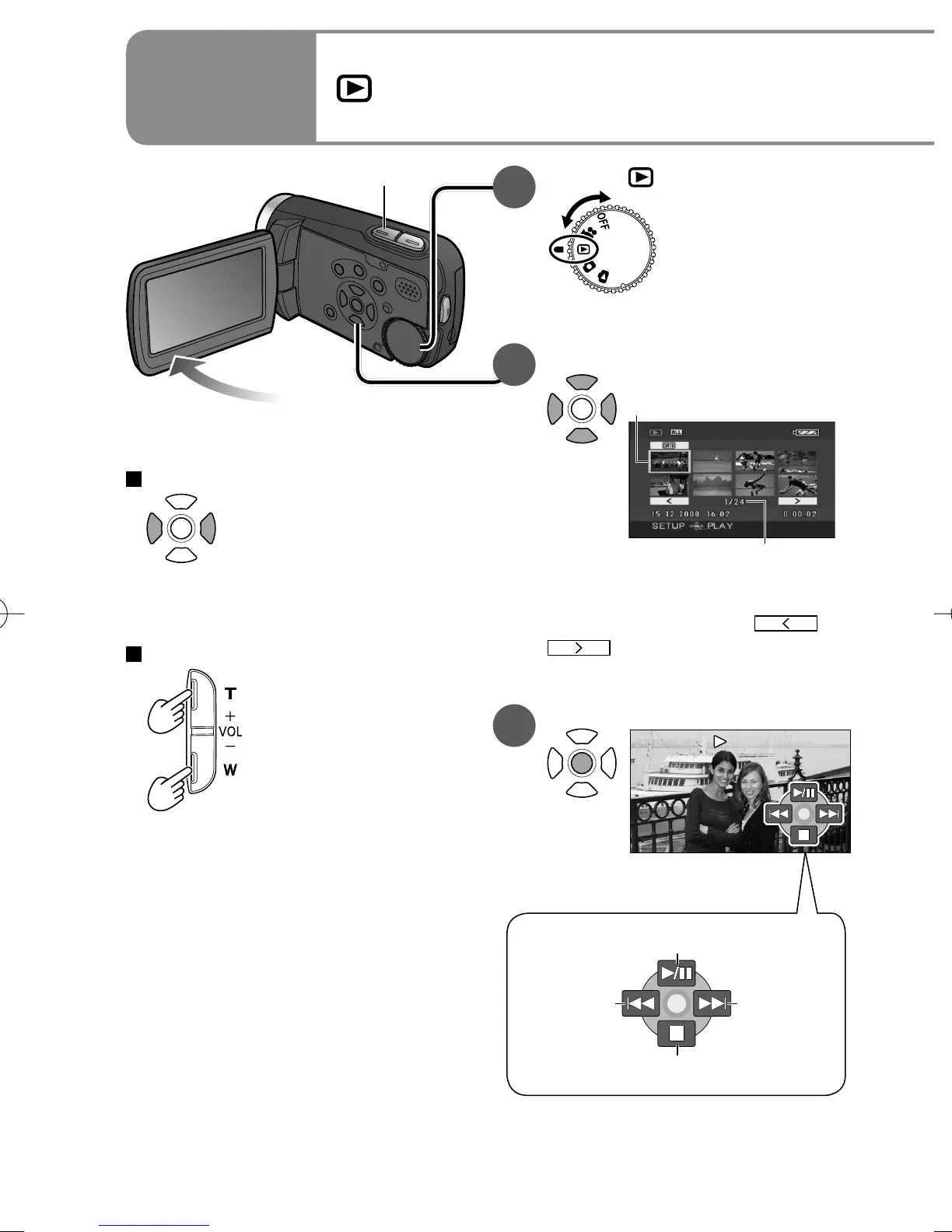
Viewing motion pictures
1
Set to [ ].
Thumbnails are displayed.
2
Select the desired scene.
Scene No.
A yellow frame appears
around the selected scene.
To move to the next page:
either press the left and right
cursor button or select
or
and press the centre of
the cursor button.
3
Enter the picture to view.
To fast-forward/rewind
While pressed and held,
only the scene No.
changes rapidly.
Release the cursor button when
the desired scene No. appears.
To adjust the volume
T (+) side:
Increases the volume.
W (–) side:
Decreases the volume.
• Audio is output only during
normal playback.
• The volume display appears on
the LCD monitor while adjusting
the volume.
Playback/Pause
Return to thumbnail
To next
scene
To previous
scene
Volume adjustment










 To Next Page