EasyManua.ls Logo

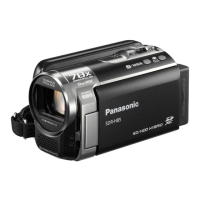
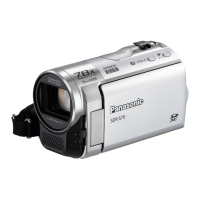
Panasonic SDR-S10P - User Manual

Panasonic SDR-S10P
147 pages
Print Icon
To Next Page IconTo Next Page
Loading...
Panasonic
Operating
Instructions
so
Video Camera
Model
No.SDR-S1
OP/P1/PC
Before connecting, operating or adjusting this product, please read the instructions
completely.
Spanish Quick
Use
Guide
is
included.
Guia para rapida consulta en espanol esta incluida.
PirtBridge
For
USA
assistance.
please
call:
1-S00-211-PANA(7262)
or.
contact
us
via
the
web
at:
http://www.panasonic.com/contactlnfo
For
Canadian
assistance,
please
call:
1-S00-561-5505
or
VISit
us
at
www.panasonlc.ca
VQT1D97-1

Table of Contents

Questions and Answers

  • M
    Meagan BarronJul 26, 2025
    What to do if my Panasonic Camcorder does not stay on long enough?
    • A
      Alexander GarciaJul 26, 2025
      If your Panasonic Camcorder isn't staying on long enough, the first step is to charge the battery. This should resolve the issue.
  • L
    Lisa CunninghamAug 4, 2025
    What to do if my Panasonic SDR-S10P is turned off automatically?
    • C
      Chris PattersonAug 4, 2025
      To continue recording after your Panasonic Camcorder turns off automatically, simply turn the power back on. To prevent this from happening, ensure the power save function is set to [OFF].
  • M
    Michael MurphyAug 15, 2025
    Why does my Panasonic SDR-S10P battery run down quickly?
    • E
      Ellen AshleyAug 15, 2025
      Your Panasonic Camcorder battery may be draining quickly due to several reasons. Try charging it with the AC adapter. The ambient temperature can also affect battery performance, with shorter operating times in cold environments. Additionally, the battery might be nearing the end of its life. If a fully charged battery still drains rapidly, it may be worn out and need replacing.

Summary

Setting Up the Camera

Power Supply and Battery Charging

Instructions for inserting the battery and charging it using the AC adapter.

Recording Media and Functions

Recording Motion Pictures

Step-by-step instructions for recording video clips.

Recording Still Pictures

How to capture still photographs using the camera.

Playback Operations

Playing Back Motion Pictures

How to view recorded video clips on the camera or TV.

Playing Back Still Pictures

How to view captured still images on the camera.

Editing Recorded Content

Computer Connectivity and Software

Additional Information and Support

Troubleshooting Common Issues

Solutions for common problems encountered with the camera.

Panasonic SDR-S10P Specifications

General IconGeneral
Recording FormatMPEG2
Optical Zoom10x
LCD Screen Size2.7 inches
Image StabilizerElectronic
Display TypeLCD
Focus SystemAuto / Manual
Still Image FormatJPEG
USBYes
AV OutputYes
Battery TypeLithium-ion
Media TypeSD/SDHC

Related product manuals