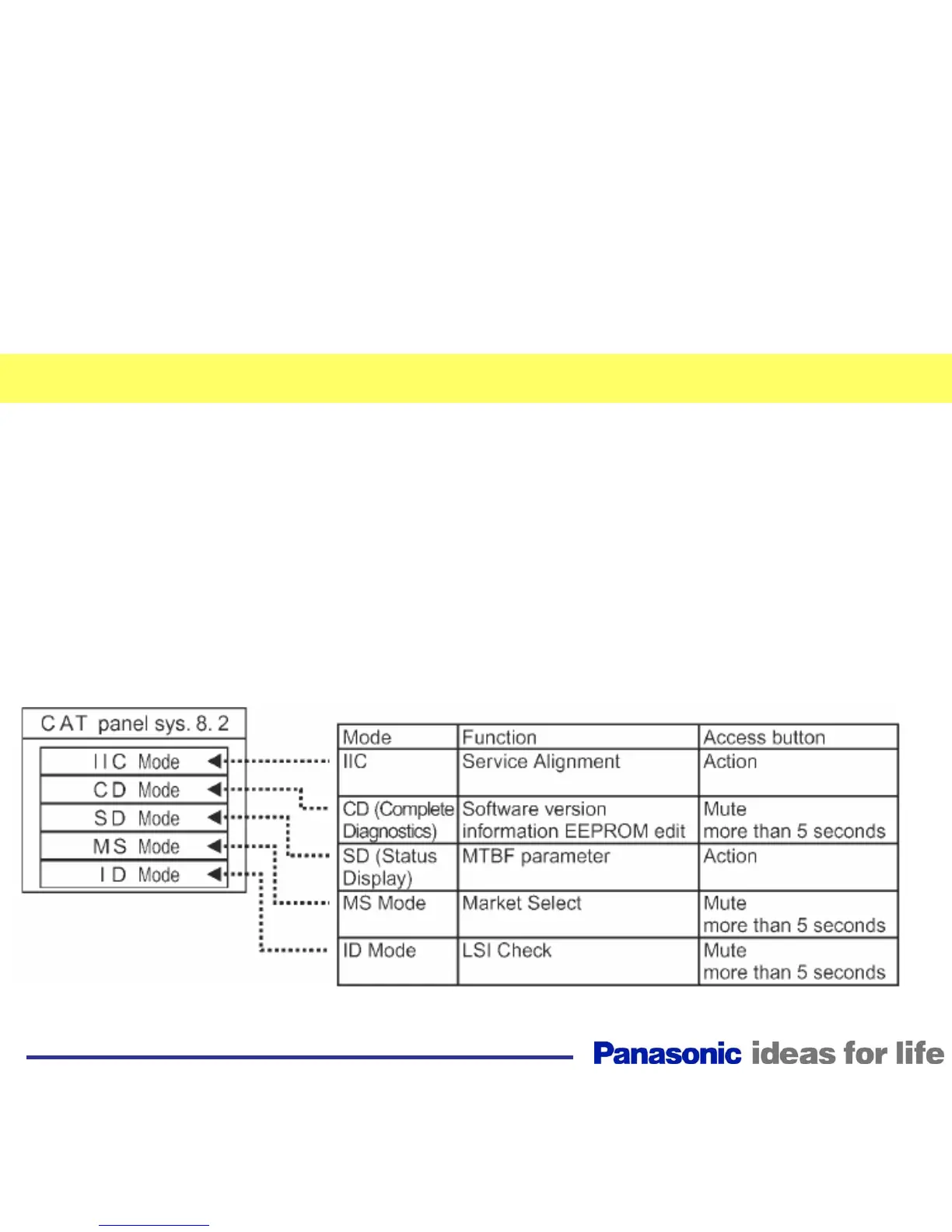
How to Enter the CAT (Serviceman) Mode
How to access the CAT mode.
Press and hold the Volume/Down button on the front
panel of the unit and press the status button on the
remote control three times within one second. The unit
enters the CAT Mode.
To exit the CAT mode, access the ID mode and switch
off the main power.
56



 To Next Page