EasyManua.ls Logo

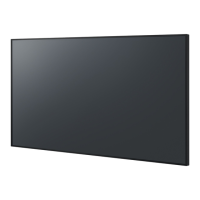
Panasonic TH-152UX1 - User Manual

Panasonic TH-152UX1
56 pages
Print Icon
To Next Page IconTo Next Page
Loading...
Model No.
TH-152UX1
Operating Instructions
High De nition Plasma Display
Please read these instructions before operating your set
and retain them for future reference.
English

Other manuals for Panasonic TH-152UX1

Questions and Answers

  • A
    annettenelsonAug 14, 2025
    Why is there a blackout on 1/4 of my Panasonic Monitor screen?
    • J
      Jessica HillAug 14, 2025
      If your Panasonic Monitor shows a blackout affecting 1/4 of the screen, start by checking the connections D3-D1, D3-D2, and D3-D4. Also, inspect the related Power board and the related C board.
  • D
    Danielle ColemanAug 18, 2025
    Why is there a blackout on 1/8 of my Panasonic Monitor screen?
    • J
      Jacqueline RiversAug 18, 2025
      If your Panasonic Monitor shows a blackout affecting 1/8 of the screen, check the connection between each C board if the black part is driven by CA, CD, CE, CH, CJ, CM, CN, or CR. Also, check the related C board and the related D1, D2, D3, or D4 board.
  • R
    Rachel MontgomeryAug 21, 2025
    Why does my Panasonic TH-152UX1 screen show all white?
    • S
      Scott FernandezAug 21, 2025
      If your Panasonic Monitor is displaying an all-white screen, check the connection of the 8 pieces of LVDS cable between the FRONT END and the D board.
  • L
    lstoneAug 25, 2025
    Why can't I see 3D images on my Panasonic Monitor?
    • J
      Jared LongAug 25, 2025
      If you cannot see 3D images on your Panasonic Monitor, there might be several reasons. First, ensure that the 3D Eyewear is switched on and that '3D Picture Display' in '3D Settings' is set to '3D'. Some 3D image signals may not be automatically recognized, so set '3D Picture Format' in '3D Settings' to match the picture format. Also, make sure there are no obstacles between the infrared sensors on the display and the 3D Eyewear, and that you are within the available area for using the 3D Eyewear. Finally, consider that some individuals may find 3D images difficult or impossible to see, especially if there's a significant difference in eyesight between the left and right eyes. Correct your eyesight with glasses if necessary.
  • M
    maciaslindsayAug 28, 2025
    What to do if 3D Eyewear for Panasonic Monitor turns off automatically?
    • H
      Heidi BoyerAug 28, 2025
      If your 3D Eyewear is turning off automatically, ensure that there are no obstructions between the infrared sensors on the display and the 3D Eyewear. Also, verify that the 3D Eyewear is within the designated coverage area.
  • J
    Justin FrankAug 31, 2025
    How to fix Panasonic TH-152UX1 3D Eyewear when the indicator lamp doesn't light?
    • S
      Steven PopeAug 31, 2025
      If the indicator lamp on your 3D Eyewear doesn't light up when you press the power button, the battery may be low or completely drained. Replace the battery.
  • C
    Christina BennettSep 3, 2025
    What to do if my Panasonic Monitor has a black screen but the power LED is green?
    • M
      melissa67Sep 3, 2025
      If your Panasonic Monitor experiences a blackout but the power LED is green, the issue might stem from the DU/D1/D2/D3/D4 boards. You should check these boards. Also, verify the connection D21 (on the D3 board) to DSS1, as well as all connections between the DU/D1/D2/D3/D4 boards. Another potential cause is the DU board itself, so check that as well. Finally, check for any communication errors between the D boards.
  • S
    smithsharonSep 6, 2025
    What causes a blackout on a width driven by each C board on a Panasonic TH-152UX1 Monitor?
    • K
      kylevillaSep 7, 2025
      If your Panasonic Monitor has a blackout affecting a width driven by each C board, you should check the related C board. Also, check the connection for the related C board. Finally, check the related D board.
  • C
    charleskaylaSep 12, 2025
    What causes a blackout on a width driven by the Data Driver on a Panasonic TH-152UX1 Monitor?
    • J
      John WarnerSep 12, 2025
      If your Panasonic Monitor has a blackout affecting a width driven by the Data Driver, you should check the connection between the Data Driver and the C board. Also, check the related C board and the connection between the related C and D board.

Panasonic TH-152UX1 Specifications

General IconGeneral
Screen Size152 inches
Resolution4096 x 2160
Aspect Ratio17:9
ConnectivityHDMI
InputsHDMI, DVI
Contrast Ratio5, 000, 000:1 (Native)

Related product manuals