27
On the remote control unit, while the “Advanced settings” menu is displayed, if either the N button is pressed at any time or
the OK button is pressed during “Normalise”, then all adjustment values are returned to the factory settings.
Helpful Hint ( /
Normalise
Normalisation)
Block NR
P-NR
Noise reduction
Mosquito NR
Off
Off
Advanced
Off
Block NR
P-NR
Noise reduction
Mosquito NR
Off
Off
Advanced
Off
Noise reduction
Off
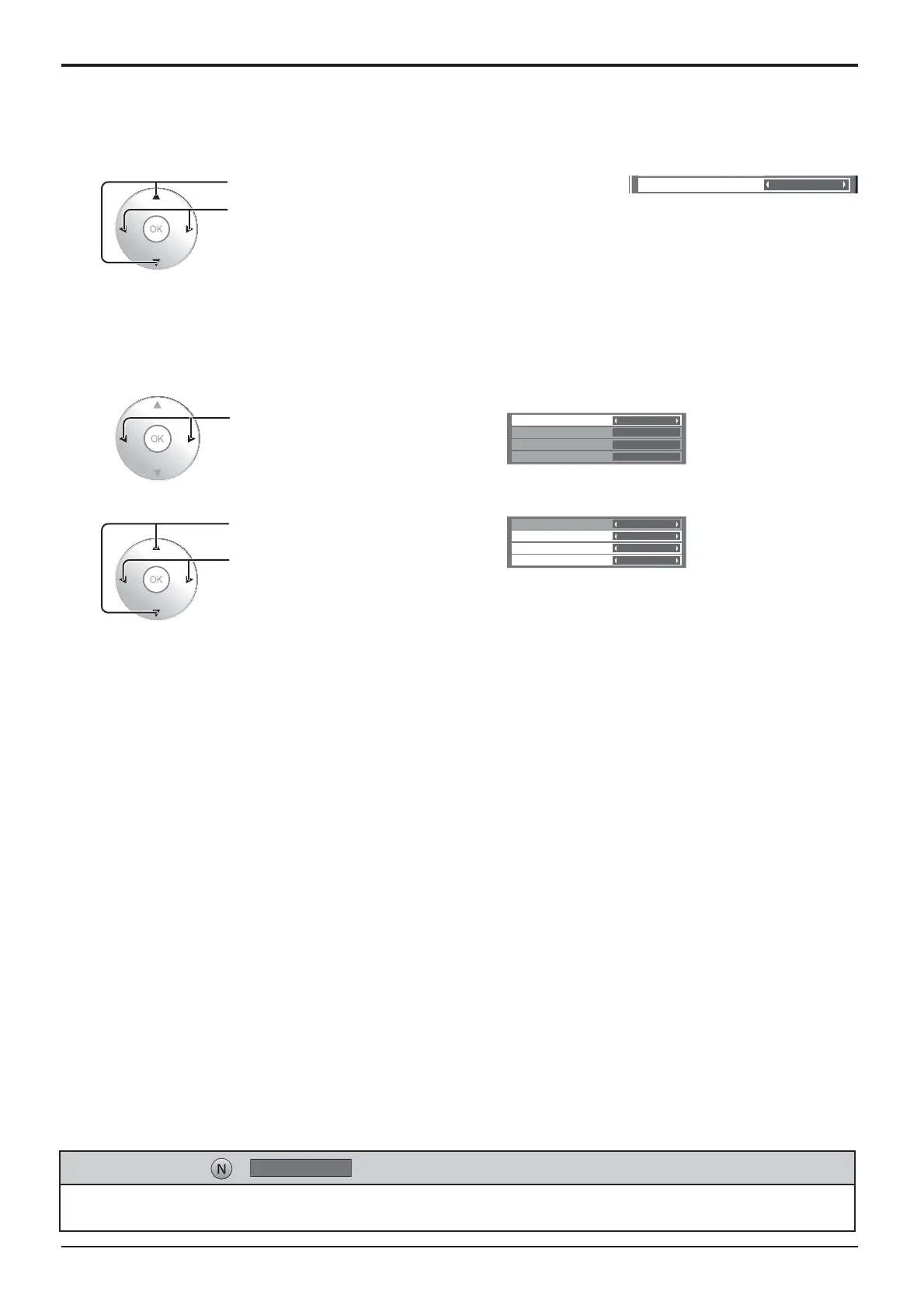
Press to select “Noise reduction”.
Press to select “Off”, “Min” , “Mid” , “Max” , “Advanced”.
• Noise reduction
Sets the following three NR (Noise Reduction) functions together.
P-NR, Mosquito NR, Block NR
Picture Adjustments
Sets the three NR functions separately.
Press to select “Advanced”.
1
Press to select P-NR, Mosquito NR
or Block NR.
Press to select “Off”, “Min”, “Mid”,
“Max”.
2
P-NR: Automatically reduces unwanted picture noise.
Block NR: Reduces block noise when playing MPEG videos.
Mosquito NR
: Reduces mosquito noise around subtitles on MPEG videos.
Note:
Noise reduction cannot be adjusted while a PC signal is being applied.
Advanced NR
Picture Adjustments







 To Next Page