EasyManua.ls Logo

Panasonic TH-50PH10UKA - User Manual

Panasonic TH-50PH10UKA
54 pages
Print Icon
To Next Page IconTo Next Page
Loading...
English
TQB2AA0766-1
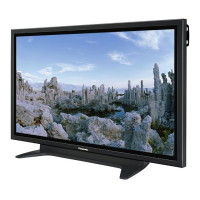
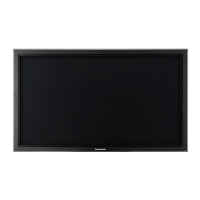
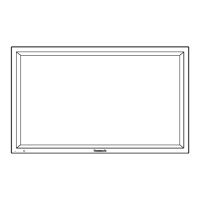
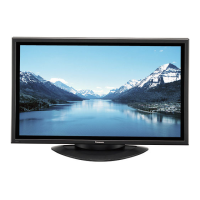
The illustration shown is an image.
Before connecting, operating or adjusting this product, please read these instructions completely.
Please keep this manual for future reference.
La ilustración mostrada es una imagen.
Antes de conectar, utilizar o ajustar este producto, lea completamente este manual de instrucciones;
y guárdelo para consultarlo en el futuro en caso de ser necesario.
Español
Operating Instructions
Manual de instrucciones
High Defi nition Plasma Display
Alta defi nición Pantalla de plasma
TH-42PH10UKA
TH-50PH10UKA
TH-58PH10UKA
Model No.
Número de modelo.

Questions and Answers

  • S
    Sandra HillSep 10, 2025
    Why are there missing image areas when using zoom on my Panasonic TH-50PH10UKA?
    • K
      Katelyn HayesSep 10, 2025
      When using a video software program (such as a cinema size program) with a screen wider than one in the 16:9 mode, blank areas separate from the images are formed at the top and bottom of the screen.
  • M
    Mark BatesSep 12, 2025
    Why does the brightness change on the sides of images on my Panasonic Monitor?
    • K
      Kristina Becker DDSSep 12, 2025
      When viewing the side panels at the “BRIGHT” or “MID” setting, the brightness on both sides may change depending on the kind of program shown.
  • G
    Gary StewartSep 14, 2025
    Why does my Panasonic TH-50PH10UKA make a cracking sound?
    • T
      Taylor JonesSep 14, 2025
      If there is nothing wrong with the picture or sound, this is the sound of the cabinet undergoing very slight contractions in response to changes in the room temperature.
  • B
    Bethany ColeSep 16, 2025
    Why some parts of the screen do not light up on my Panasonic Monitor?
    • C
      Christopher NguyenSep 16, 2025
      The plasma display panel is manufactured using an extremely high level of precision technology, however, sometimes some parts of the screen may be missing picture elements or have luminous spots.

Summary

Important Safety Instructions

General Safety Precautions

Essential safety guidelines for operating the plasma display and preventing hazards.

FCC Statement

Safety Precautions

Accessories

Accessories Supplied

Lists items included with the display unit.

Remote Control Batteries

Instructions for inserting and precautions for using AA batteries.

Connections

PC Input Terminals Connection

Details connecting a computer via the PC input terminal.

SERIAL Terminals Connection

Instructions for computer control via serial communication.

HDMI Connection

Guide for connecting devices using HDMI cables.

COMPONENT; RGB Connection

Steps for connecting analog video sources like component or RGB signals.

Power ON; OFF

Basic Controls

On-Screen Menu Displays

Picture Adjustments Menu

Accessing and modifying picture settings like brightness, color, tint, sharpness.

Sound Adjustments Menu

Modifying audio settings such as bass, treble, and surround sound.

Set Up Menu Navigation

Navigating the main setup menu for various configurations.

Initial Selections

Initial setup steps including input selection and language settings.

Signal Setup Options

Configuring signal-related settings like Screensaver, Multi Display, and timers.

Aspect Controls

Adjusting Position and Size

Multi PIP

Advanced PIP

Picture Adjustments

Advanced Picture Settings

Detailed picture adjustments for professional fine-tuning.

Sound Adjustment

Mute Function

Temporarily silences the audio output.

Digital Zoom

Timer Setup

Set Up Timer

Scheduling power on/off times for automated operation.

Screensaver

Screensaver Time Setup

Configuring start and finish times for the screensaver function.

Image Retention Prevention

Functions like Wobbling and Peak Limit to prevent image burn-in.

Side Bar Adjust

Adjusting side bar brightness to reduce image retention.

Power Consumption Reduction

Customizing Input Labels

Multi Display Setup

Setup Procedure

Configuring multiple displays for an enlarged picture across screens.

Setting Display Location Numbers

Assigning unique numbers to each display in a multi-display setup.

ID Remote Control Function

Seam Hides Video Setting

Adjusting video to hide seams between multiple displays.

Input Signal Setup

Component; RGB Input Selection

Matching input signals to component or RGB terminals.

3 D Y;C Filter

Applying a filter to NTSC AV images for improved quality.

Color System and Auto Settings

Adjusting color systems and automatic picture settings.

Motion and Noise Reduction

Adjusting motion interpretation and reducing video noise.

Sync and Refresh Rate

Settings for signal synchronization and display refresh rate.

Options Adjustments

Weekly Command Timer

Setting up 7-day timer programming for commands and times.

Shipping Condition

Troubleshooting

Input Signal Format Reference

Weekly Command Timer Command List

Specifications

Limited Warranty Statement

Warranty Limits and Exclusions

Details the limitations and exclusions of the product warranty.

Canadian Warranty Statement

Customer Service

Panasonic TH-50PH10UKA Specifications

General IconGeneral
Screen Size50 inches
Display TechnologyPlasma
Native Resolution1366 x 768
Aspect Ratio16:9
Horizontal Viewing Angle160 degrees
Vertical Viewing Angle160 degrees
Input TerminalsHDMI, Component, Composite, S-Video

Related product manuals