EasyManua.ls Logo

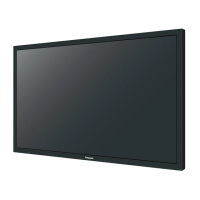
Panasonic TH-65LFB70E - User Manual

Panasonic TH-65LFB70E
36 pages
Print Icon
To Next Page IconTo Next Page
Loading...
Model No.
TH-50LFB70E
TH-65LFB70E
Operating Instructions
Touch Screen LCD Display (for business use)
For more detailed instructions, refer to the Operating
Instructions on the CD-ROM.
Contents
Important Safety Notice .............................2
Safety Precautions .....................................3
Accessories ................................................7
Connections .............................................10
Power On / Off .........................................12
Basic Controls ..........................................14
Speci cations ...........................................16
Please read these instructions before operating your set and retain
them for future reference.
Illustrations and screens in this Operating Instructions are images for
illustration purposes, and may be different from the actual ones.
Descriptive illustrations in this Operating Instructions are created mainly
based on the 50 inch model.
English
Español

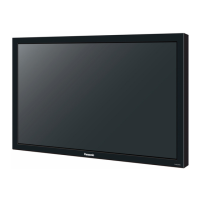
Other manuals for Panasonic TH-65LFB70E

Questions and Answers

  • G
    Gregg JohnsonSep 9, 2025
    Why does the screen darken on my Panasonic TH-65LFB70E?
    • J
      James PhamSep 9, 2025
      If the screen on your Panasonic Monitor darkens slightly when displaying bright pictures with minimal movement, this is normal and does not indicate a malfunction.
  • J
    james93Sep 12, 2025
    Why does it take a while for the picture to appear on my Panasonic TH-65LFB70E?
    • R
      Ryan BradshawSep 12, 2025
      If it takes a while for the picture to appear on your Panasonic Monitor, it is because the unit digitally processes the various signals to reproduce pleasing images.
  • P
    palmerangelaSep 12, 2025
    Why do the edges of the images flicker on my Panasonic TH-65LFB70E?
    • A
      Adam MartinezSep 13, 2025
      If the edges of the images flicker on your Panasonic Monitor, this is normal due to the characteristics of the system used to drive the panel and does not indicate a malfunction.
  • S
    stephanie86Sep 14, 2025
    Why are there spots on the screen of my Panasonic TH-65LFB70E Monitor?
    • G
      Gina PinedaSep 15, 2025
      If you notice red, blue, green, or black spots on the screen of your Panasonic Monitor, this is a characteristic of liquid crystal panels and does not affect the performance of the LCD.
  • M
    Micheal WilliamsSep 17, 2025
    Why does image retention appear on my Panasonic TH-65LFB70E?
    • O
      oyoungSep 17, 2025
      If you see image retention on your Panasonic Monitor, where a still picture remains visible for a while, this can occur if a still picture is displayed for an extended period. However, the image will disappear after some time.

Panasonic TH-65LFB70E Specifications

General IconGeneral
BrandPanasonic
ModelTH-65LFB70E
CategoryMonitor
LanguageEnglish

Related product manuals