13
TH-65PF20U
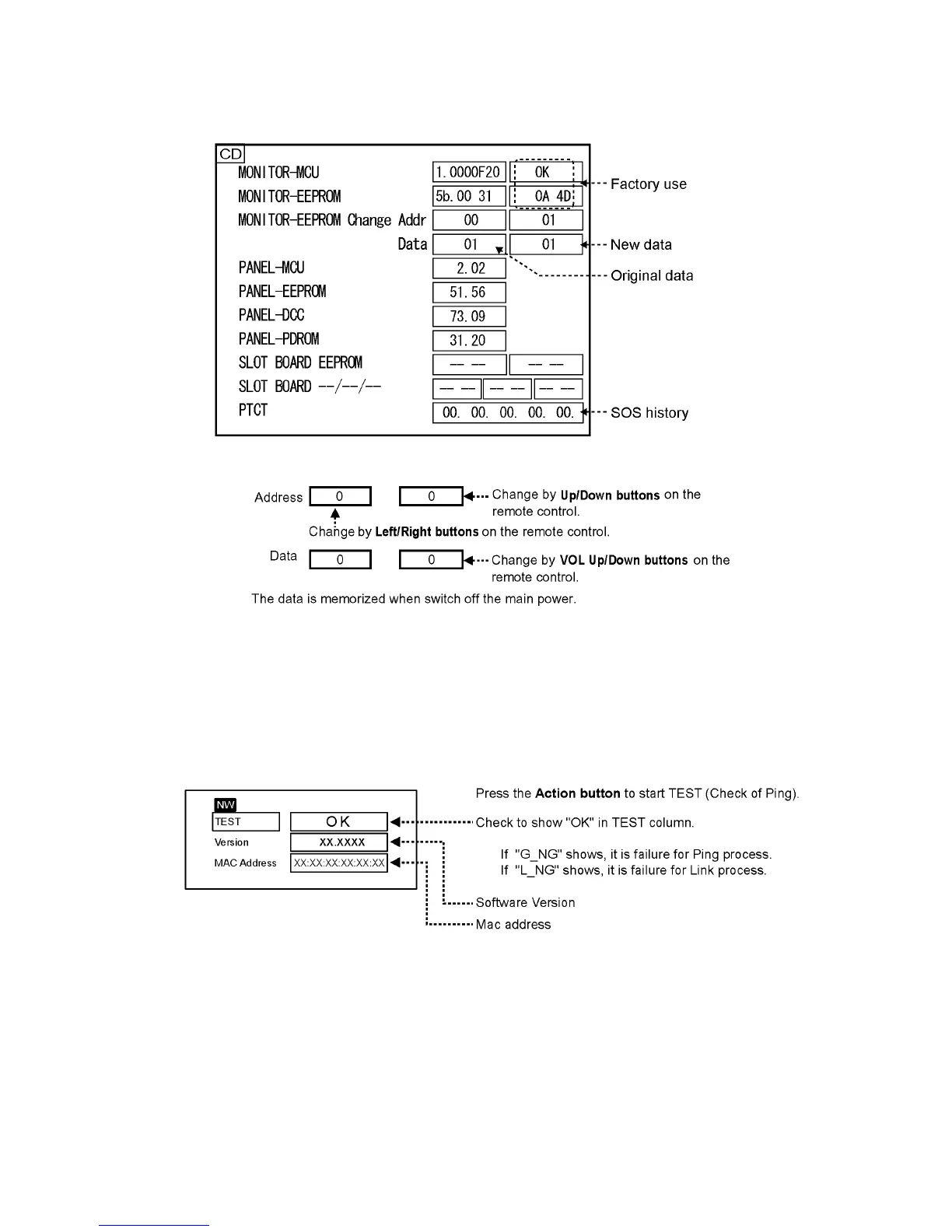
6.1.2. CD mode
Select the CD mode by Up/Down button on the remote control at the front page of CAT mode and then press the Mute button on
the remote control more than 3 seconds.
Memory data change
To exit the CD mode, press the R button on the remote control.
6.1.3. NW mode
Note :
To use the network function, set each "Network Setup" setting and make sure to set the "Control I/F Select" to "LAN".
Select the NW mode by Up/Down button on the remote control at the front page of CAT mode and then press the Action button
on
the remote control.
To exit the NW mode, press the R button on the remote control.



 To Next Page