25
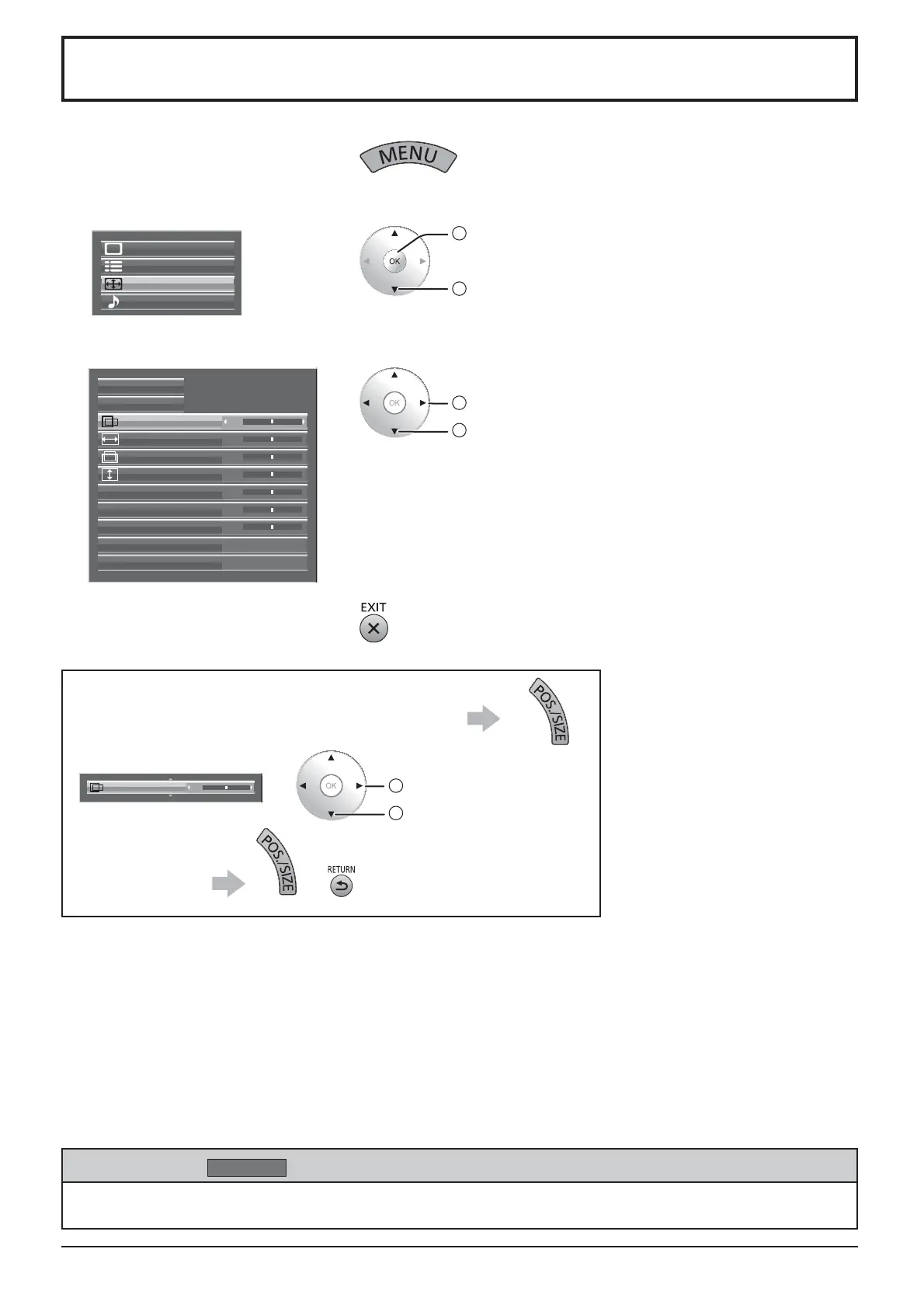
Adjusting Pos. /Size
1
Display the menu screen.
2
Select “Pos. /Size”.
Setup
Pos. /Size
Sound
Picture
2
access
1
select
3
Select the item and set.
2
adjust
1
select
1:1 Pixel Mode
H-Pos
0
0
0
H-Size
Auto Setup
Normalise
V-Pos
0V-Size
0Dot Clock
0
0
Clock Phase
Clamp Position
Off
Under scan Off
4
Exit the menu.
Notes:
• Adjustment details are memorized separately for different input signal formats (Adjustments for component signals are
memorized for 525 (480) / 60i · 60p, 625 (575) / 50i · 50p, 1125 (1080) / 60i · 50i · 60p · 50p · 24p · 25p · 30p · 24sF,
1250 (1080) / 50i, 750 (720) / 60p · 50p each, and RGB/PC/Digital signals are memorized for each frequency.)
• If a “Cue” or “Rew” signal from a VCR or DVD player is received, the picture position will shift up or down. This picture
position movement cannot be controlled by the Picture Pos./Size function.
To display a menu for adjustment of the Pos. /Size
menu on the bottom of the screen
H-Pos 0
2
adjust or select
1
select the menu
To hide the menu or
Note:
Unadjustable items are grayed out.
Adjustable items differ depending on the input signal and the display mode.
While the Pos. /Size display is active, if the OK button is pressed during “Normalise”, then all adjustment values
are returned to the factory settings.
Helpful Hint (
Normalise
Normalization)








 To Next Page