10
6 Service Mode
6.1. How to enter into Service Mode
6.1.1. Purpose
After exchange parts, check and adjust the contents of adjustment mode.
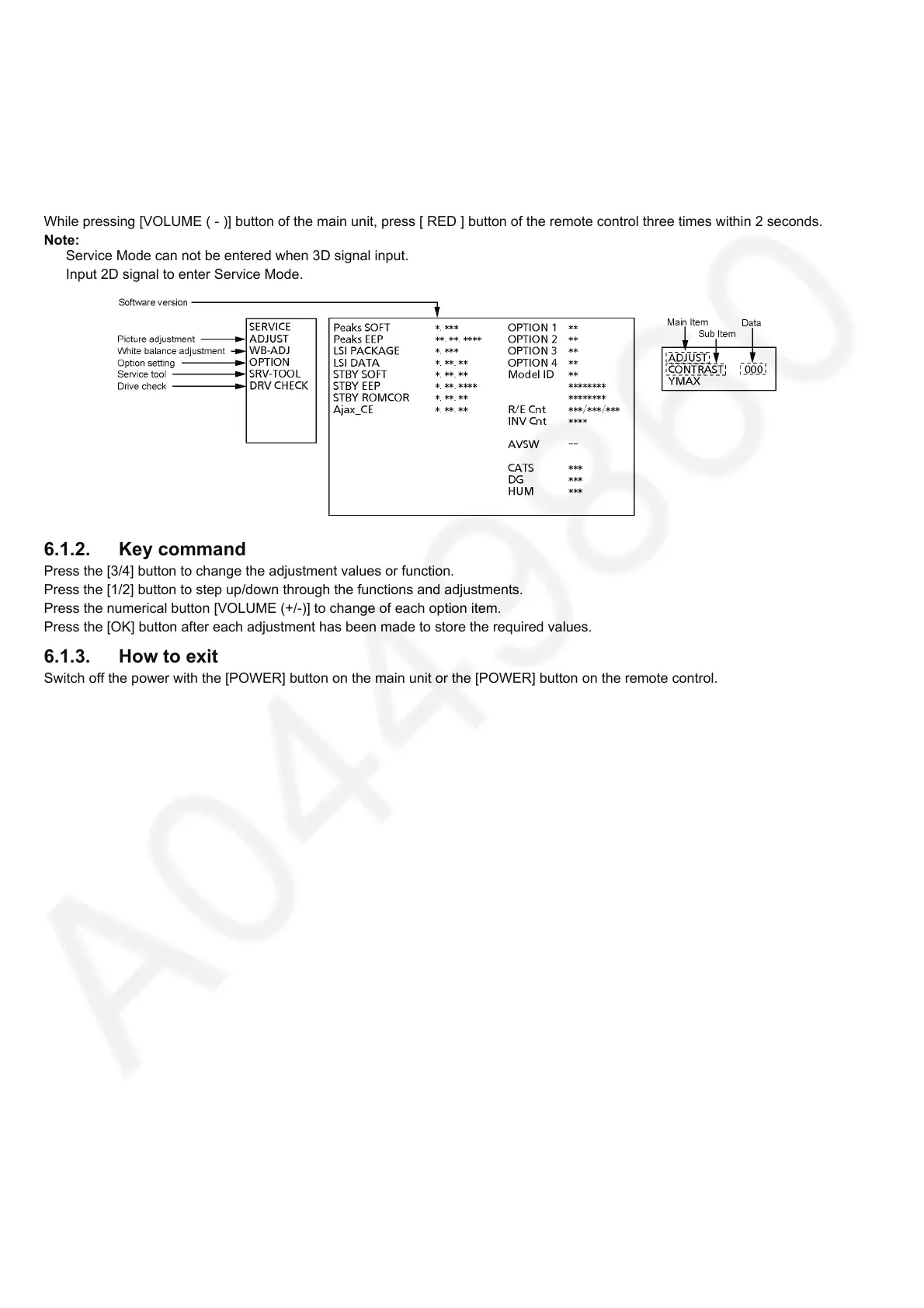
While pressing [VOLUME ( - )] button of the main unit, press [ RED ] button of the remote control three times within 2 seconds.
Note:
Service Mode can not be entered when 3D signal input.
Input 2D signal to enter Service Mode.
6.1.2. Key command
Press the [3/4] button to change the adjustment values or function.
Press the [1/2] button to step up/down through the functions and adjustments.
Press the numerical button [VOLUME (+/-)] to change of each option item.
Press the [OK] button after each adjustment has been made to store the required values.
6.1.3. How to exit
Switch off the power with the [POWER] button on the main unit or the [POWER] button on the remote control.










 To Next Page