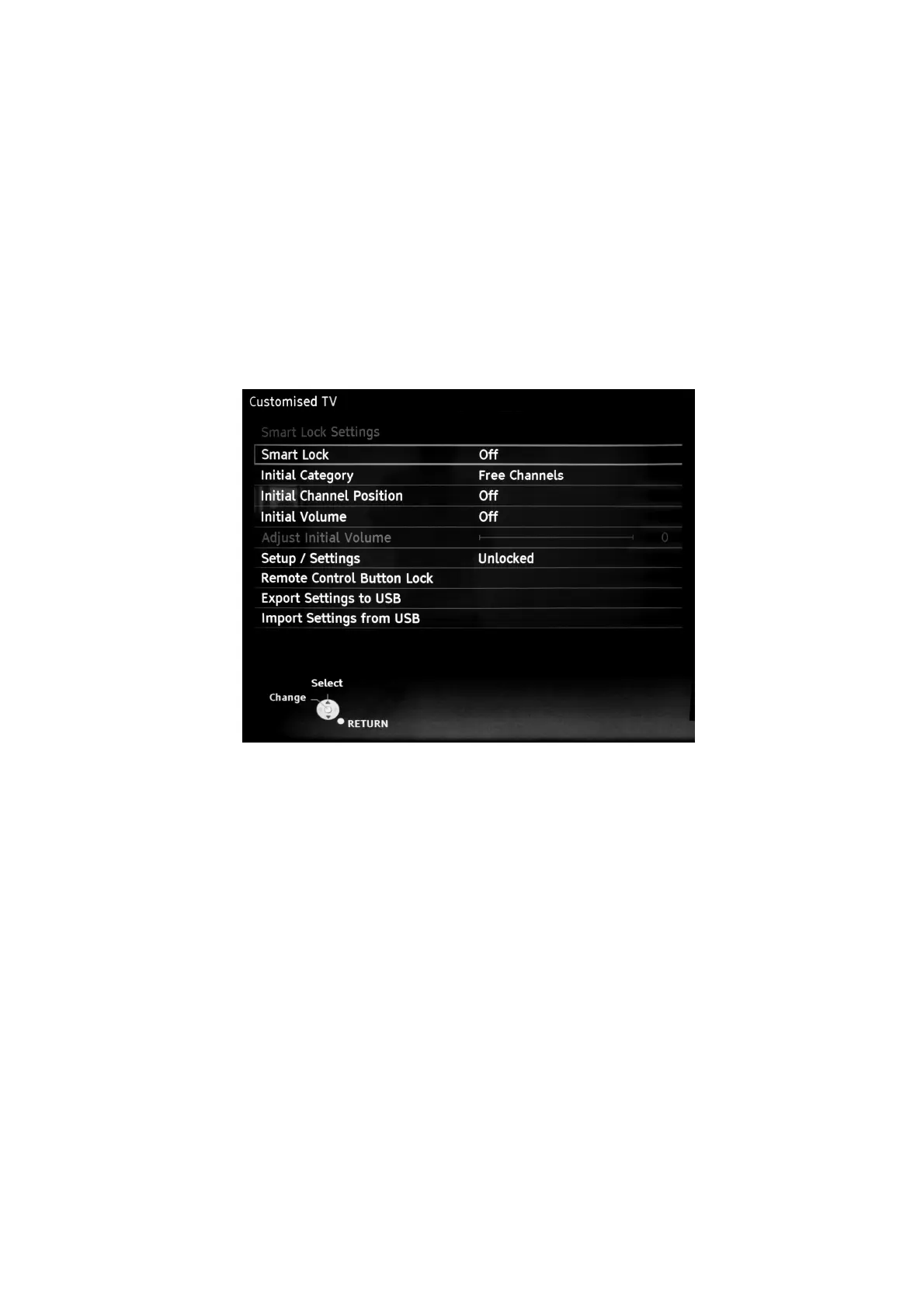
Customised TV (Smart Lock)
(Only for TX-50DXW804)
1. Purpose
Smart lock feature provides a method for Panasonic dealer to operate the TV in specific customised mode
and allows to hide functions to reduce the complexity when customer is using the product furthermore,
dealers should have the opportunity to copy such settings to another TV set.
2. Access command to the Customised TV setup menu.
Smart Lock (Customised TV) Menu is only enabled on DVB input. Menu will not launch on Analogue or any External input.
In order to display the Customised TV setup menu, please enter the following command:
[TV] : Vol.[Down] + [REMOTE] : Green button (3 times)
1. Then, the Customised TV setup menu is displayed.(see Fig.12)
Fig.12



 To Next Page