23
8 Service Fixture & Tools
8.1. SC jig
Purpose:
To find the failure board (SC) when the power LED is blinking 7 times.
SC jig:
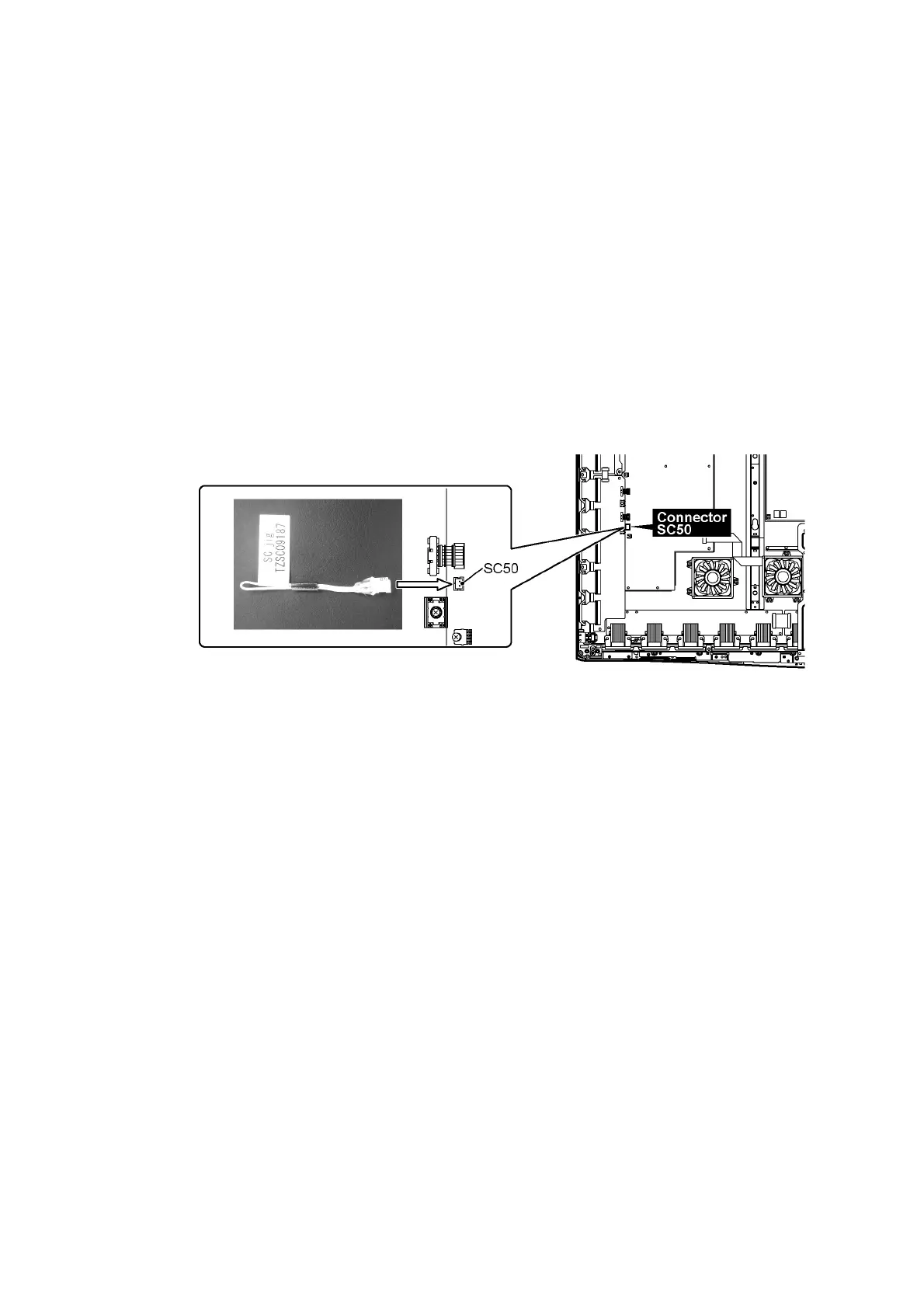
Jumper connector to connect to SC50 connector on SC board
Part number:
TZSC09187
How to use:
Caution: Remove SC jig from SC board after inspection.
1. Connect SC jig to connector SC50 at left bottom side of SC board
2. Turn on the TV/Display Unit and confirm the power LED blinking.
LED blinking: Possible cause of failure is in SC board
No LED blinking (Lighting or no lighting): Possible cause of failure is in SM board
3. After inspection, turn off the TV/Display Unit and wait a few minutes to discharge.
4. Remove SC jig from SC board.
Remark: This SC jig can be used for all 2010 Plasma TV and Plasma Display.









 To Next Page