11
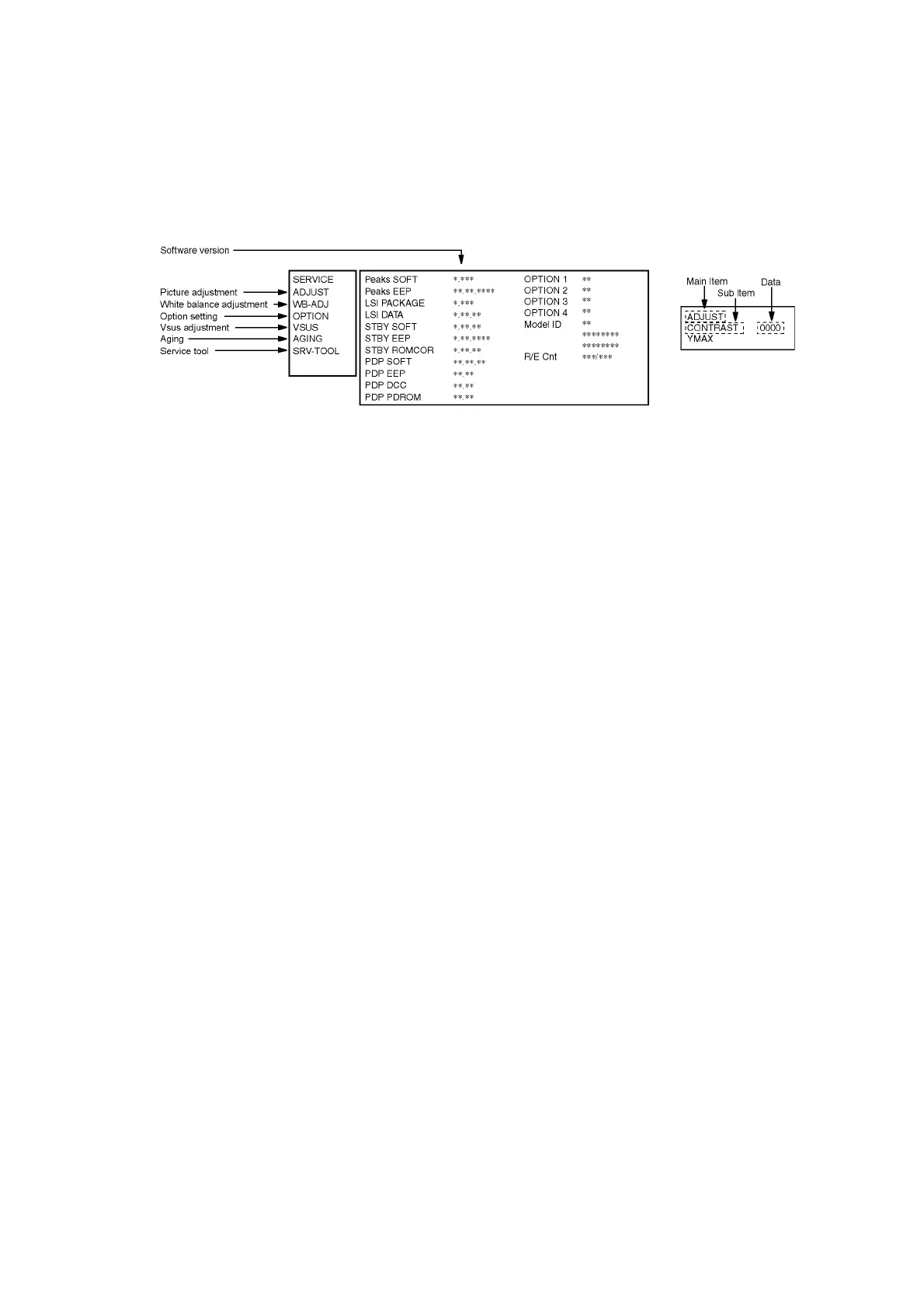
6 Service Mode
6.1. How to enter into Service Mode
6.1.1. Purpose
After exchange parts, check and adjust the contents of adjustment mode.
While pressing [VOLUME ( - )] button of the main unit, press [0] button of the remote control three times within 2 seconds.
6.1.2. Key command
[1] button...Main items Selection in forward direction
[2] button...Main items Selection in reverse direction
[3] button...Sub items Selection in forward direction
[4] button...Sub items Selection in reverse direction
[RED] button...All Sub items Selection in forward direction
[GREEN] button...All Sub items Selection in reverse direction
[VOL] button...Value of sub items change in forward direction ( + ), in reverse direction ( - )
6.1.3. How to exit
Switch off the power with the [POWER] button on the main unit or the [POWER] button on the remote control.













 To Next Page