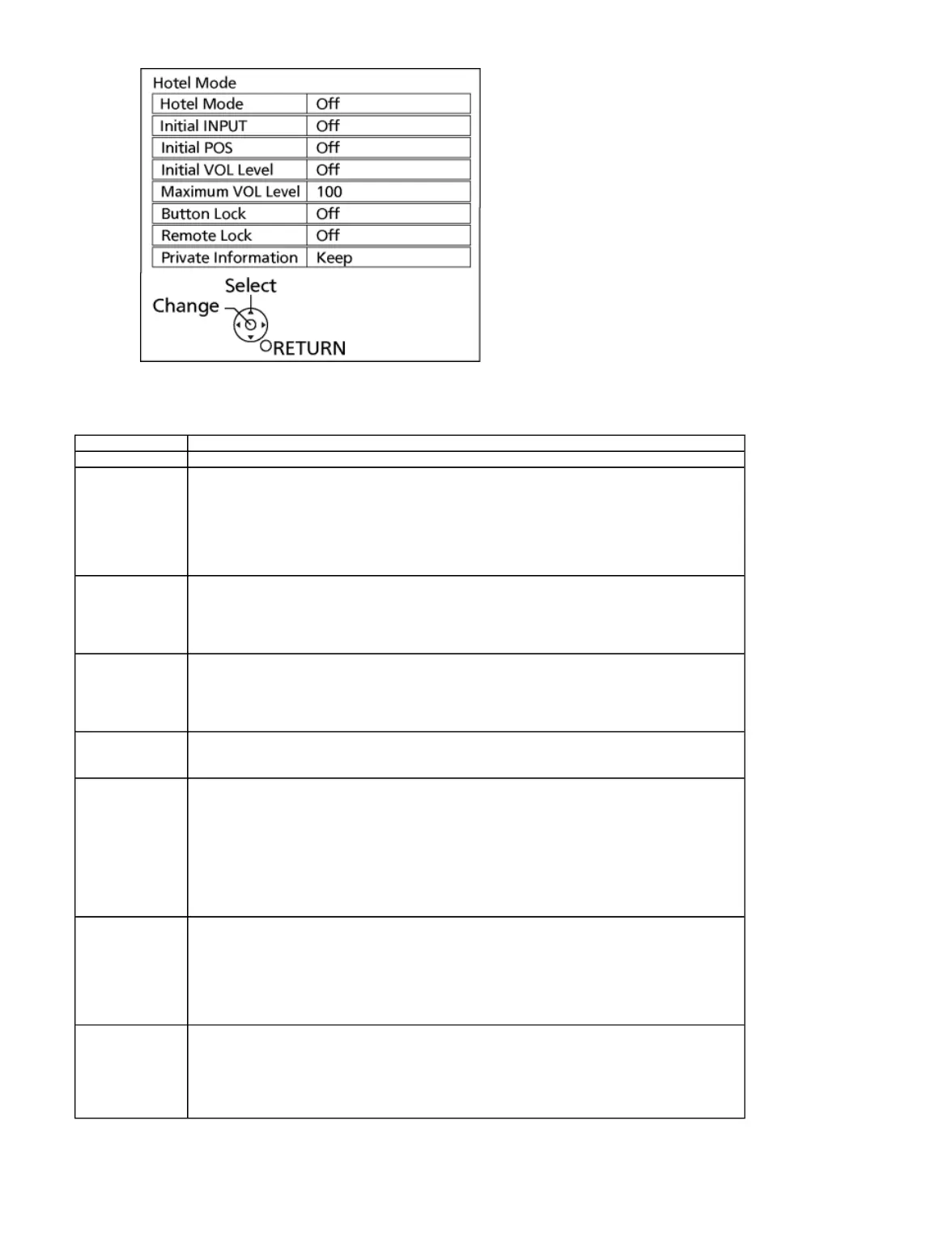
3. To exit the Hotel mode setup menu
Switch off the power with the [POWER] button on the main unit or the [POWER] button on the remote control.
4. Explain the Hotel mode setup menu
6.6 Data Copy by USB Memory
Select input signal modes.
Set the input, when each time power is switched on.
Selection :
Off,Analogue,DVB-S,DVB-C,DVB-T,AV1,AV2,
HDMI1,HDMI2,HDMI3
Off: give priority to a last memory. However, Euro model is compulsorily set to TV.
Select programme number.
Selection :
Off/0 to 99
Off: give priority to a last memory
Adjust the volume when each time power is switched on.
Selection/Range :
Off/0 to 100
Off: give priority to a last memory
Adjust maximum volume.
Range :
0 to 100
Select local key conditions.
Selection :
Off/SETUP/MENU
Off: altogether valid
SETUP: only F-key is invalid
(Tuning guide (menu) can not be selected.)
MENU: only F-key is invalid
(only Volume/Mute can be selected.)
Select remote control key conditions.
Selection :
Off/SETUP/MENU
Off: altogether valid
SETUP: only Setup menu is invalid
MENU: Picture/Sound/Setup menu are invalid
Select private information for VIERA Cast is Keep or Reset if Hotel mode is set to [On] when TV power on.
Selection :
Keep/Reset
Keep: private information for VIERA Cast is keep
Reset: private information for VIERA Cast is reset
file://C:\Users\sh.dehghani\Desktop\New folder\TX-P65VT60EALLSVC_PCZ1304099CE\
...










 To Next Page